
Three apps, one post: the last set of changes in the release
The Odoo 20 release notes end with three unrelated apps that customers ask about: Appointments, Studio and ESG. Appointments lets a visitor move a meeting without losing it. Studio rebuilds its report editor around three tabs and closes a hole in approval rules with child rules. ESG, renamed from its CSRD modules, gains an Actions menu with a baseline, a target and an automatic Reached flag, factor rules by product category, and two AI shortcuts. Front desks, no-code power users and sustainability leads each get a section.
We grouped them because they are the last set of changes in the release, not because they belong together; each app has its own pill, so skip to yours. Where the release notes describe something we could not find on the pre-release build, we say so.
Observed on the Odoo 20.0 Enterprise pre-release build of September 23, 2026. Names, menus and availability can change before general availability; we will update this page when they do.
Reschedule and cancel without losing the booking
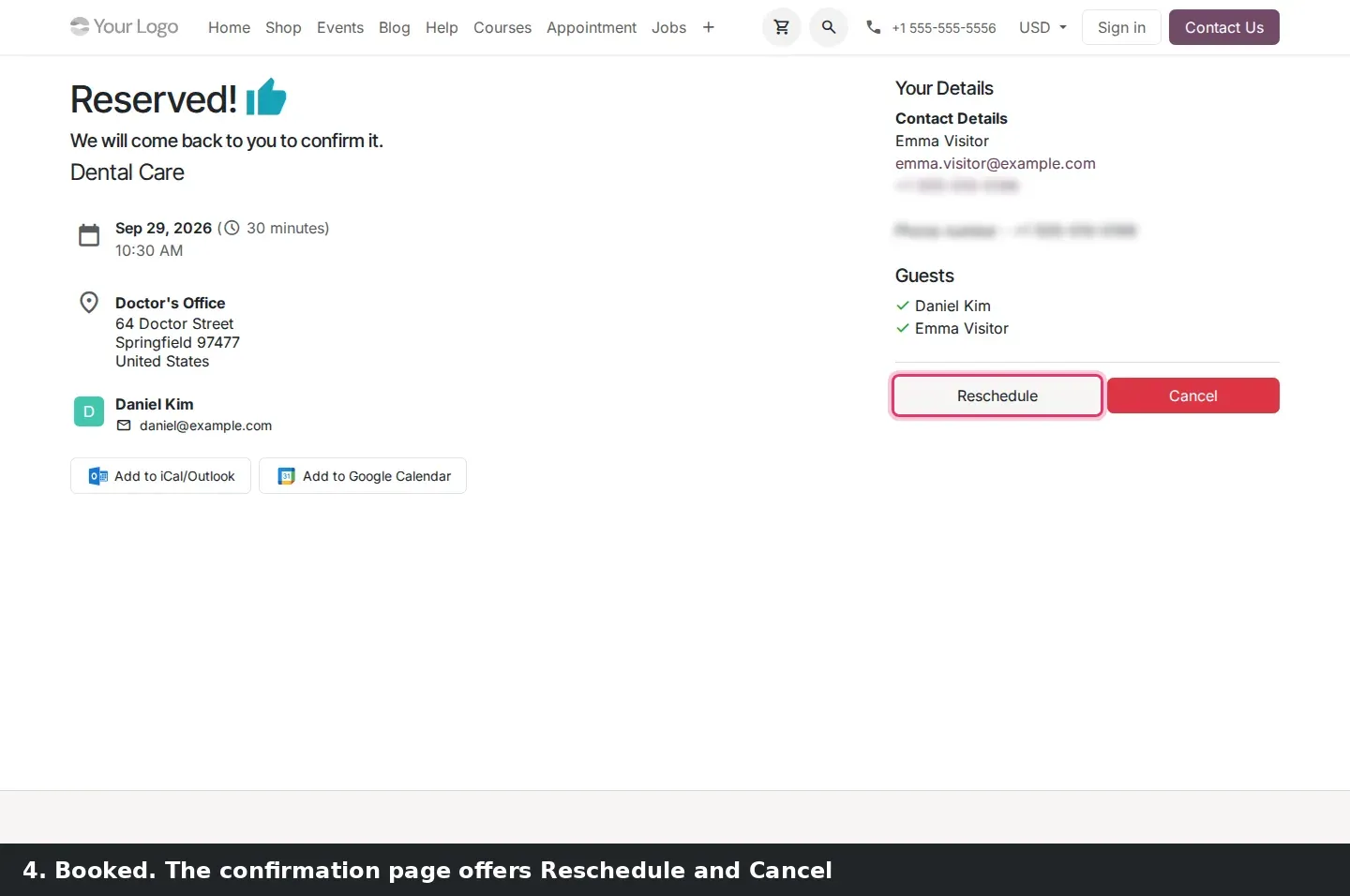
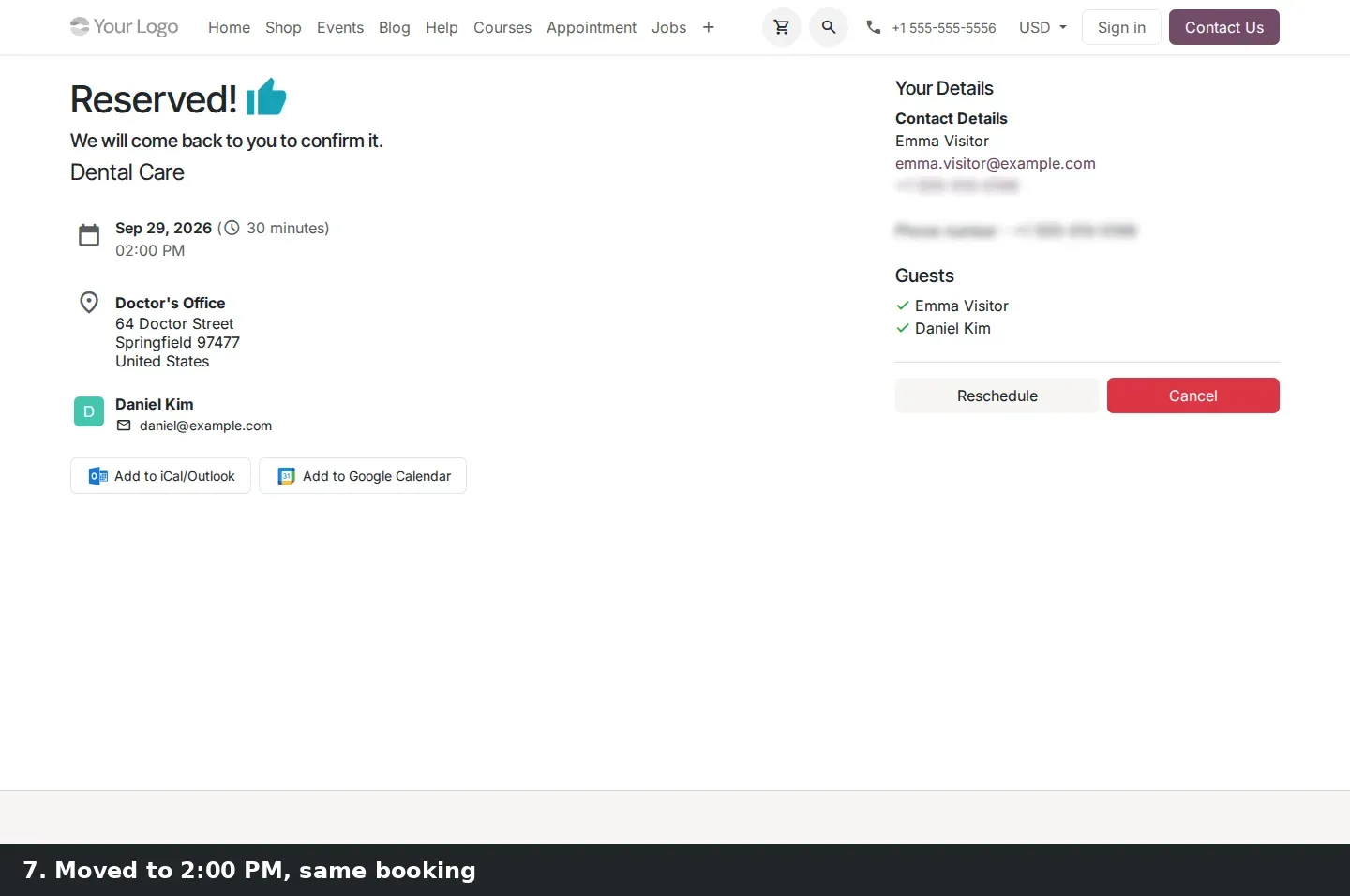
Until Odoo 19, Reschedule cancelled the booking first, then showed a slot picker; a visitor who closed the tab lost the slot. In Odoo 20 the confirmation page has two buttons, Reschedule and Cancel. Reschedule opens the slot picker under a blue "Reschedule your appointment" banner that lists the current reservation. The visitor may change the date, the time or the staff member, and the original meeting stays untouched until they confirm the new slot with the Reschedule button at the bottom.
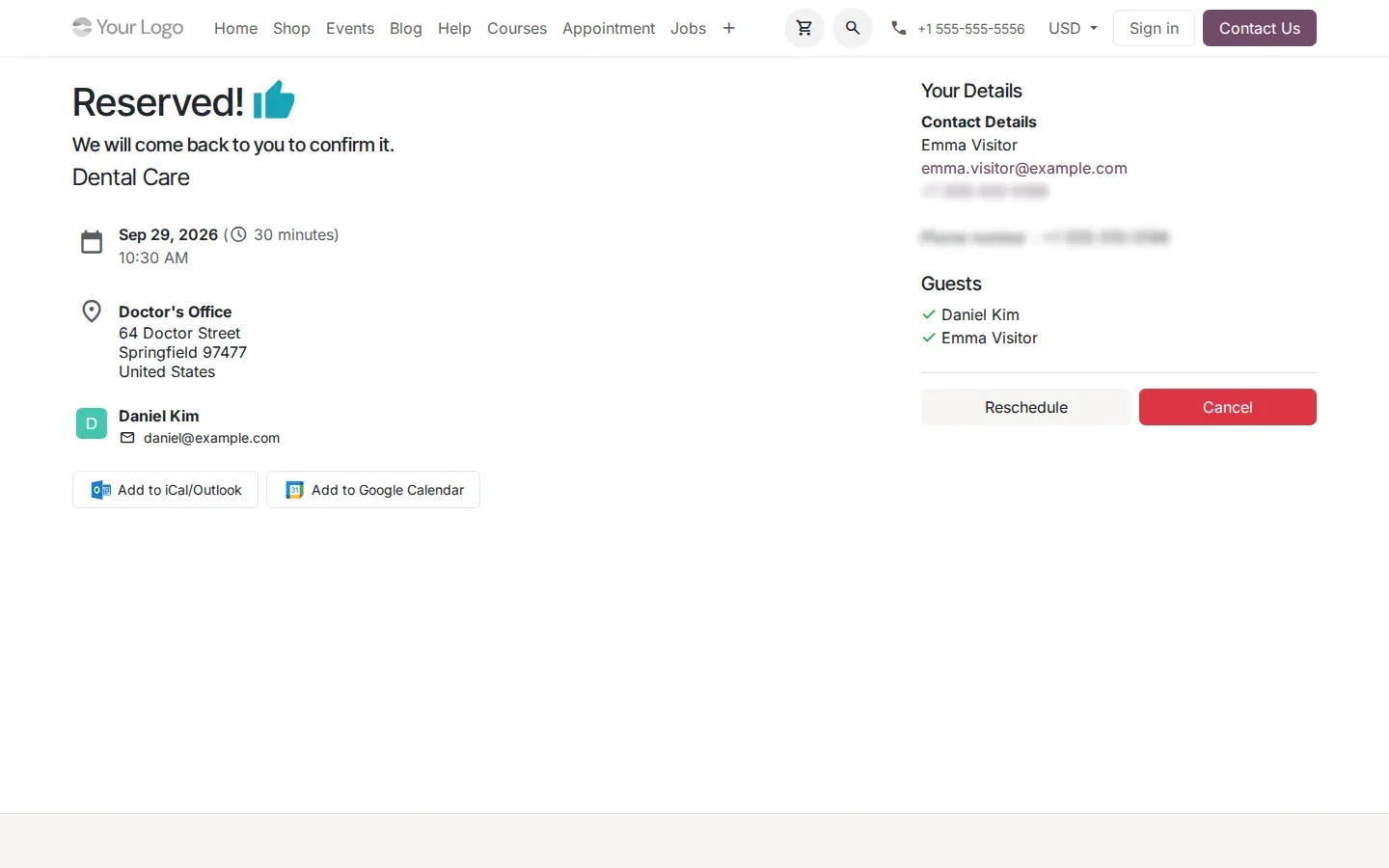
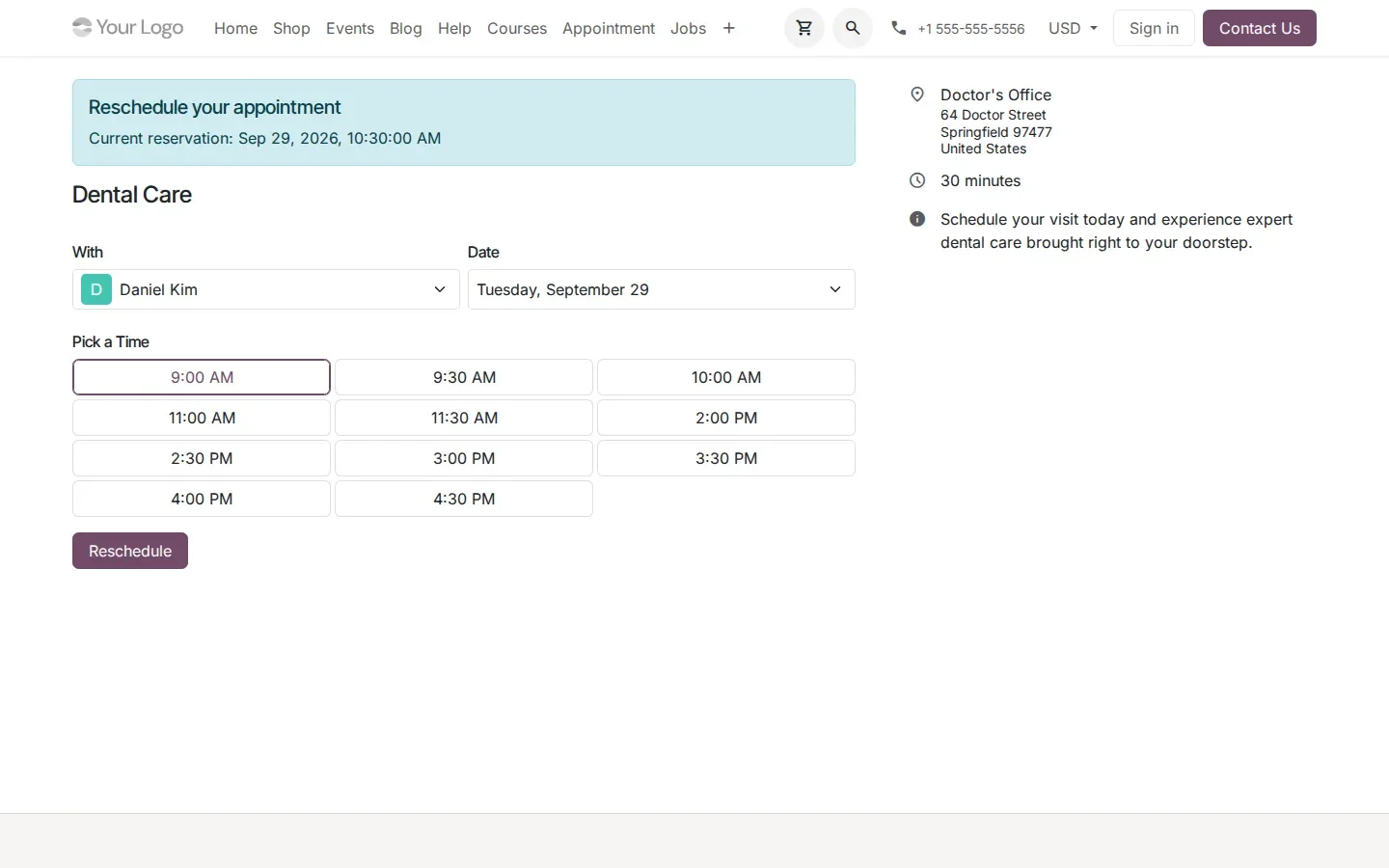
On the demo we booked a Dental Care slot with Daniel Kim at 10:30 AM, moved it to 2:00 PM, and the confirmation page came back with the new time. Paid appointment types are not reschedulable in this build, so the option does not apply to them. Cancel also differs from the release notes' dedicated cancellation page: on the build, the visitor lands back on the booking page of the appointment type.
Slots, the feedback email and a calendar that shows what is bookable
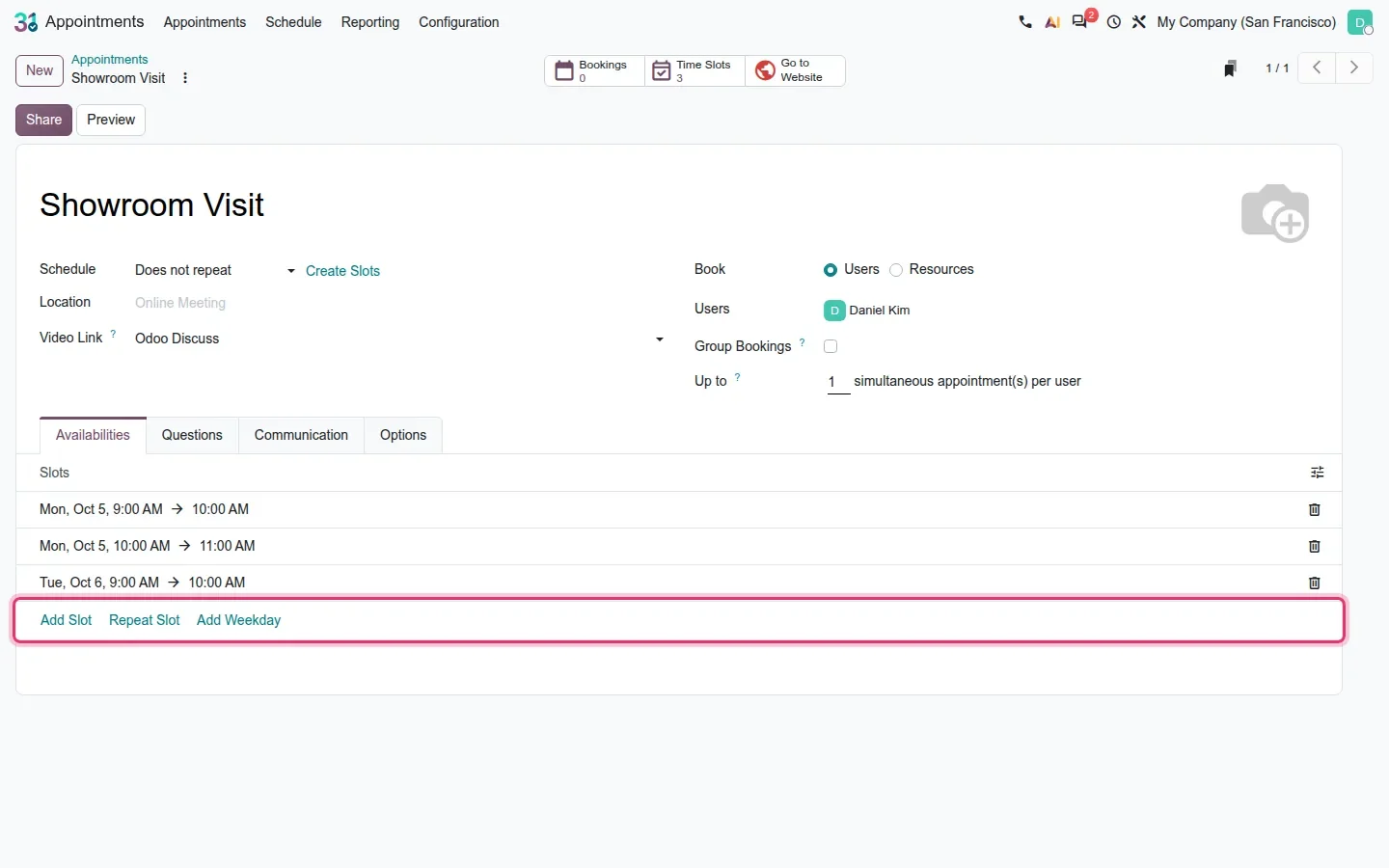
On the Availabilities tab of a custom-dates type, the slot list ends with three links: Add Slot, Repeat Slot and Add Weekday. Repeat Slot copies the last slot and Add Weekday copies the last day, so a week of identical openings takes a few clicks. One correction: the release notes describe a slot "deletion mode"; we found none. Slots remain a list with a trash icon on each row.
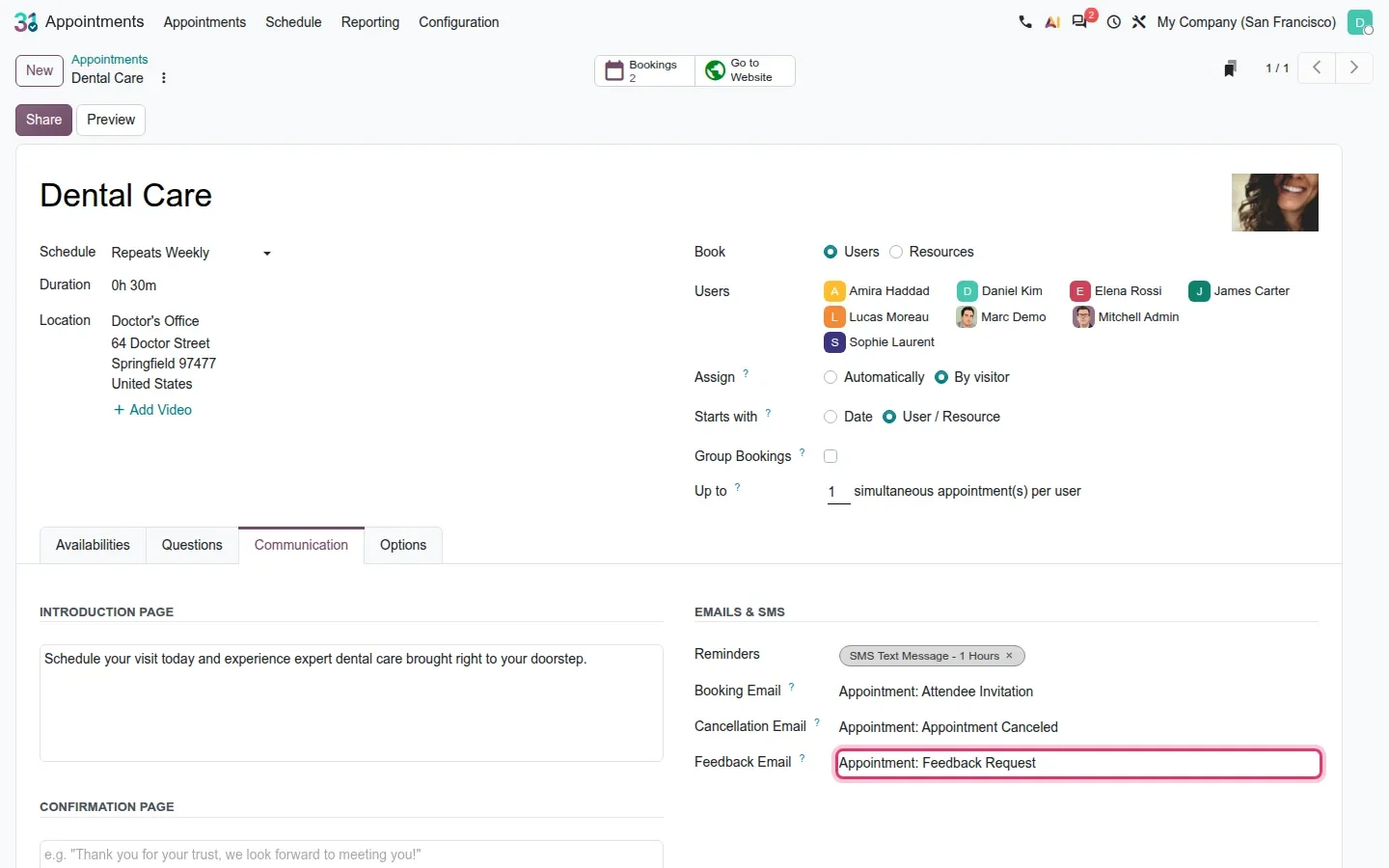
The Communication tab gains a Feedback Email field. You pick a mail template, "Appointment: Feedback Request" in the demo, and according to the release notes a scheduled job sends it after the meeting to attendees who showed up, with a flag against a second send. The review request goes out on its own instead of from someone's to-do list. We set the template but could not watch the send.
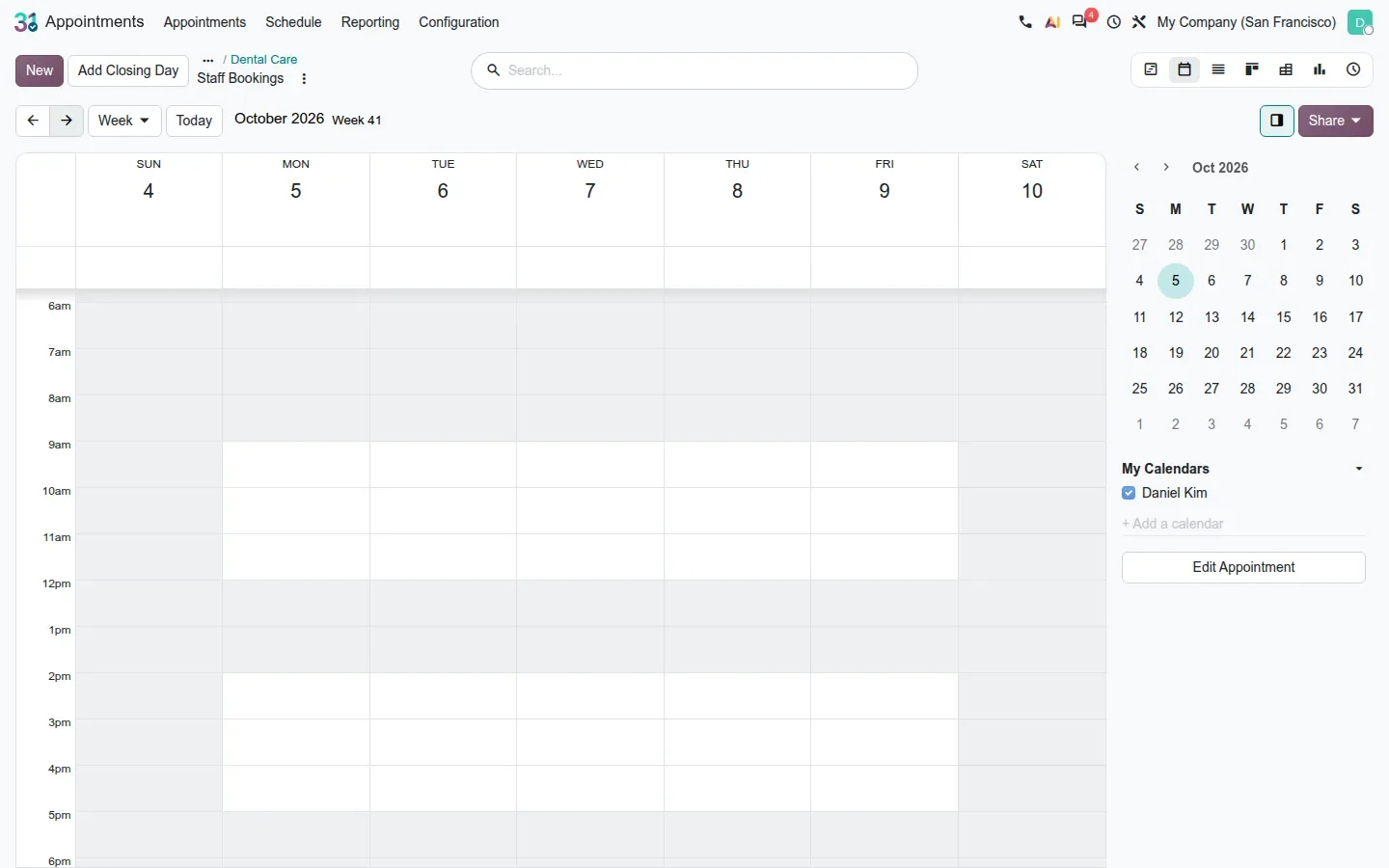
Last, open the Bookings smart button of an appointment type and switch to the week calendar: hours with no slot are greyed out (for Dental Care, outside 9 to 12 and 2 to 5, and weekends). The Gantt already did this; now the calendar does too, so nobody drags a meeting into a slot the website never offers.
The report editor now looks like the website builder
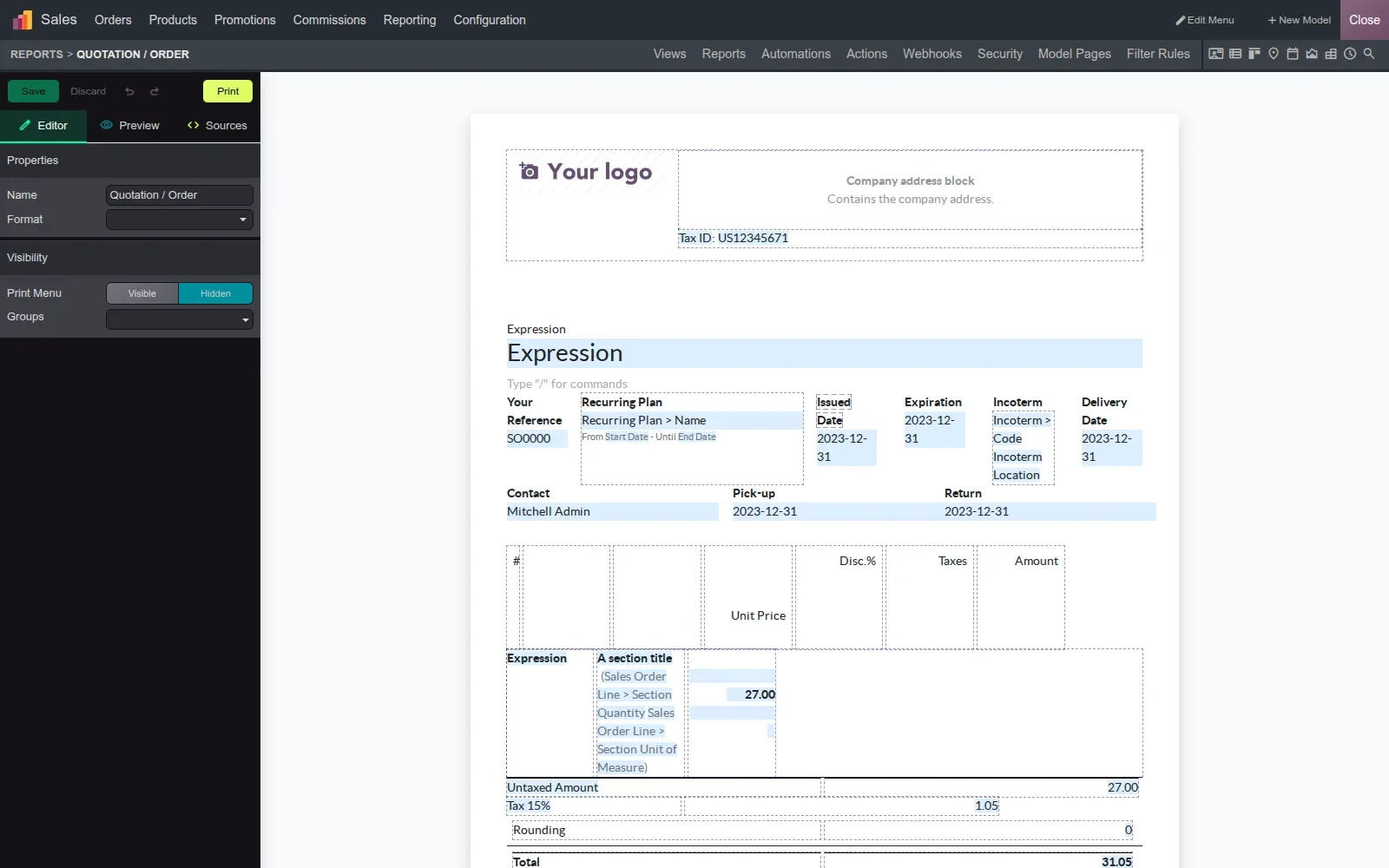
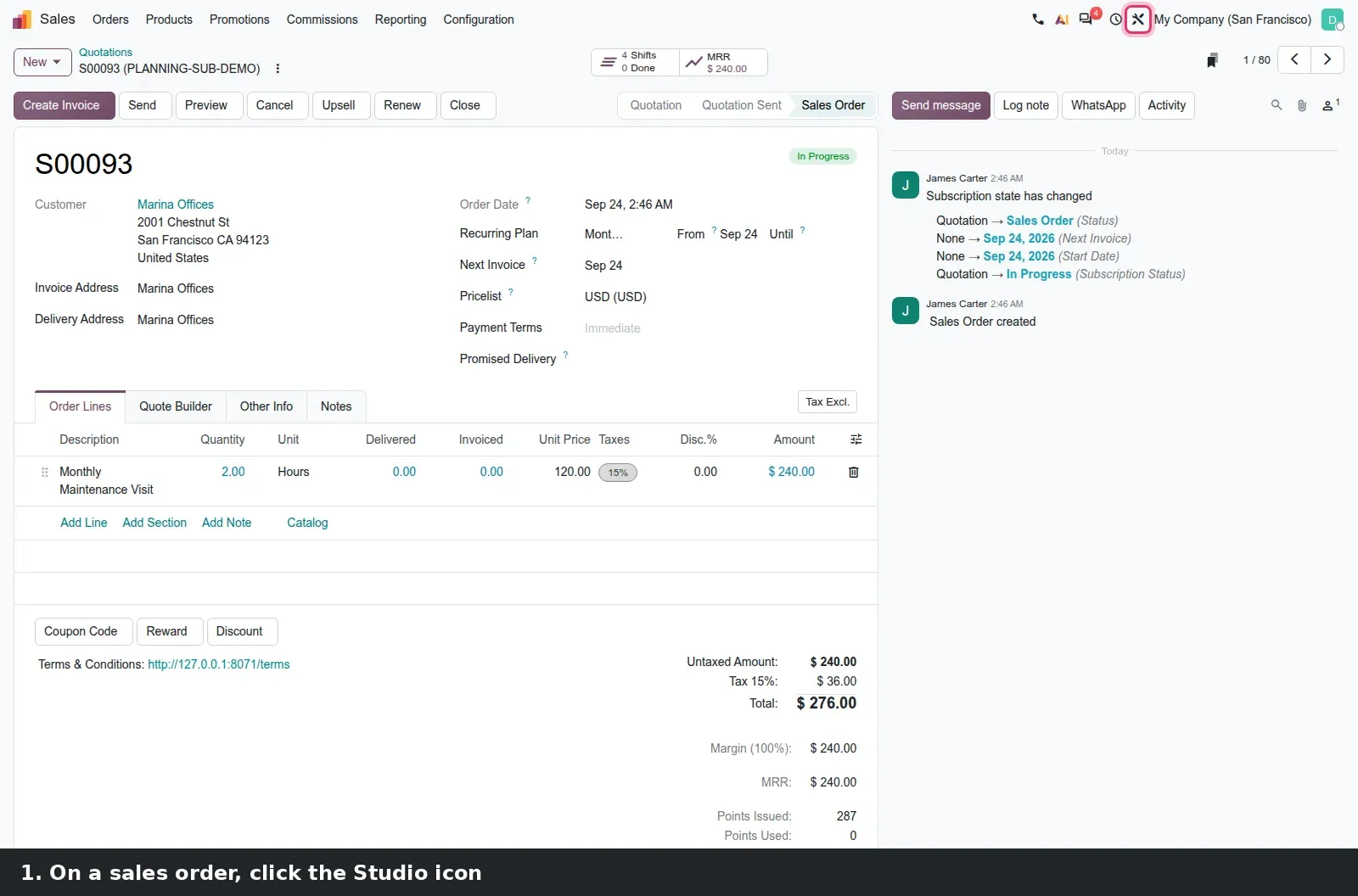
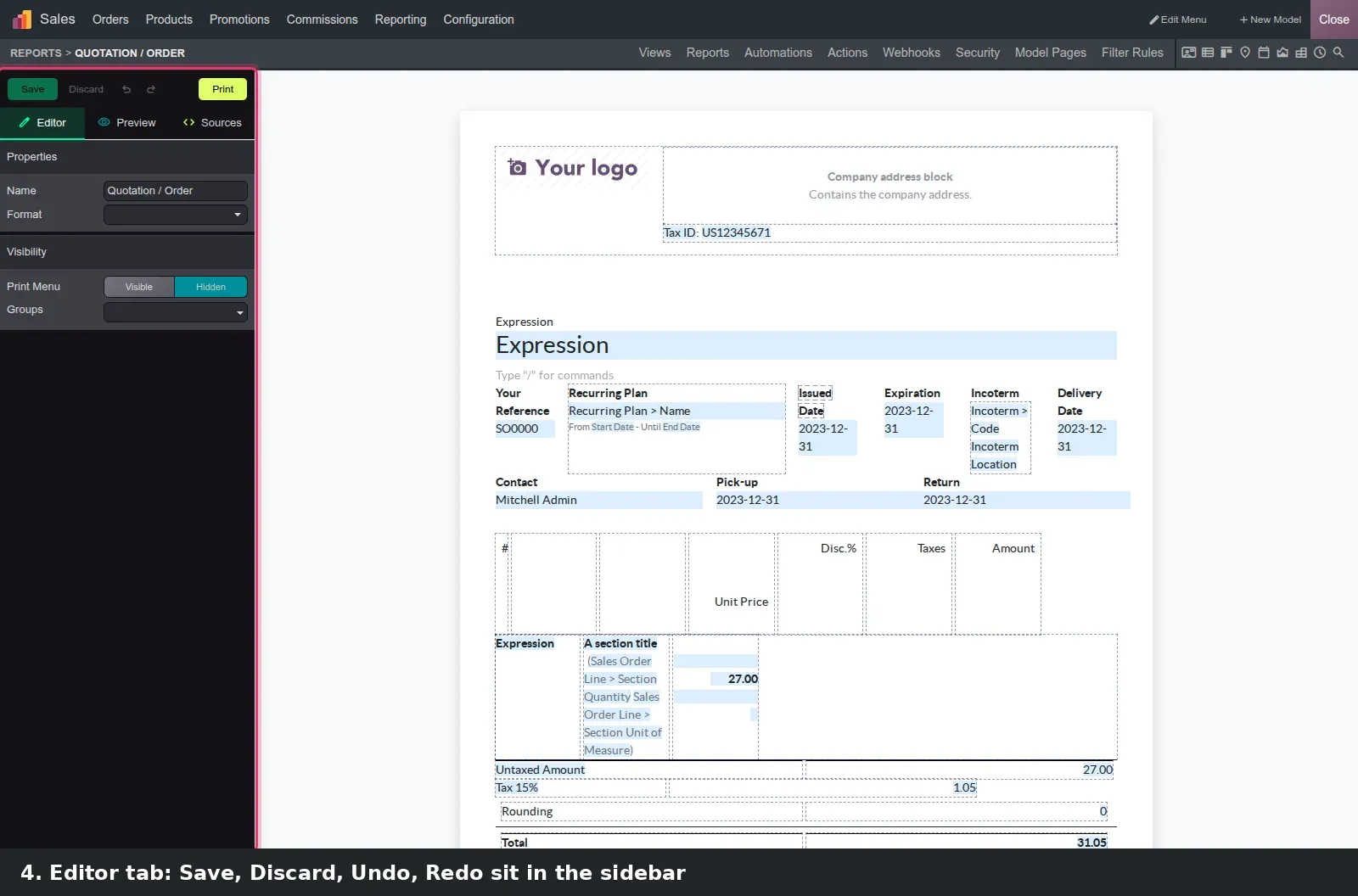
Open a quotation, click the Studio icon, then Reports and Quotation / Order. A dark sidebar holds Save, Discard, Undo, Redo and Print, then three tabs. The release notes call them WYSIWYG, XML and Preview; on screen they are Editor, Preview and Sources. Editor is the visual layout with grouped options. Preview renders the PDF for a real record with a record selector (1 / 10 here), so you can check that a change holds for a subscription order as well as a one-off sale.
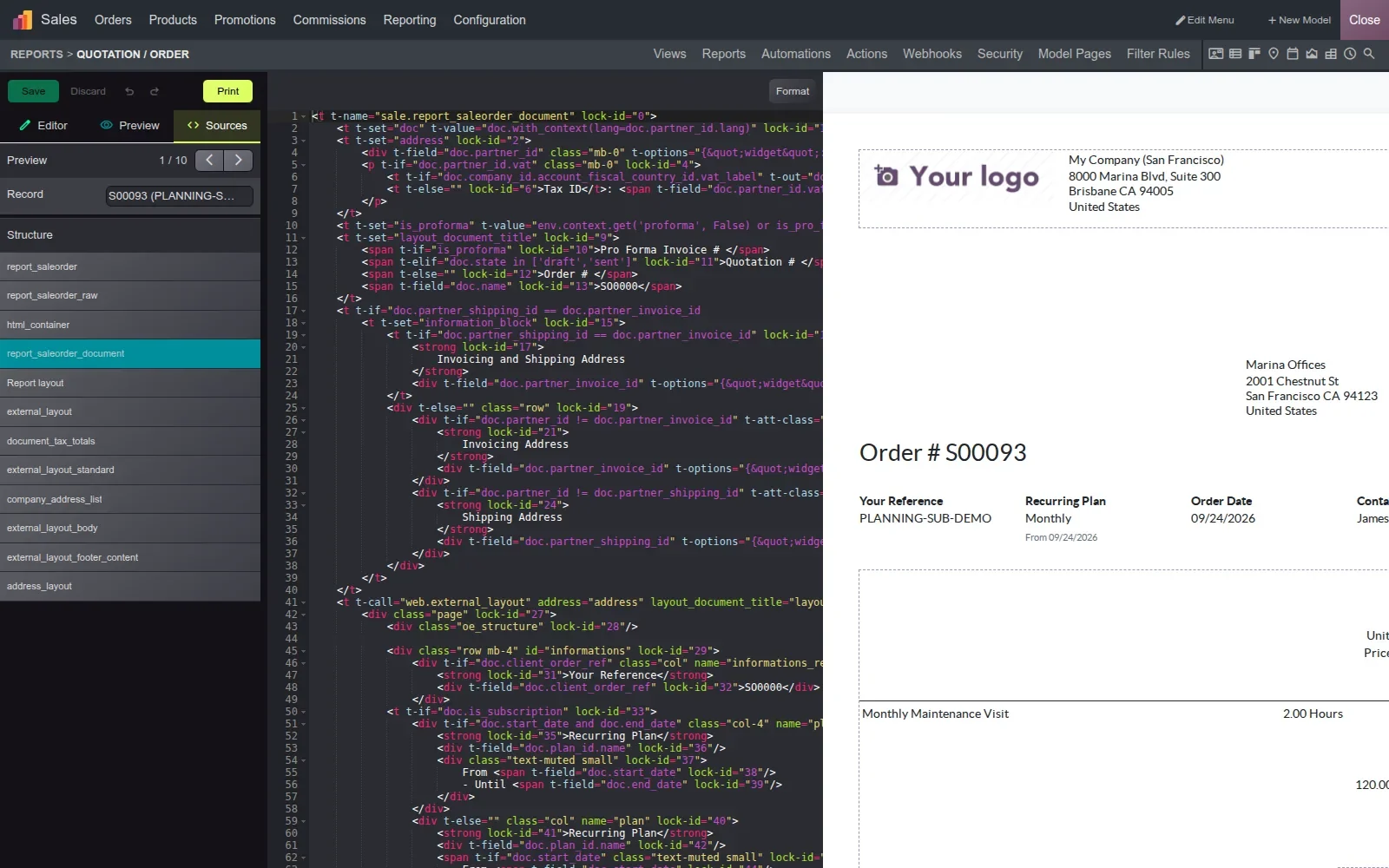
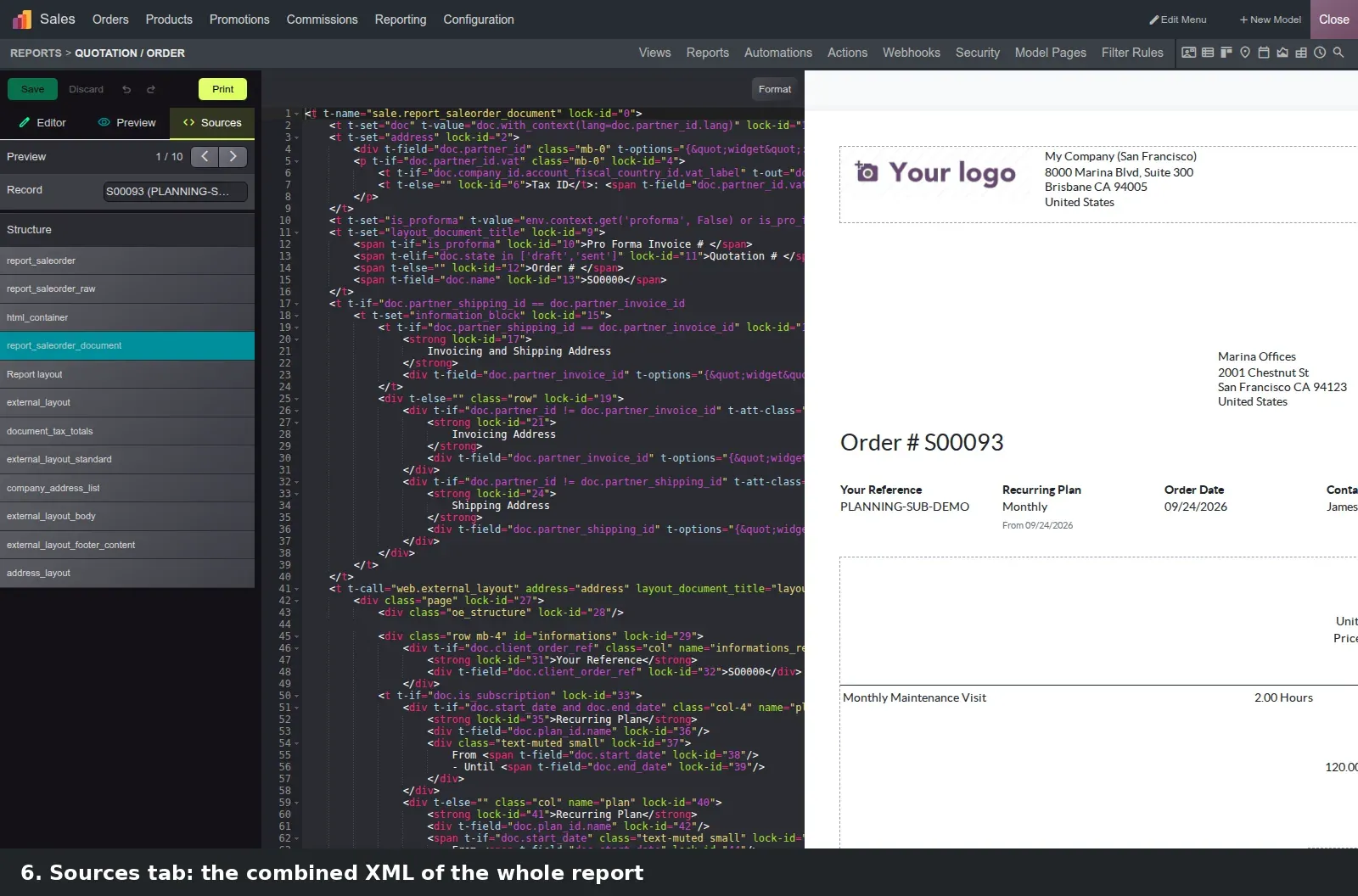
Sources is the real change. In Odoo 19 you edited one inherited view at a time and had to know which template held the footer line. Sources shows the combined XML of the whole report as one document next to the live preview, with the templates listed under Structure in place of the old hierarchical select. Every node carries a read-only lock-id; you edit the assembled text and Studio computes the difference and generates the inheritance for you. We saved nothing on the demo, hence the disabled Discard.
Approval rules gain child rules that close the side door
A Studio approval rule blocks a button until named approvers sign off, but only that button; a rule on Confirm did nothing about the model's other actions. Odoo 20 lets a parent rule have child rules on other methods of the same model, and the children refuse to run until the parent is approved. On the demo the parent, "Confirm orders above 1,000,000", sits on the Sales Order confirm action with Daniel Kim as approver and a Domain of Total greater than 1000000. Its child, "Large order approval (send)", sits on the send-quotation action.
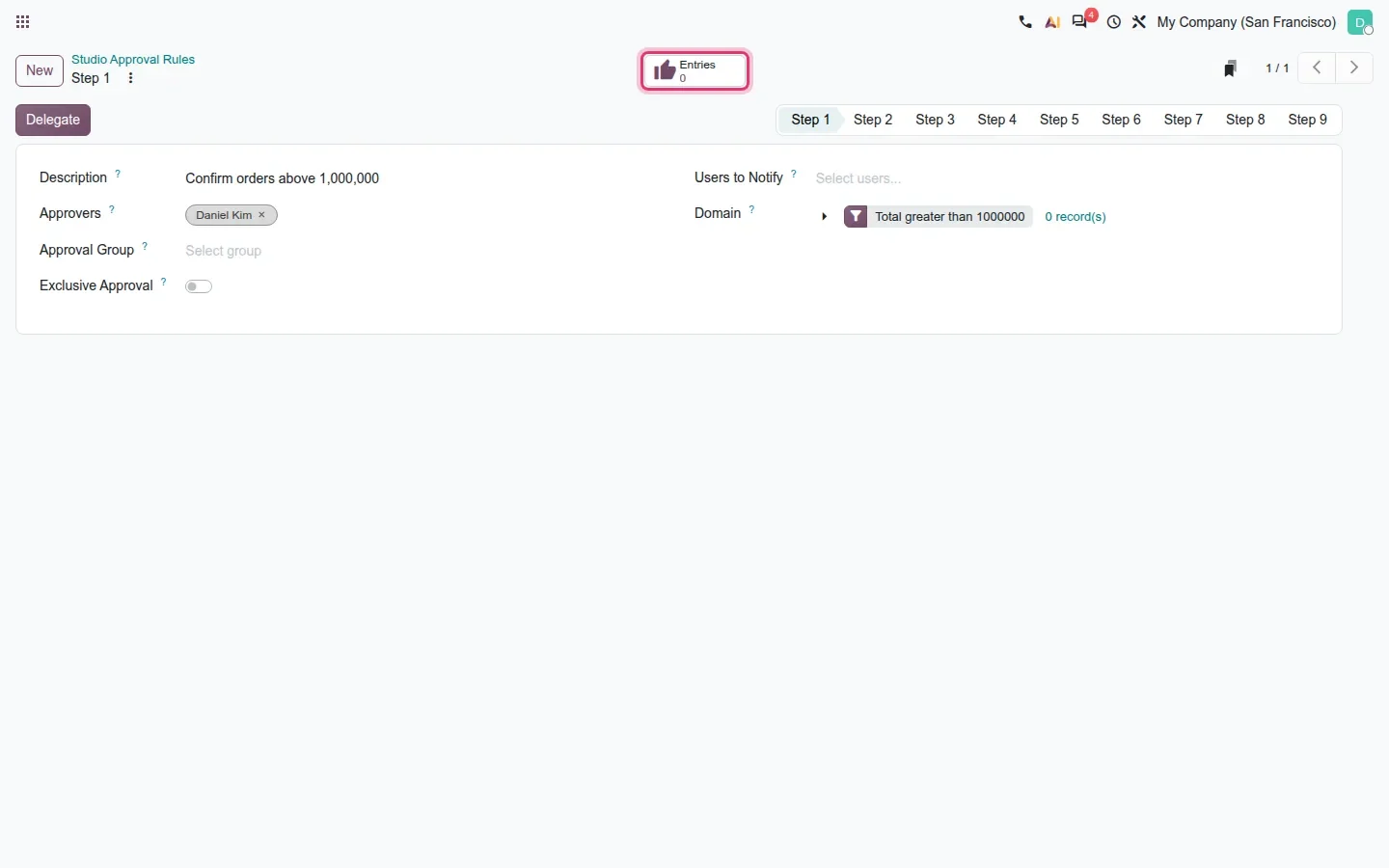
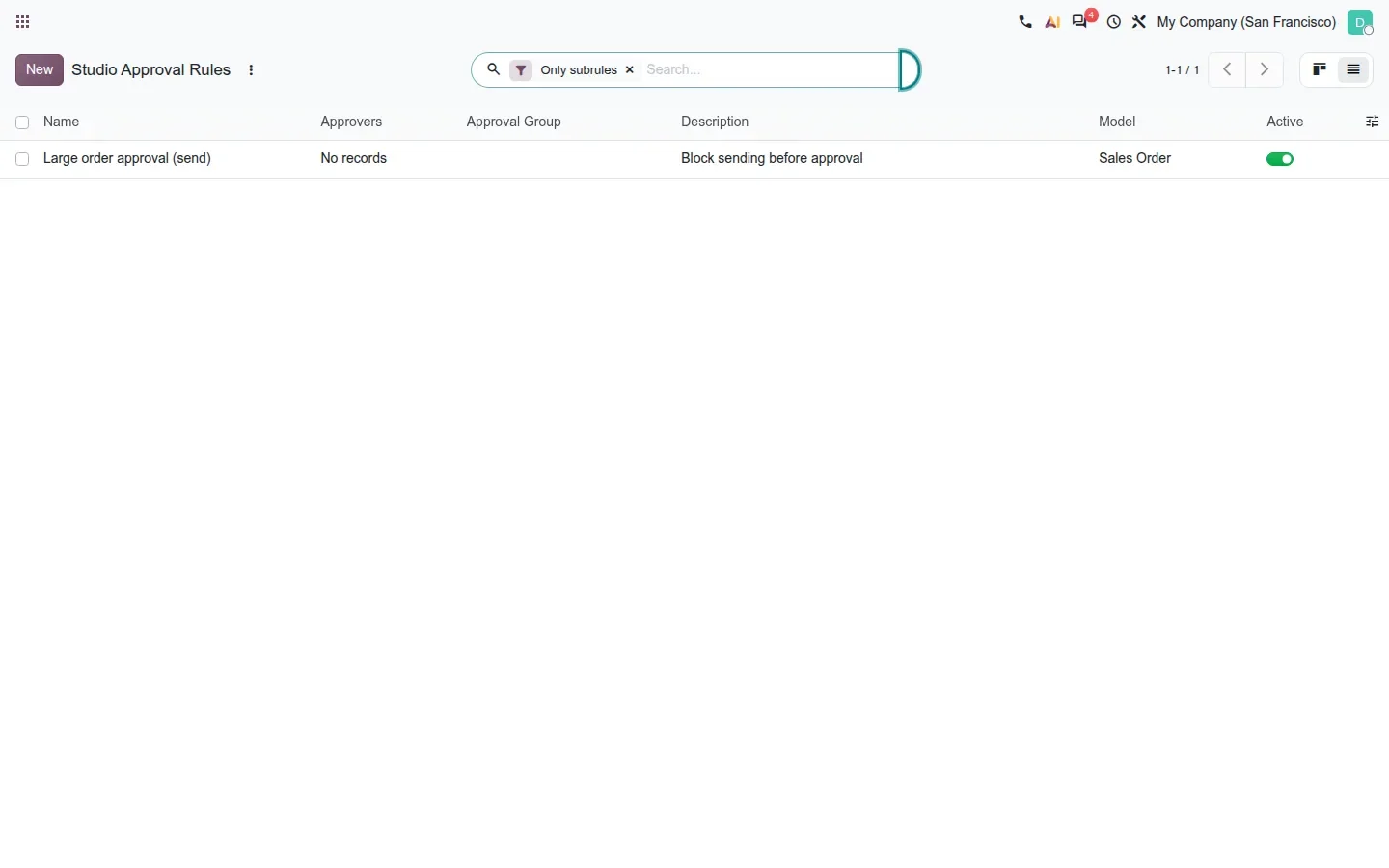
The rule form has an Entries smart button that opens the approvals recorded for the rule, zero here because no order matched the Domain. The list adds an "Only subrules" filter that shows the children alone, a quick audit of which side doors are covered. Approver changes tracked in the chatter and the Python-expression modifiers dialog from the release notes were not captured.
Test on zero records first
Create the rule with a Domain that matches no live order, add its child rules, then check Entries and Only subrules before you lower the threshold. Nobody's quotation is blocked while you learn how it behaves.
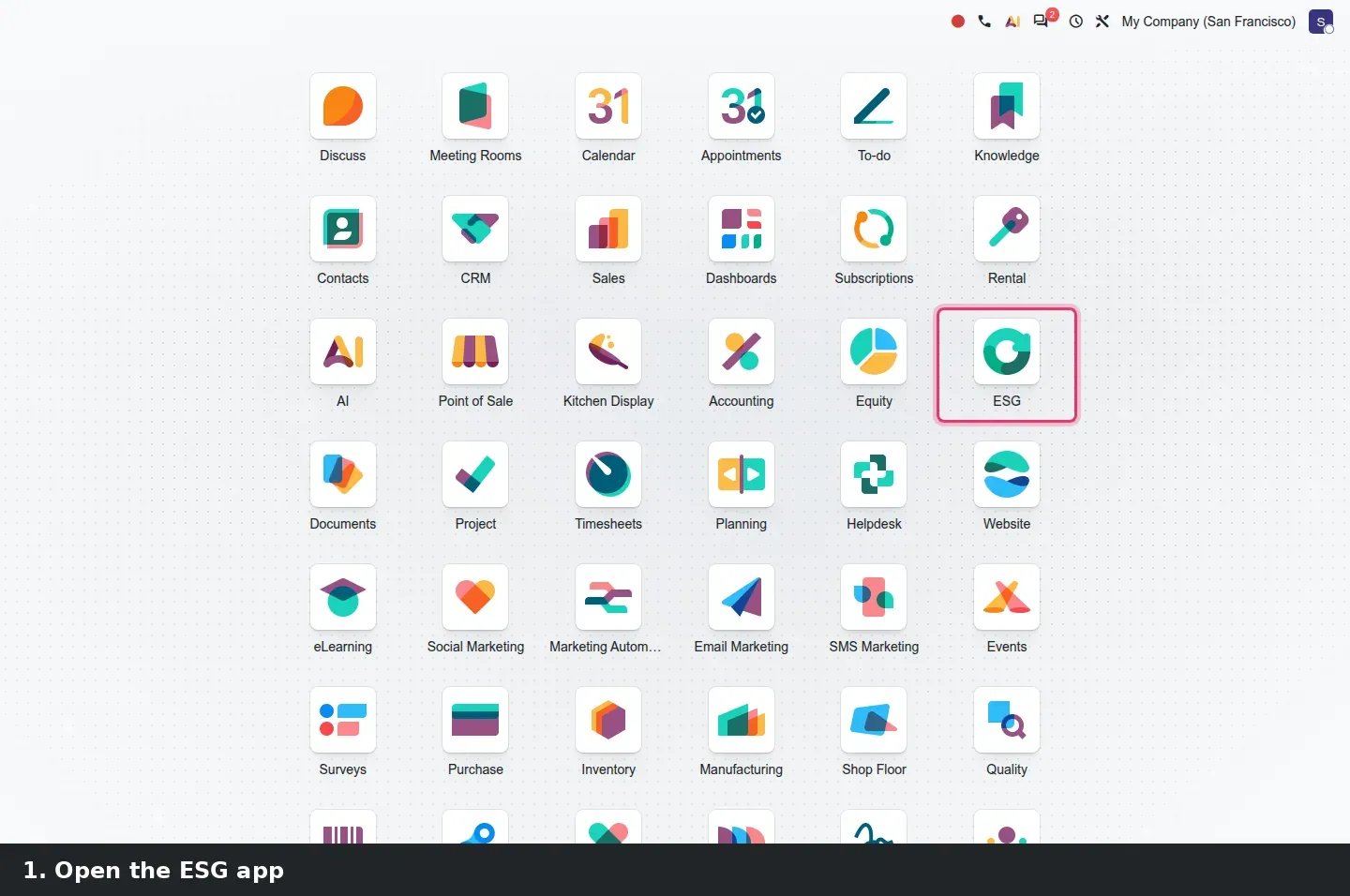
ESG actions: a baseline, a target and a Reached box that does the maths
The ESG app drops the CSRD suffix from its module names, now esg, esg_hr and esg_hr_fleet according to the 20.0 source diff. ESG > Act > Actions lists each measure with baseline, current and target values and a Reached column. The form has a Baseline, a Target and a Value History tab of dated readings. The latest reading becomes the Current Value and Reached ticks itself when the target is met, in either direction. Our action "Cut office electricity use" has a baseline of 42,000 kWh, a target of 35,000, readings of 39,800 in January and 34,600 in June, and Reached is on.
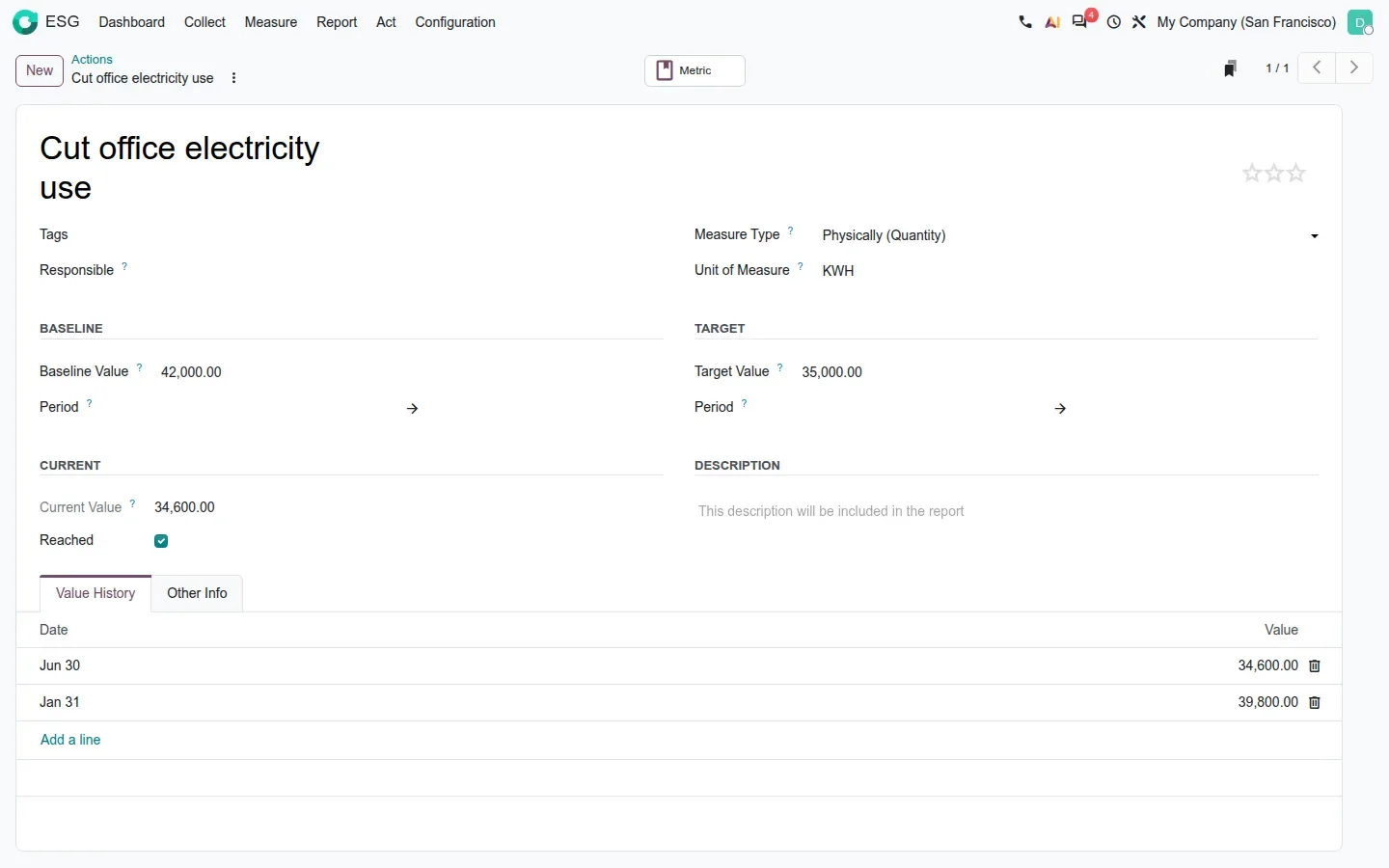
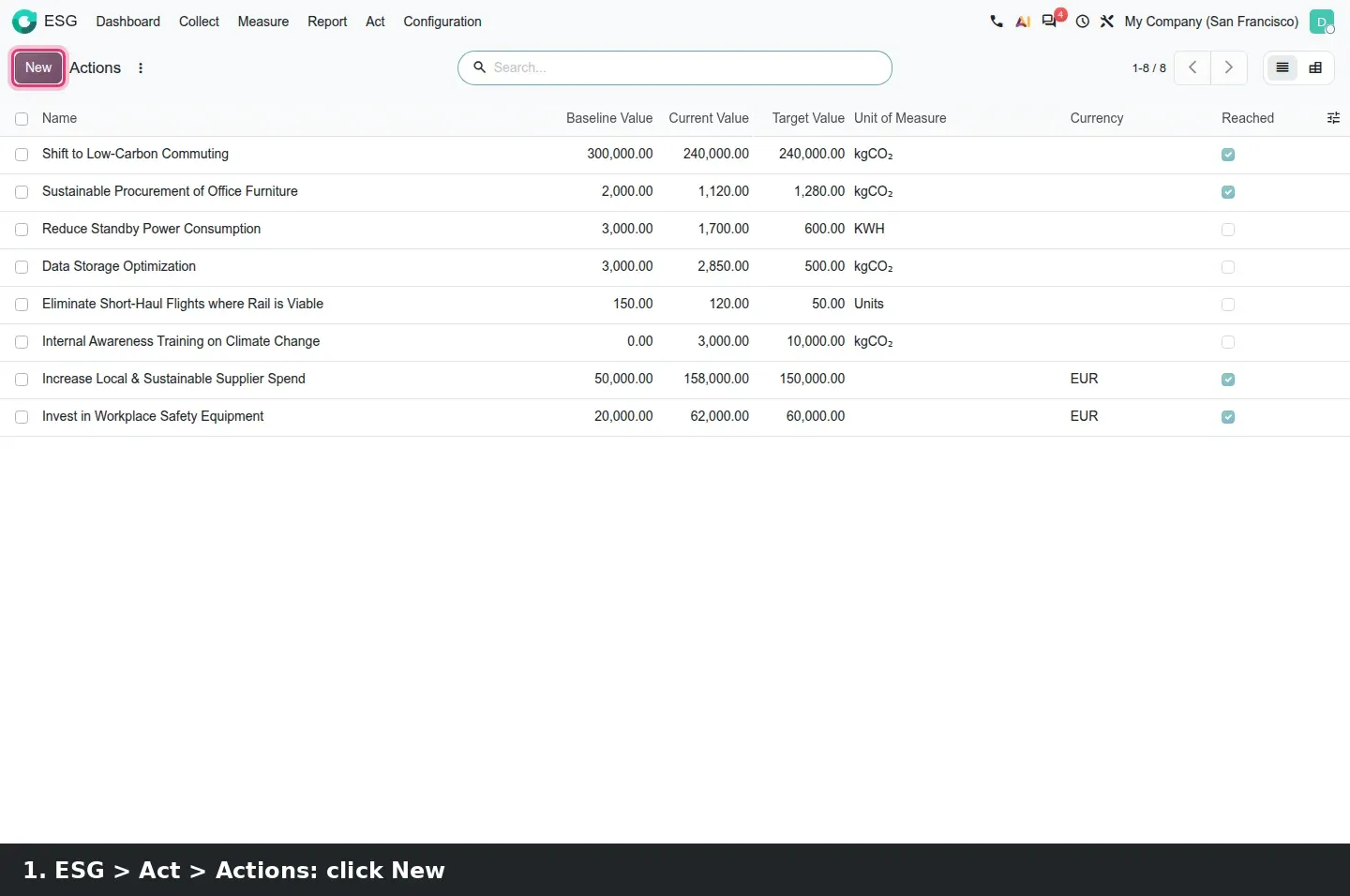
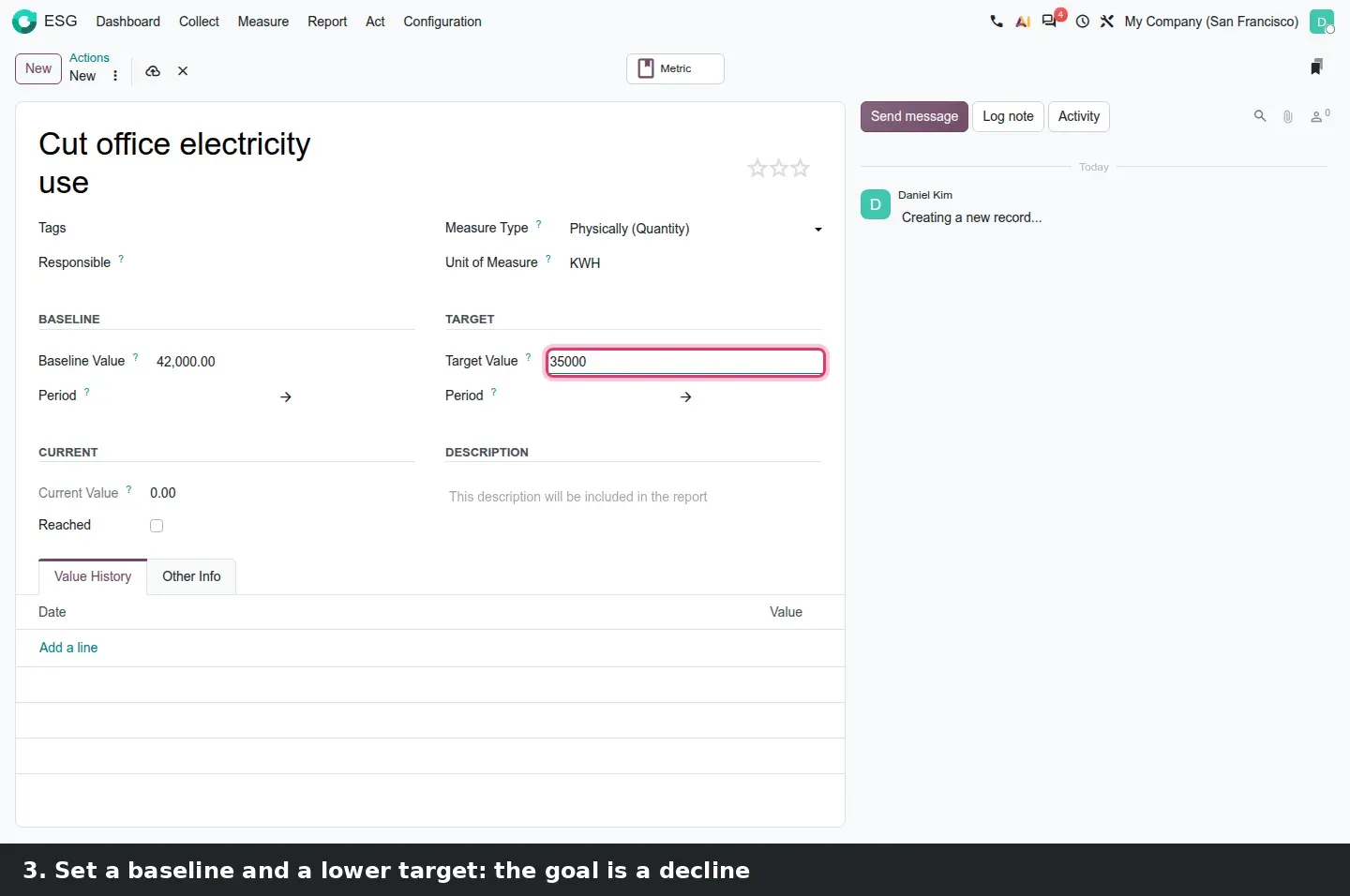
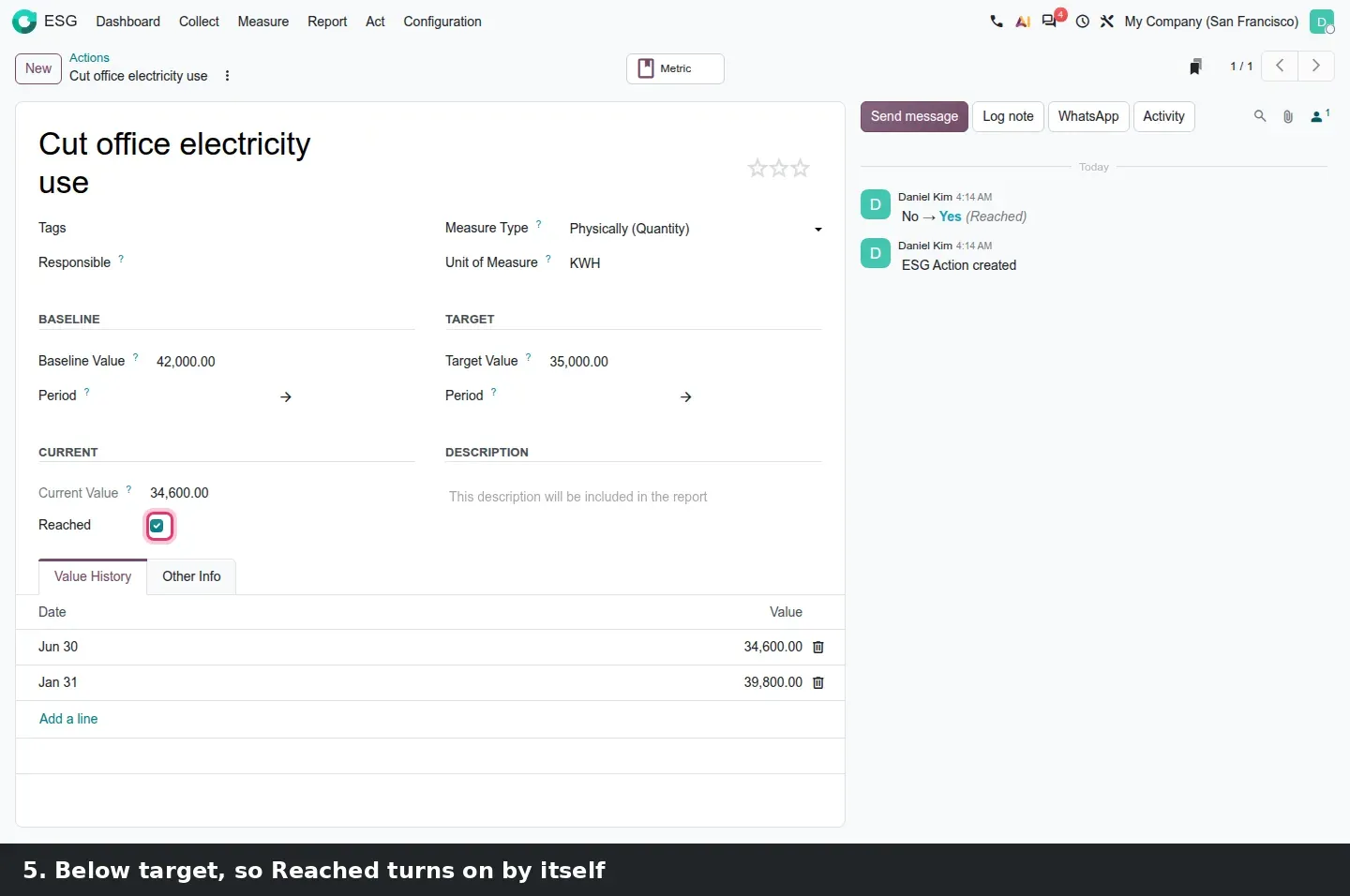
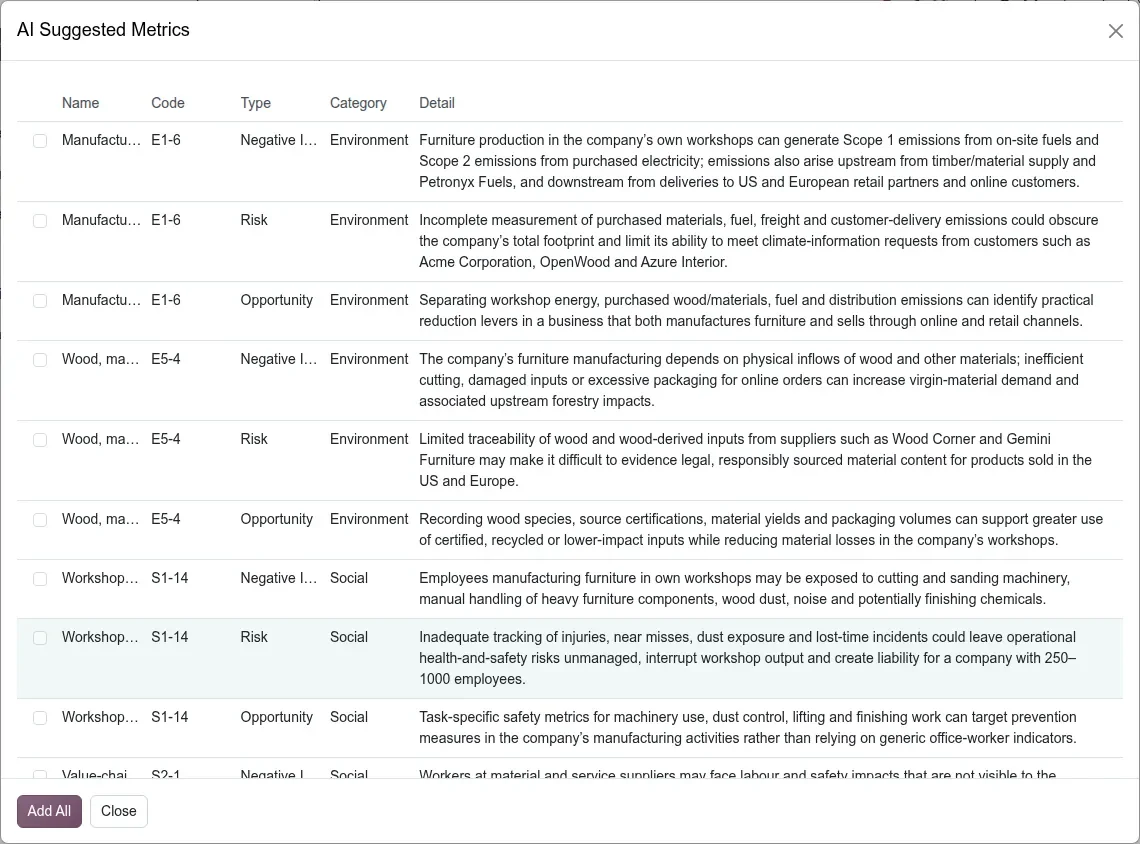
An action links to a CSRD metric and its ESRS through the Metric smart button; those fields appear once CSRD reporting is enabled under Settings > ESG. Collect > Metrics gains AI Suggest. It opens an "About Your Company" wizard (sector, size, revenues, assets, description) with a Generate Metrics button. On our run for a furniture manufacturer it returned an "AI Suggested Metrics" list with a name, an ESRS code, a type, a category and a detail line per row, and an Add All button: a starting list, not a finished one.
Emission factors: rules by product category, and Assign with AI
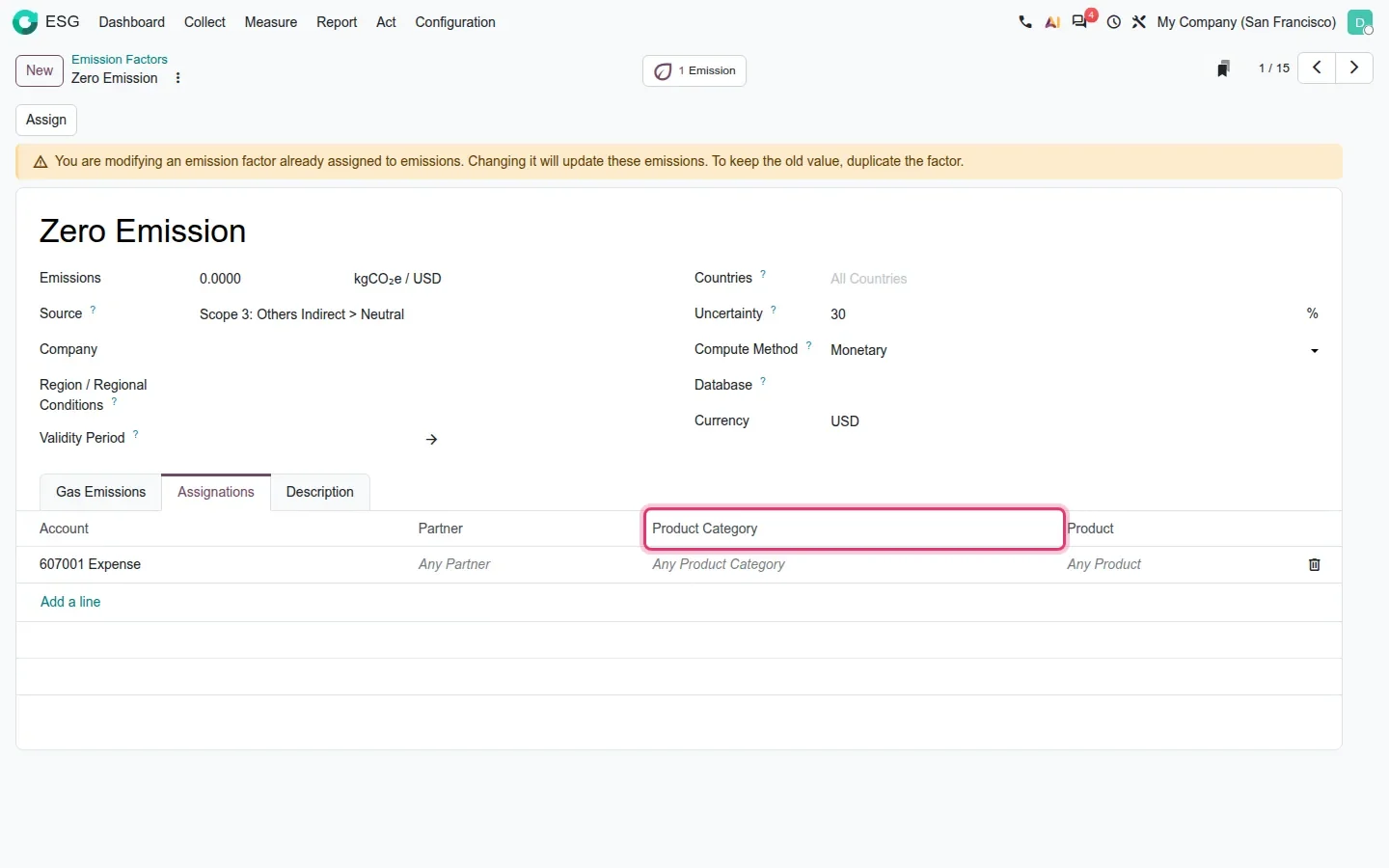
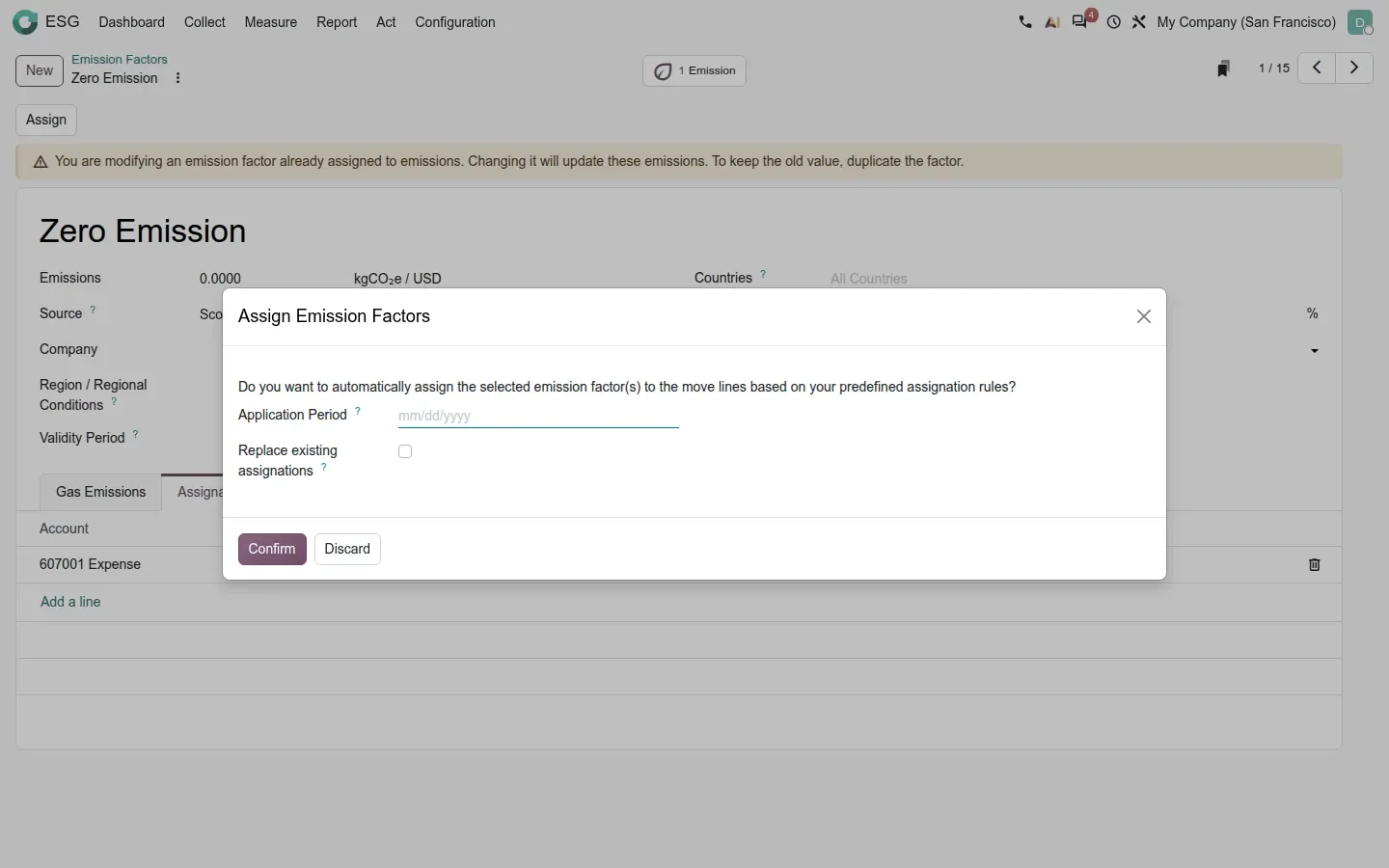
The slow part of carbon accounting is choosing a factor for each purchase line. Odoo 20 attacks it twice. First, the Assignations tab of an emission factor gains a Product Category column next to Account, Partner and Product, so one rule covers a family of products. The Assign button opens "Assign Emission Factors", which applies the factor to move lines based on those rules, with an Application Period and a Replace existing assignations box. A banner warns that changing a factor already assigned updates those emissions; duplicate it to keep the old value.
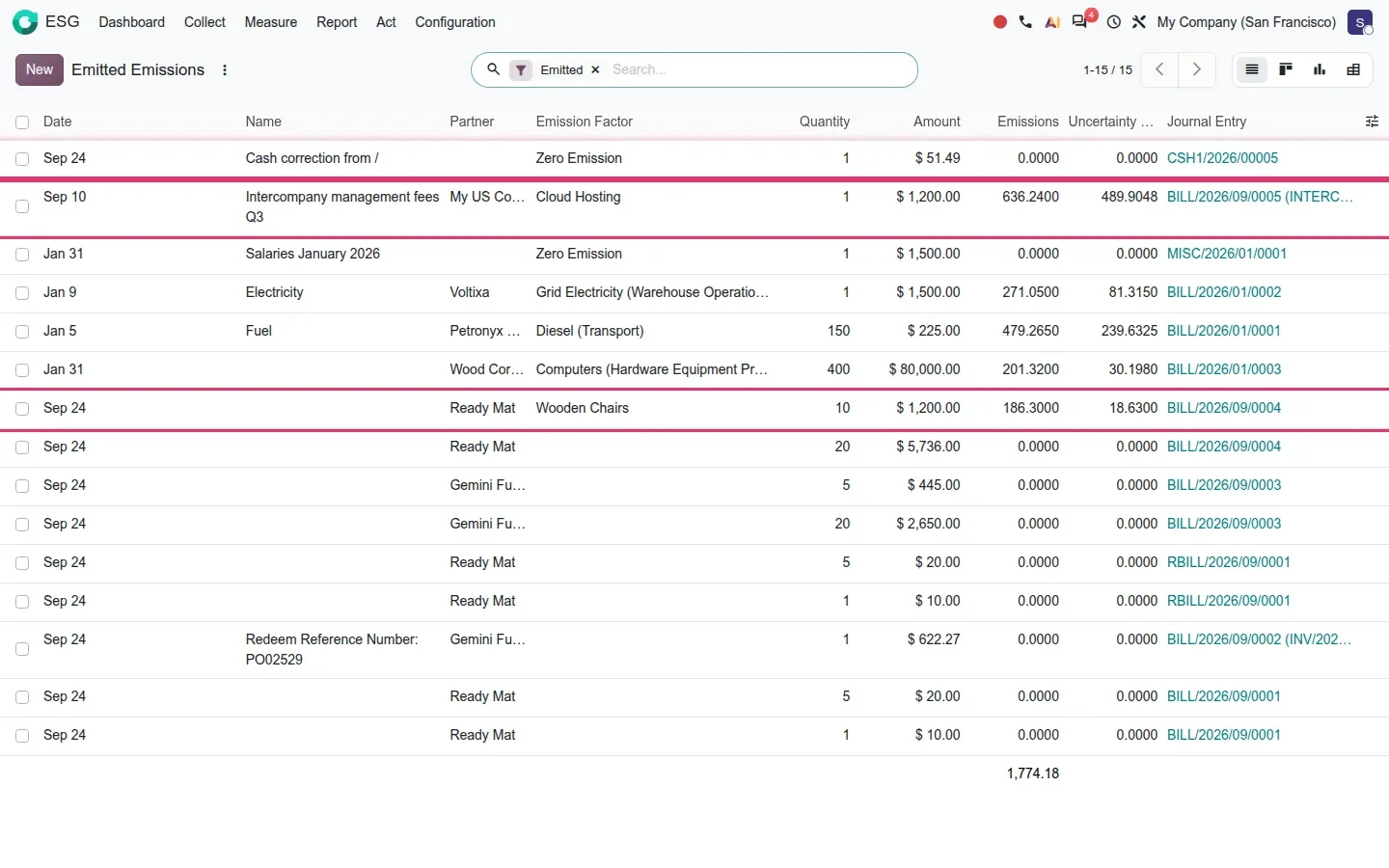
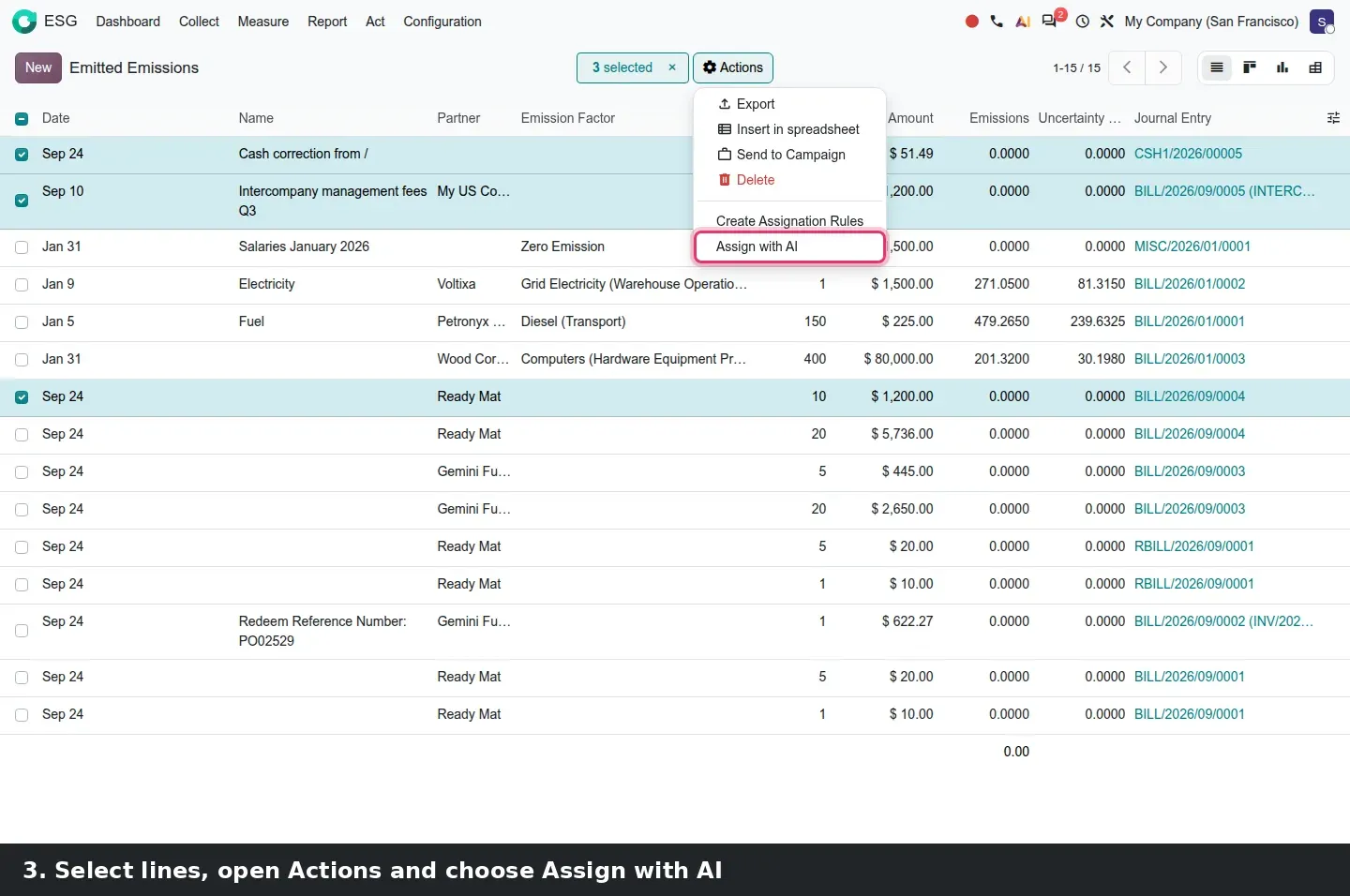
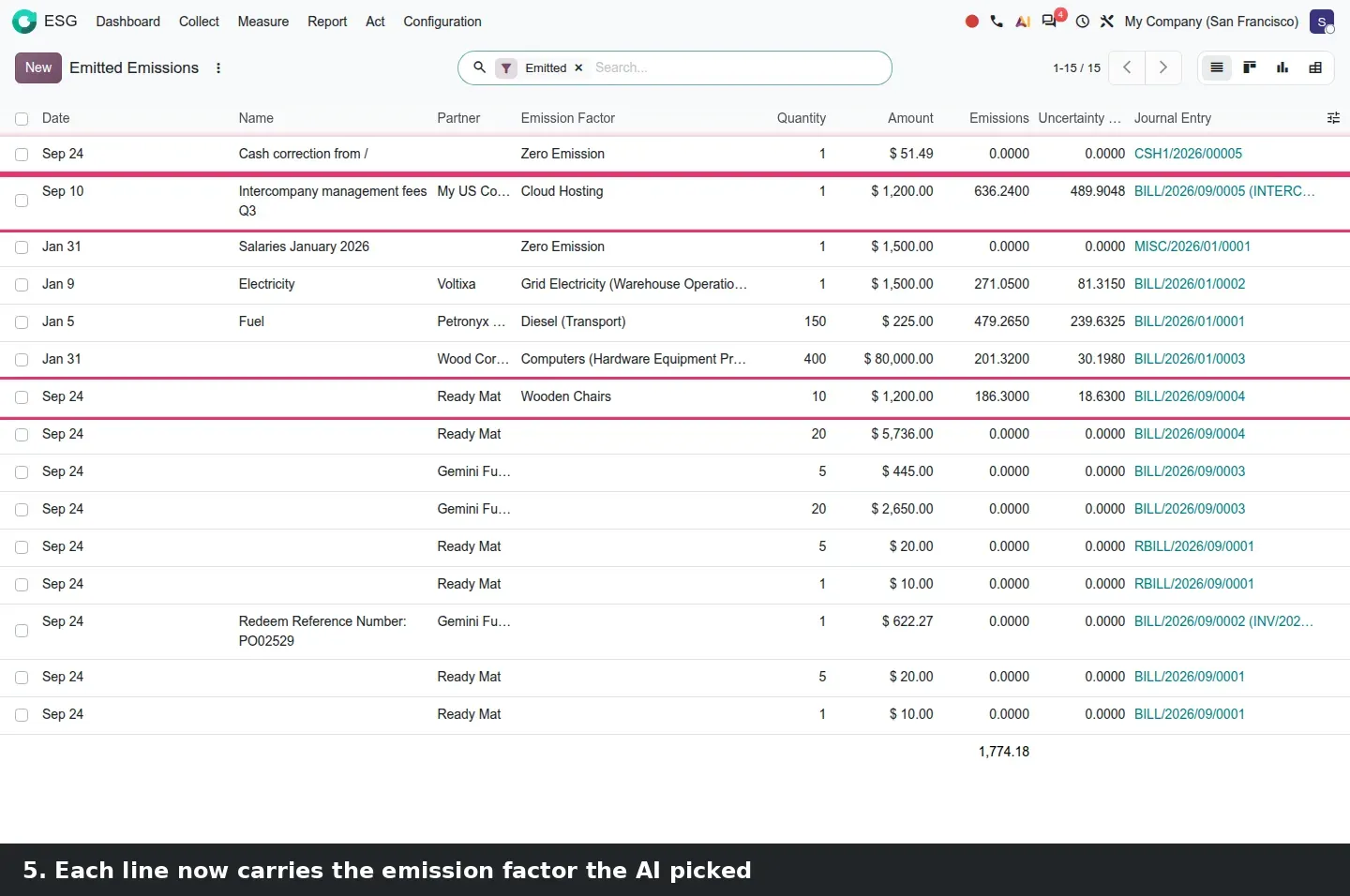
Second, with the ai_esg bridge, ESG > Collect > Emitted Emissions gets a list action: select lines, Actions, Assign with AI. This is a one-shot feature, not an agent chat, and it ran on our demo: the selected lines came back with a factor filled in, Wooden Chairs on a chair purchase line for instance. You review the picks instead of searching for them. The factor list also gains a My Country filter and a Valid From sort, meant for the ADEME database; our demo has no ADEME records.
How to try it on a demo database
- Install Appointments, Studio, Sales and ESG with demo data, plus the AI app for the ESG shortcuts.
- Appointments: open the Dental Care type, Communication tab, set Feedback Email to "Appointment: Feedback Request", save.
- Click Preview, book a slot as a visitor, then Reschedule on the confirmation page. Try Cancel afterwards.
- On the same type, click the Bookings smart button and switch to the week calendar.
- Sales: open a quotation, click the Studio icon, then Reports and Quotation / Order. Switch between Editor, Preview and Sources, then Discard.
- Open the Studio Approval Rules list, apply "Only subrules", open a rule and check Entries and Domain.
- Settings > ESG: enable CSRD reporting. Then ESG > Act > Actions > New: a metric, a baseline, a target, two readings.
- ESG > Collect > Emitted Emissions: select lines, Actions > Assign with AI. Then Collect > Metrics > AI Suggest. Both use AI credits.
What we could not verify on the pre-release build
The Feedback Email send is a scheduled job needing mail delivery; we did not see it go out. We did not reschedule a paid appointment (paid types are not reschedulable) and found no slot "deletion mode". Not captured: the debug-only Responsible user on appointment types, the compact report layout, chatter tracking of approver changes, the Python-expression modifiers dialog, the claim that ESG users no longer inherit accounting rights, and the email summary said to follow an Assign with AI batch. The demo has no ADEME factors, so My Country and the Valid From sort show nothing meaningful. Everything else on this page was clicked through on the 20.0 Enterprise build of 23 September 2026.
What this means for an upgrade
Coming from Odoo 17, 18 or 19, put three lines in your upgrade plan. Re-open every custom Studio report in the new Sources tab, and give every approval rule its child rules. If you use the CSRD modules, expect the rename to esg, esg_hr and esg_hr_fleet to be handled by the upgrade scripts, and turn your reduction commitments into Actions with a baseline and a target. Decide which appointment types get a Feedback Email before the job starts sending. We check all three in the scoping phase of our migration service, and the series hub lists the other changes that touch the same upgrade.
Frequently asked questions
Can a customer reschedule an appointment in Odoo 20 without cancelling it?
Yes, for free appointment types. The confirmation page has a Reschedule button that opens the slot picker with the current reservation shown in a banner; the original meeting stays untouched until the visitor confirms a new date, time or staff member. Paid appointment types are not reschedulable in this build.
Does the new Studio report editor still require XML?
Not for layout changes: the Editor tab is visual and the Preview tab renders a real record. XML remains available in the Sources tab, which now shows the combined report as one document with read-only node IDs, and Studio generates the inheritance from your edit.
What is a child approval rule in Odoo 20 Studio?
A rule attached to a parent approval rule but placed on another action of the same model. It refuses to run until the parent is approved, so a user cannot bypass a Confirm approval by sending the quotation another way. The Studio Approval Rules list has an Only subrules filter to list them.
How does the Reached indicator on an ESG action work?
Each action has a baseline value, a target value and a history of dated readings. The latest reading becomes the current value, and Reached ticks itself when that value meets the target, whether the goal is to decrease (less electricity) or to increase (more recycled input).
Can Odoo 20 pick emission factors automatically?
Two ways. Assignation rules on each factor now accept a Product Category, so one rule covers a whole family of products. With the ai_esg module, the Emitted Emissions list has an Assign with AI action that fills in a factor for the selected lines; it consumes AI credits and the picks should be reviewed.
Is the ESG app still called CSRD in Odoo 20?
No. According to the 20.0 source diff the CSRD modules were renamed to esg, esg_hr and esg_hr_fleet. CSRD reporting is now a setting under Settings > ESG that adds the Metric and ESRS fields to actions, and the app covers sustainability actions beyond the CSRD report.