
Three sales-side apps, one set of changes
Odoo 20 does not rebuild Subscriptions, Rental or eCommerce. It fixes the places where the promise made at the point of sale and the invoice that followed did not agree: a loyalty reward that stopped after the first period, a subscription closed mid-month but billed for the whole month, a rental item offered for store pick-up while it was still out with another customer. All three apps sit on the same sales order, so the changes to promotions, quotations and the PDF Quote Builder reach all three at once. We take them one app at a time.
If you bill recurring revenue, rent equipment from a store, or run an online shop on Odoo, the sections below tell you what each screen looks like on the pre-release build, where our capture notes corrected the official feature list, and what we could not exercise on a private demo.
Observed on the Odoo 20.0 Enterprise pre-release build of September 23, 2026. Names, menus and availability can change before general availability; we will update this page when they do.
Loyalty rewards that repeat on every renewal
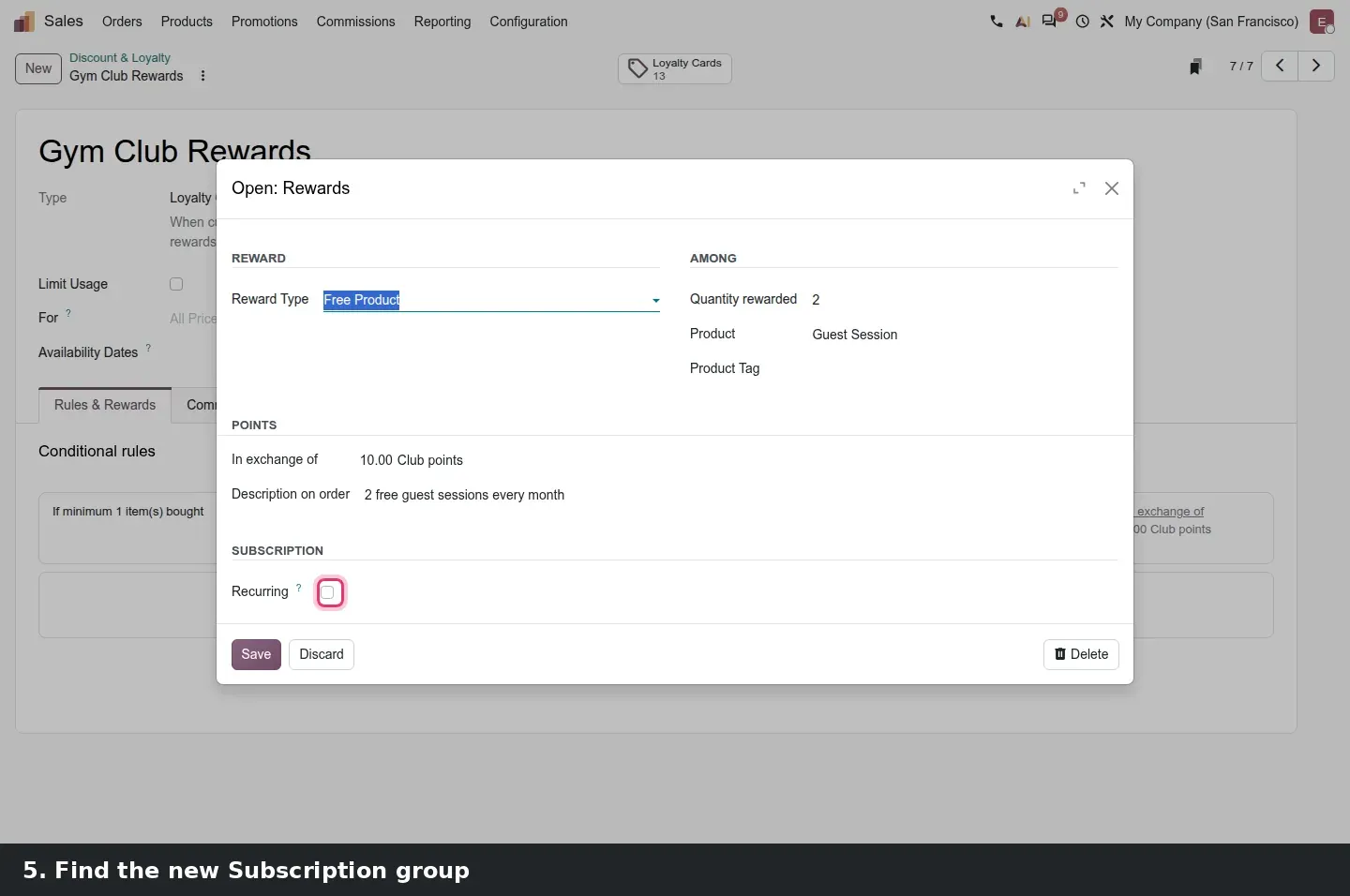
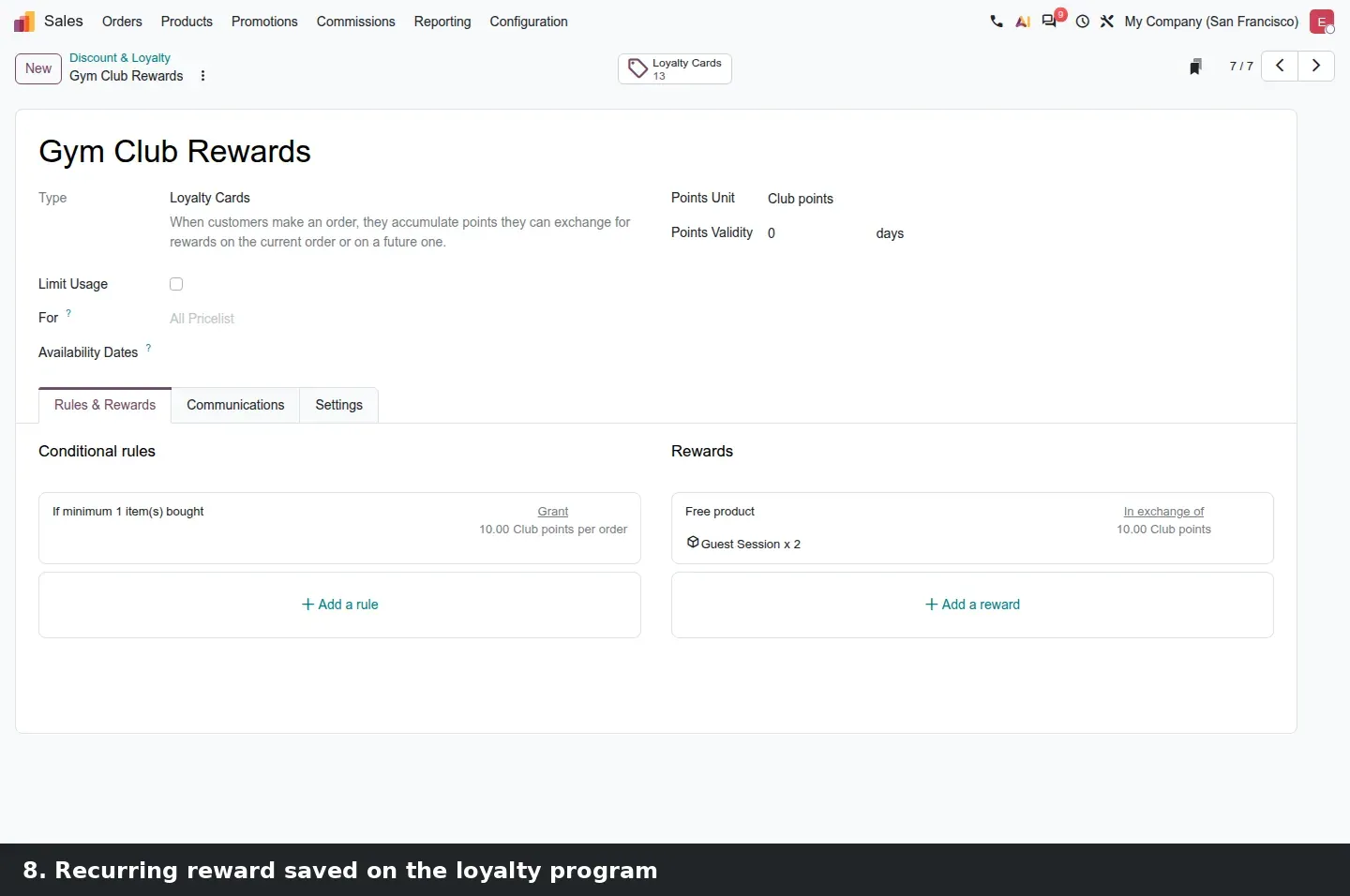
Loyalty programs can now target subscriptions. With sale_subscription_loyalty installed, a loyalty reward gains a Subscription group with a single Recurring checkbox. Tick it and the reward is applied to every renewed period, as long as the customer still has enough points; leave it off and the reward is granted once, as before. The guide says a loyalty rule gets the same flag so that points are granted at each renewal; on our build we configured the reward side, shown below. The demo program is the gym example from the guide: Gym Club Rewards grants 10 Club points per order, and its reward gives the Guest Session product twice for 10 points.
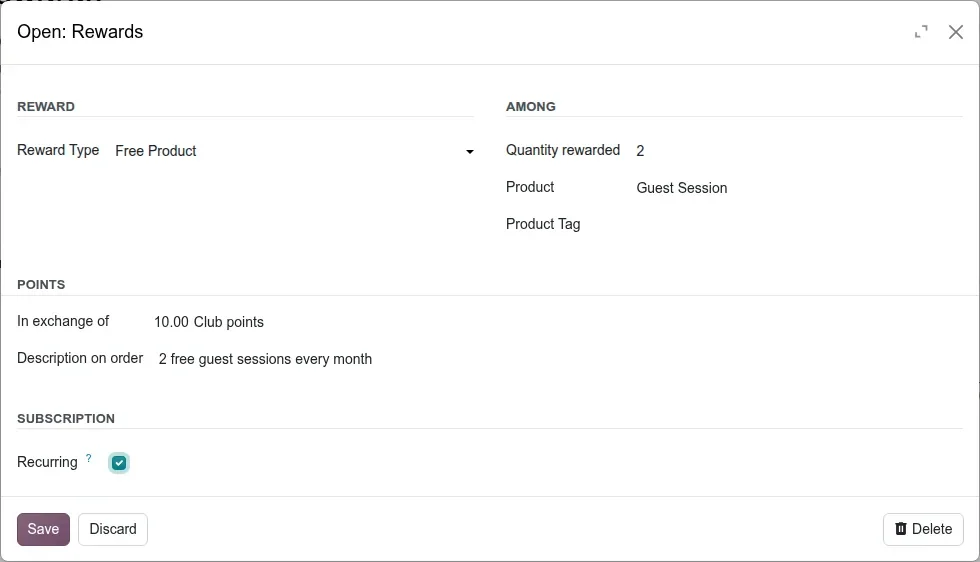
Two limits are worth knowing. Gift cards and eWallets are excluded from the recurring option, so a renewal cannot mint a balance out of nothing. And the menu path in the guide is out of date: on this build promotions live under Sales > Promotions > Discount & Loyalty, not under Products. The Rental app gets the same tooling through sale_renting_loyalty, under a menu named Promotions with Discount & Loyalty and Gift cards & eWallet beneath it, so a promotion code or a discount applies to a rental order too.
MRR before confirmation, and reminders on your own calendar
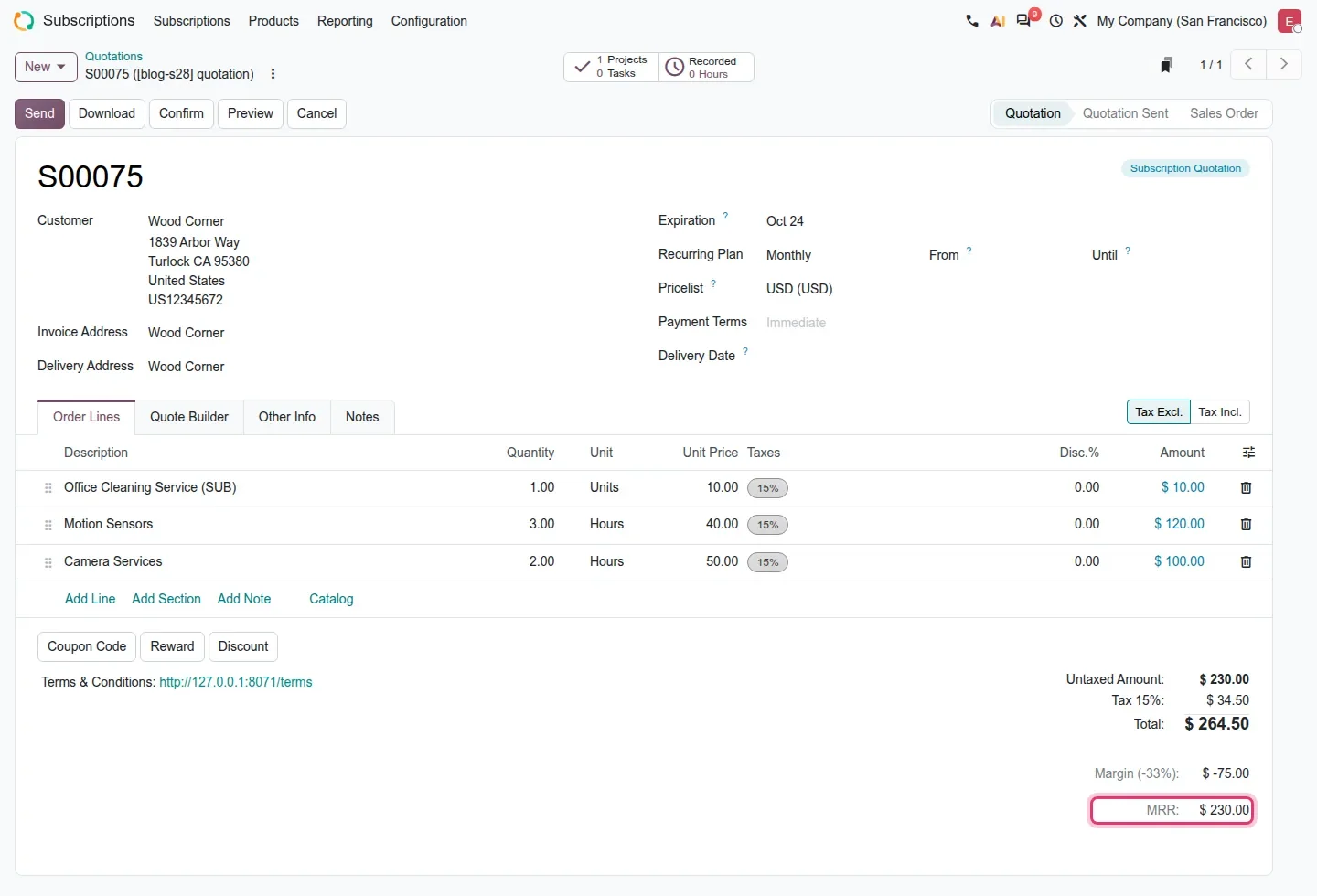
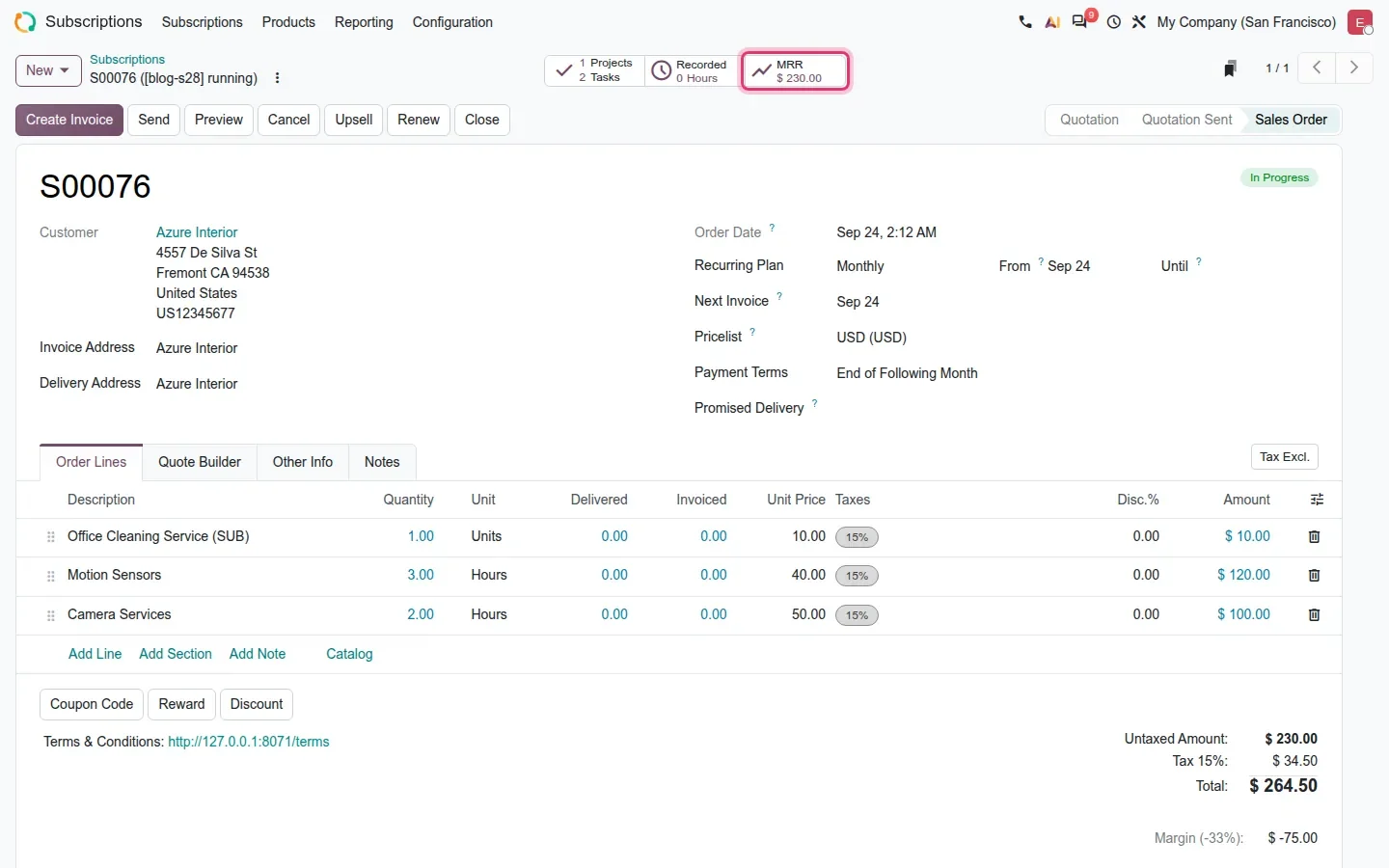
The monthly recurring revenue of a subscription is visible earlier than before. On a subscription quotation the MRR is a line in the totals block, under Margin, so a sales manager can weigh a pipeline before anything is signed. The MRR smart button that the guide describes does exist, but it is hidden while the order is a Quotation or a Renewal Quotation and only appears once the subscription is confirmed. On the demo, quotation S00075 showed MRR: $ 230.00 under its totals; confirmed subscription S00076 showed the same figure as a smart button.
Payment reminders stop being fixed. Two settings control them, and both take a comma-separated list of days rather than one number. Payment failure reminder days lists the days after the invoice date on which a reminder is sent when an automatic payment fails, for example 2,7,14. No-token payment reminder days lists day offsets relative to the next invoice date for subscriptions with no saved payment token, negatives allowed, for example -7,0,3,7. Both fields sit in Sales settings under Invoicing, which is where Subscriptions > Configuration > Settings opens. The guide lists two smaller changes we did not capture: subscription lines no longer need a product, and an order can be linked to a specific website in a multi-website setup.
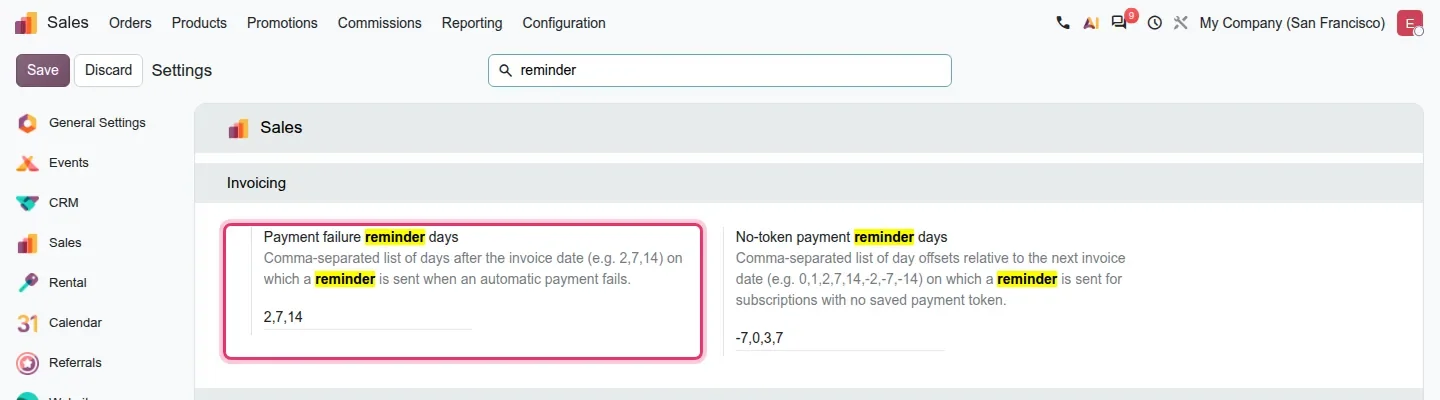
Reminder lists
A negative offset in the no-token list is the only reminder that arrives before the invoice exists, so it is the one that prevents a late payment rather than chasing one. Keep both lists short: every entry is an email your customer receives.
Closing mid-period: the last invoice charges the days used
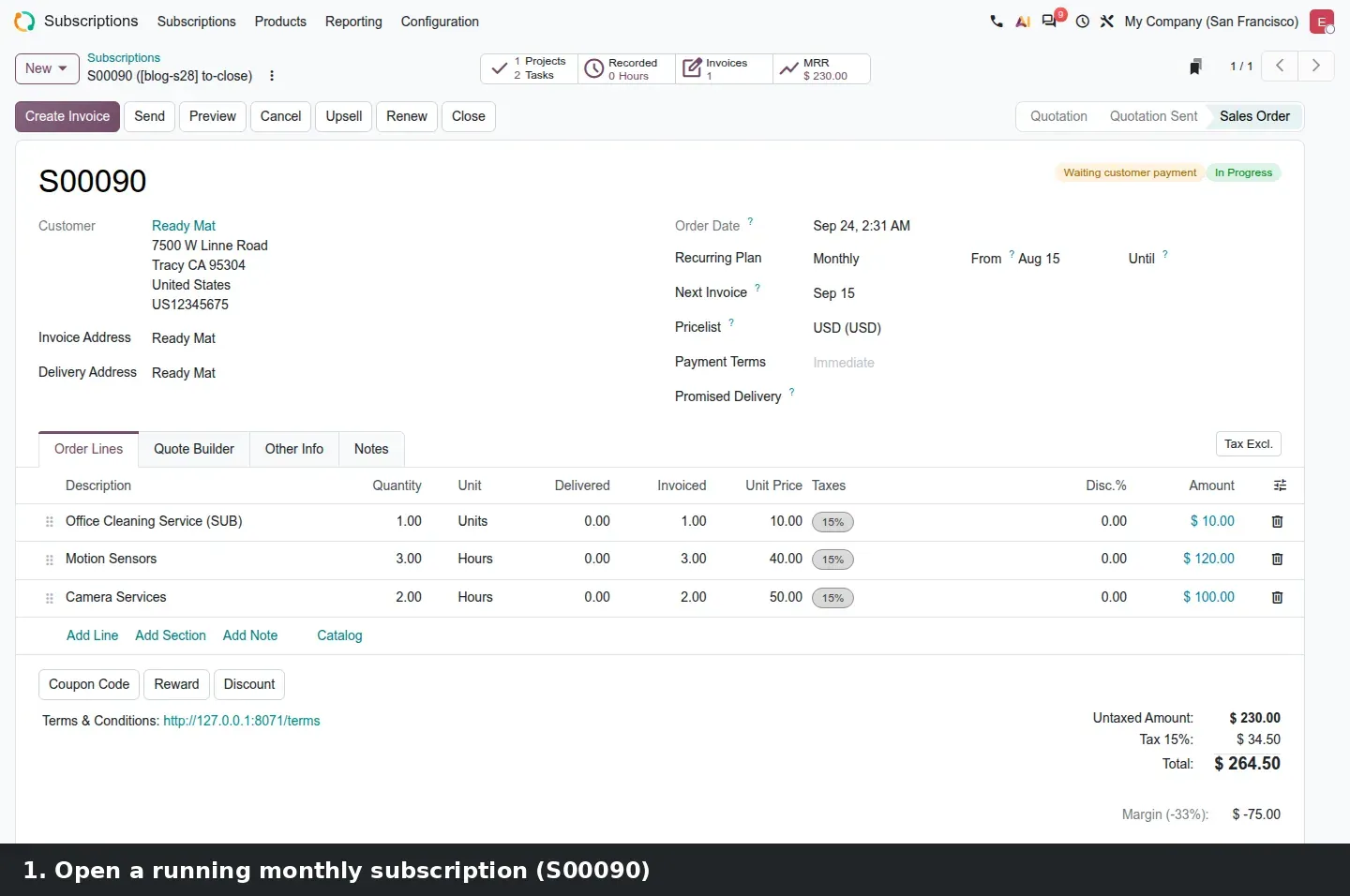
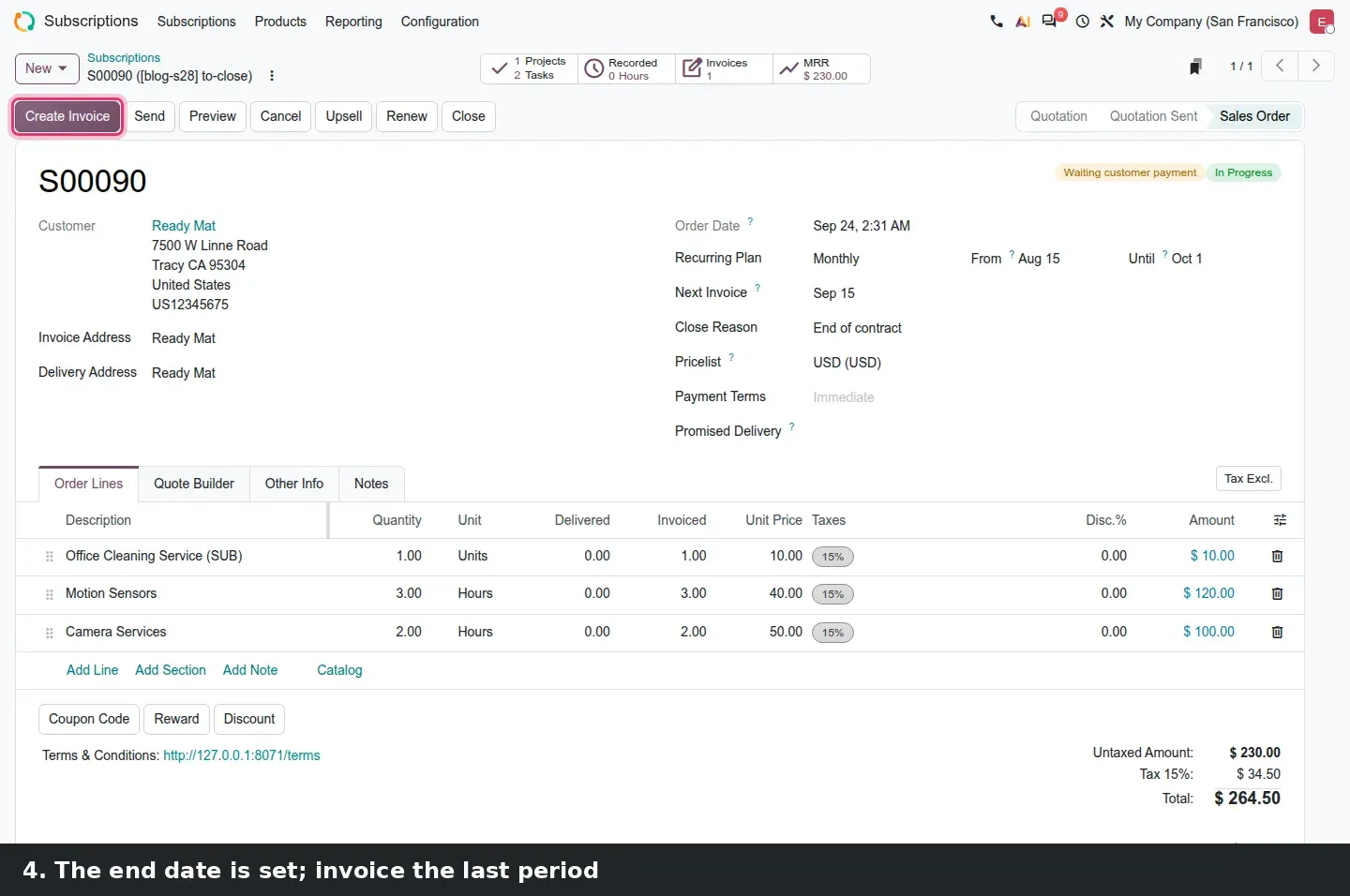
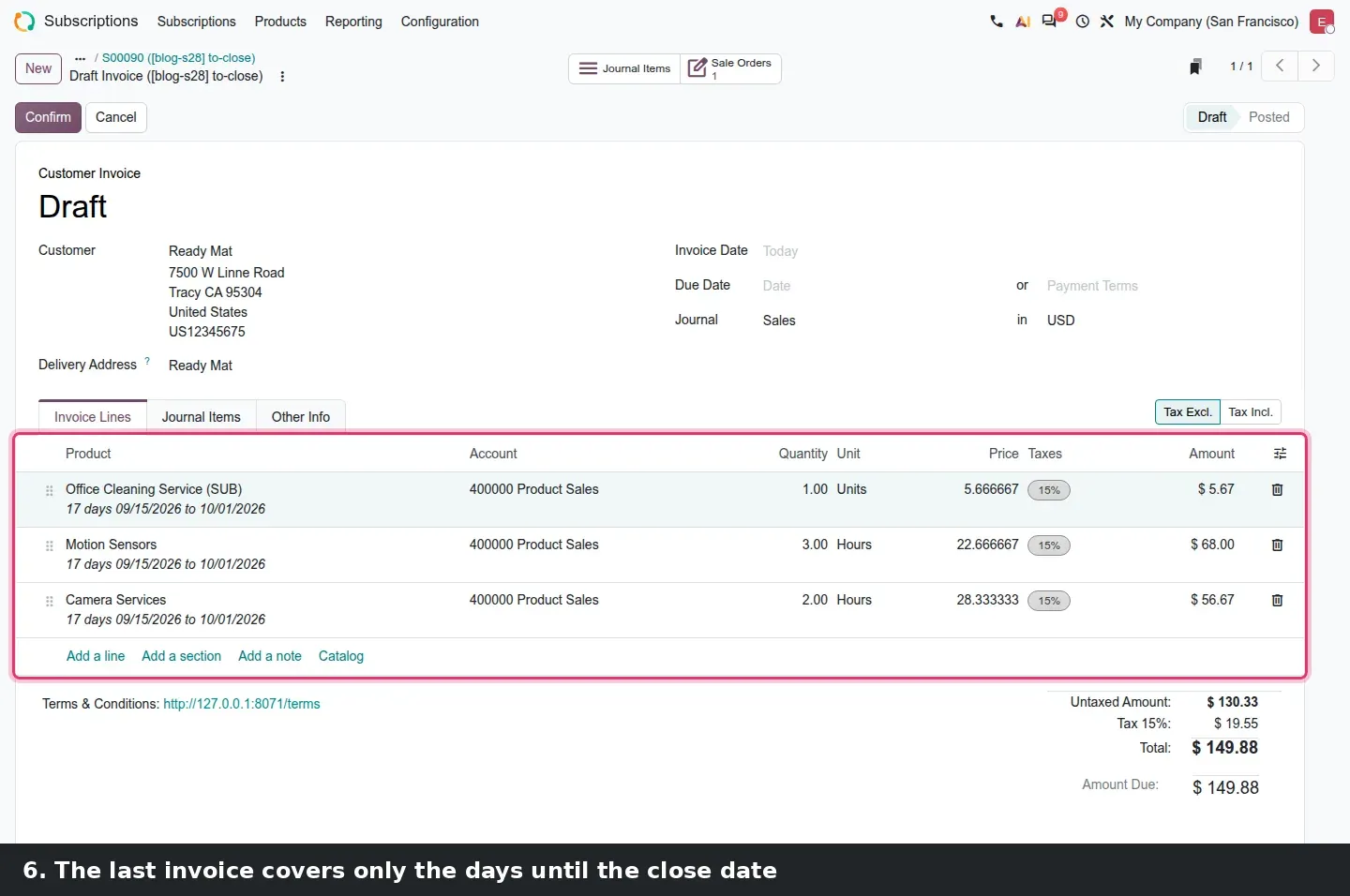
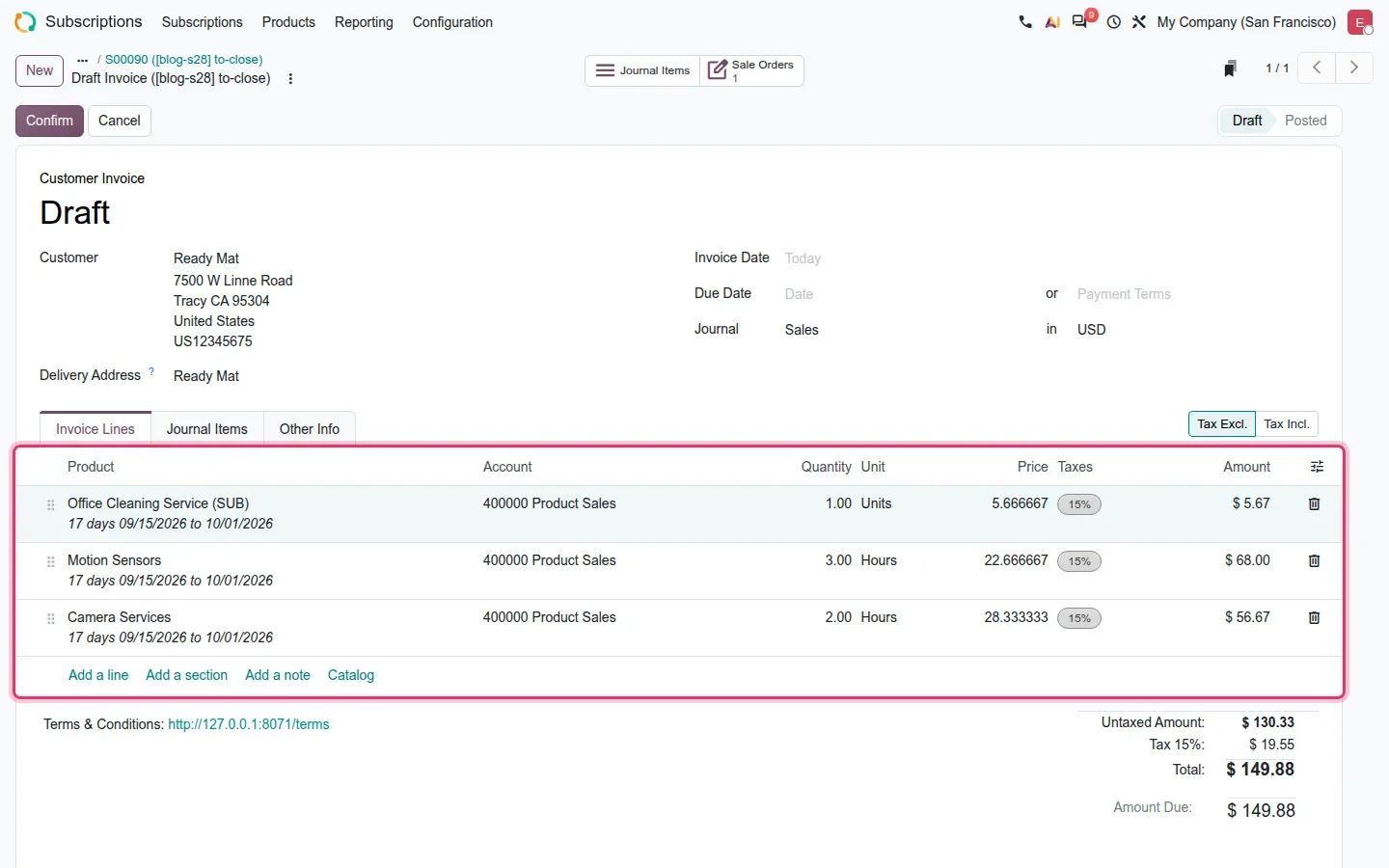
When a subscription is closed in the middle of a period, the last invoice is prorated instead of charging the full period. The Close button opens a dialog with two fields, When and Reason. Pick a date in the future and the subscription is not cut immediately: the order receives an end date, shown as Until Oct 1 on the demo, and the proration appears on the next invoice you create. On S00090, a monthly contract whose period started on September 15, closing on October 1 produced draft invoice lines each described as 17 days 09/15/2026 to 10/01/2026, with prorated unit prices and a total of $149.88 rather than the full monthly amount.
One rule surprised us. A contract that has never been invoiced cannot be closed: Odoo answers Please cancel the contract instead. That is the right outcome for a subscription that never started, but worth knowing before a support team is trained on the Close button.
Rental proposals built with the PDF Quote Builder
The PDF Quote Builder now works on rental quotations. The documents are not attached to quotation templates as the guide suggests: they are managed in their own menu, Rental > Configuration > Headers/Footers, and templates only link to them. On the demo the kanban held five PDFs: Header, About Us, Project Description, Testimonials, and Terms and Conditions. On a rental quotation, the Quote Builder tab offers the documents that are not restricted to a template; you pick a header and a footer, and Preview or Download produces one file, the brochure page first, then the quotation itself with its Pick-up and Return dates.
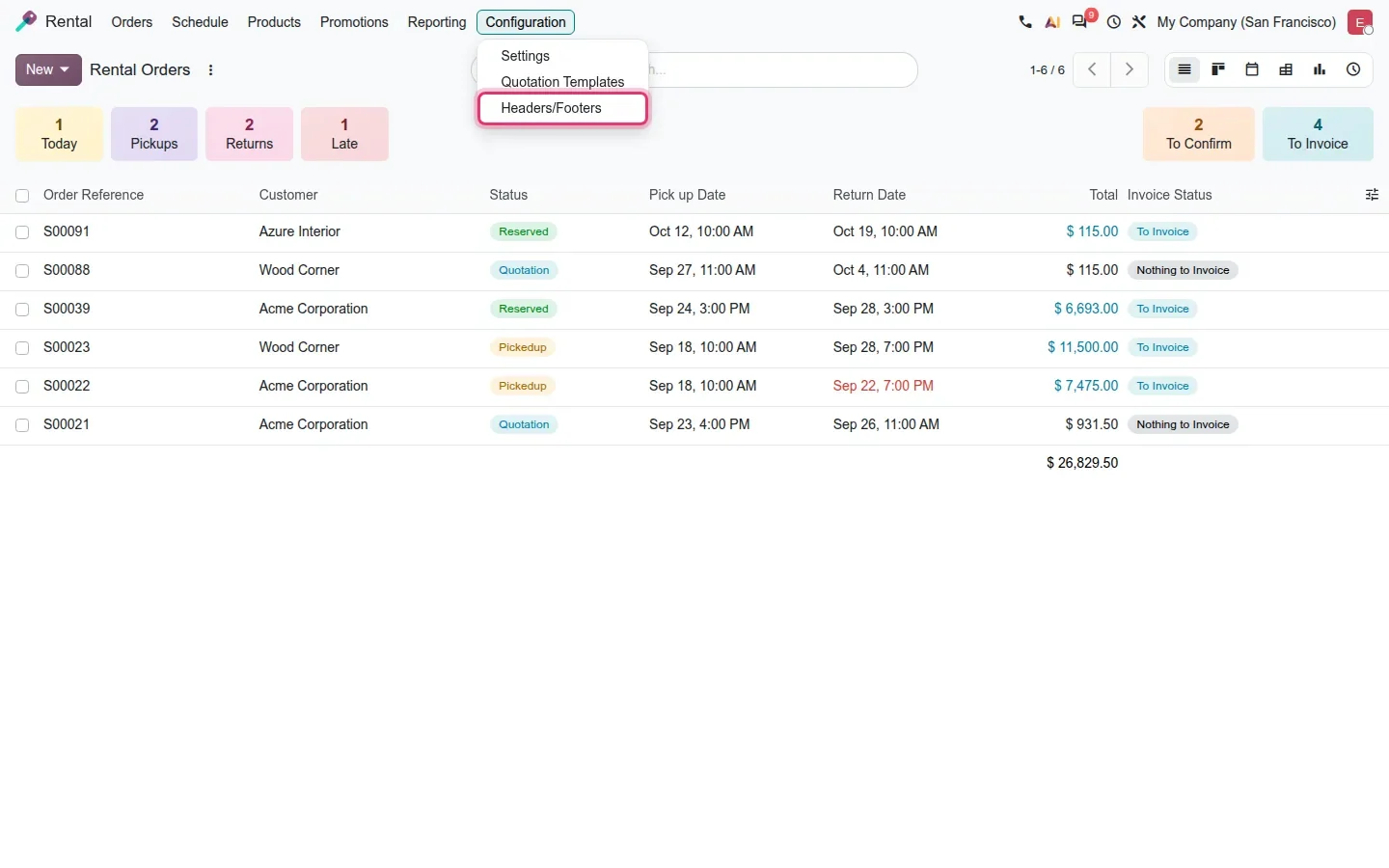
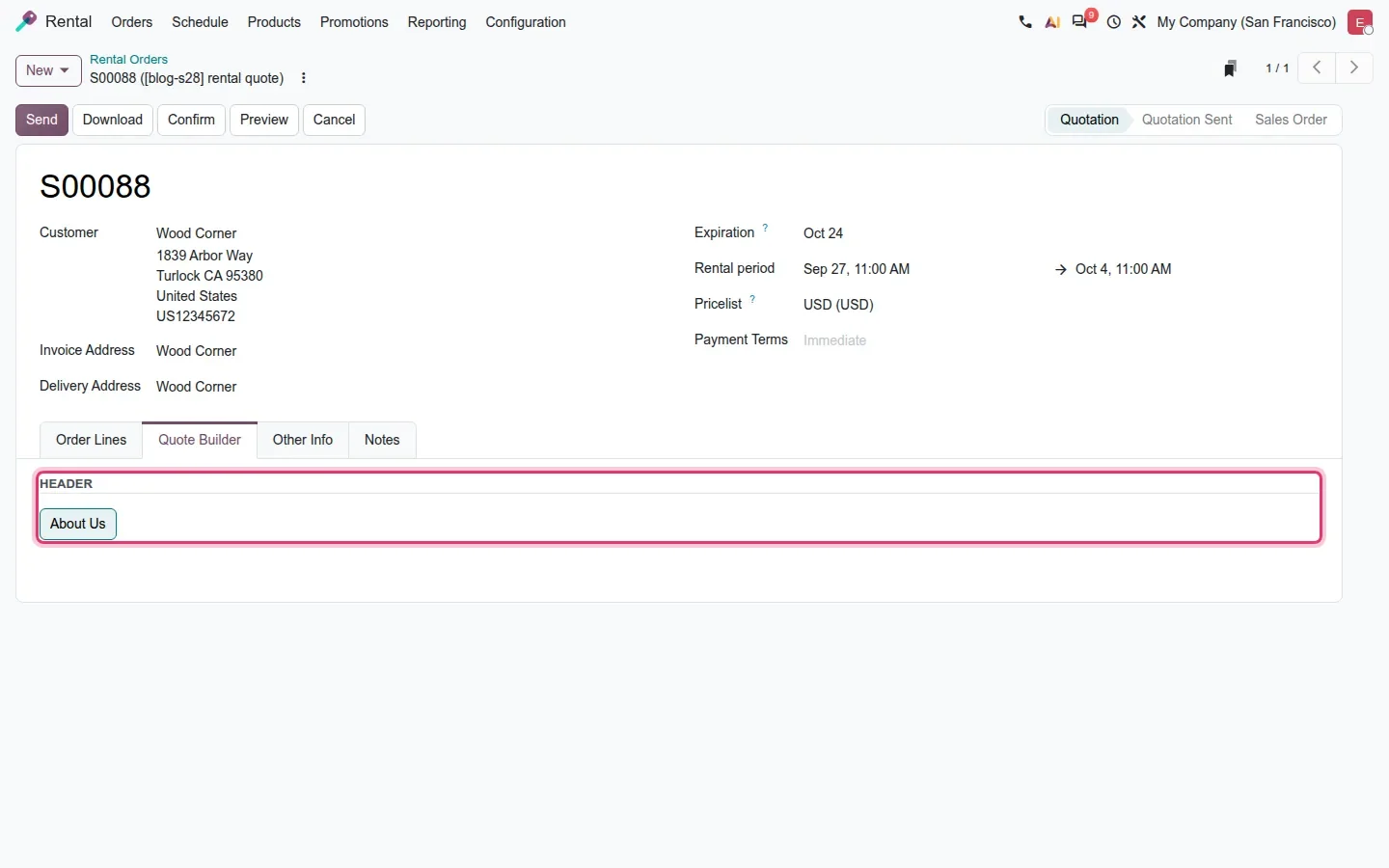
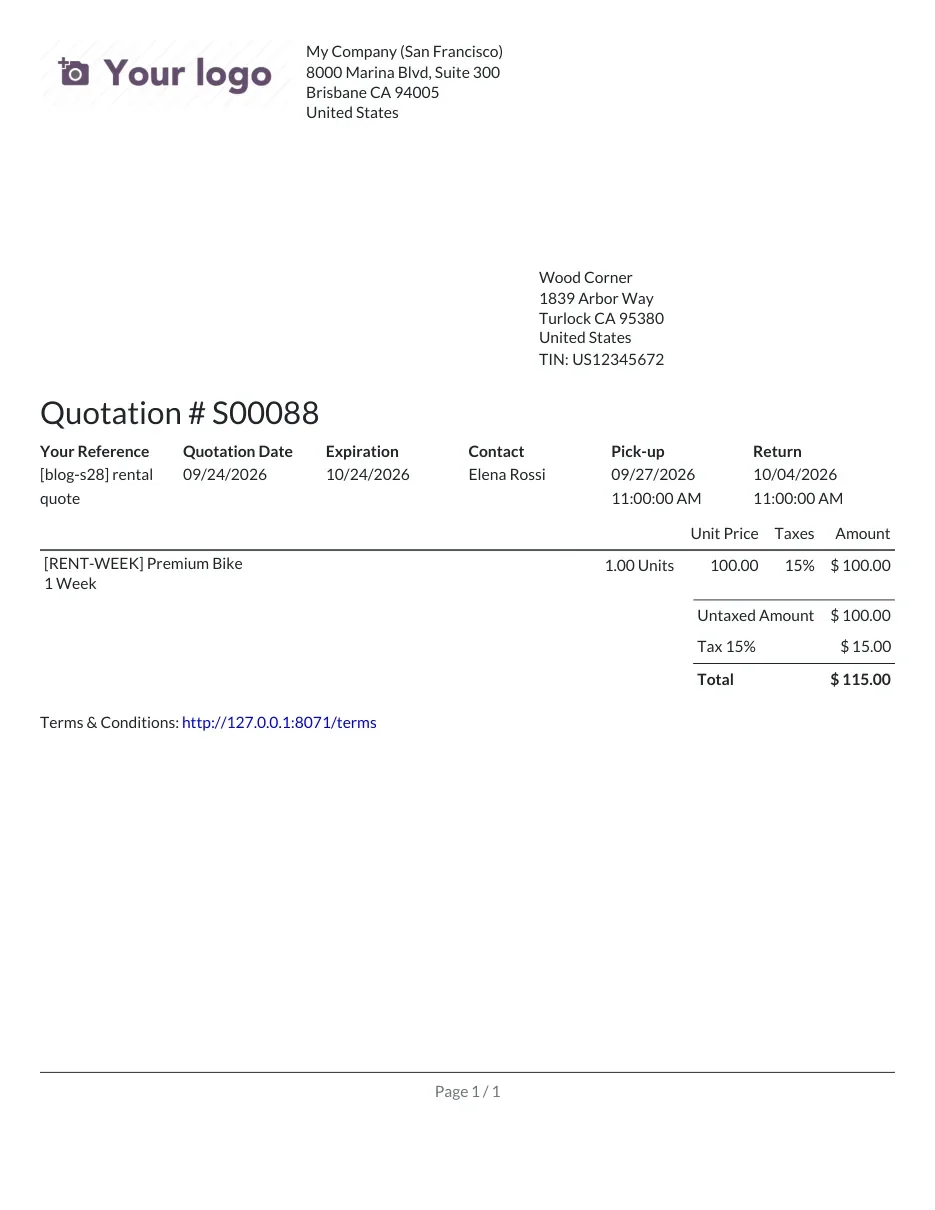
For an equipment rental company, the proposal sent to a site manager or an event planner now carries the fleet brochure and the damage terms without anyone assembling a PDF by hand.
Click & Collect for rental products, checked against the rental period
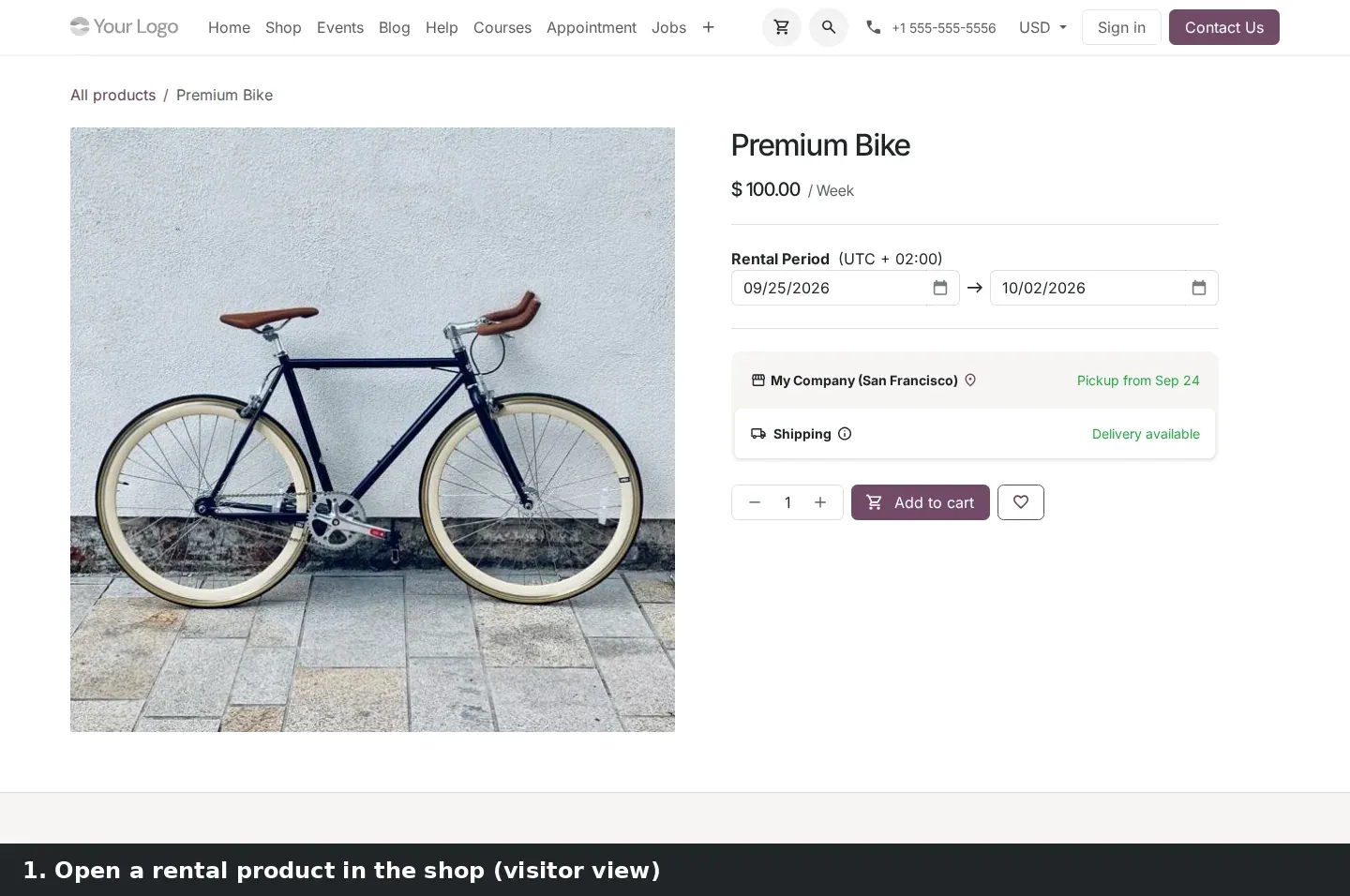
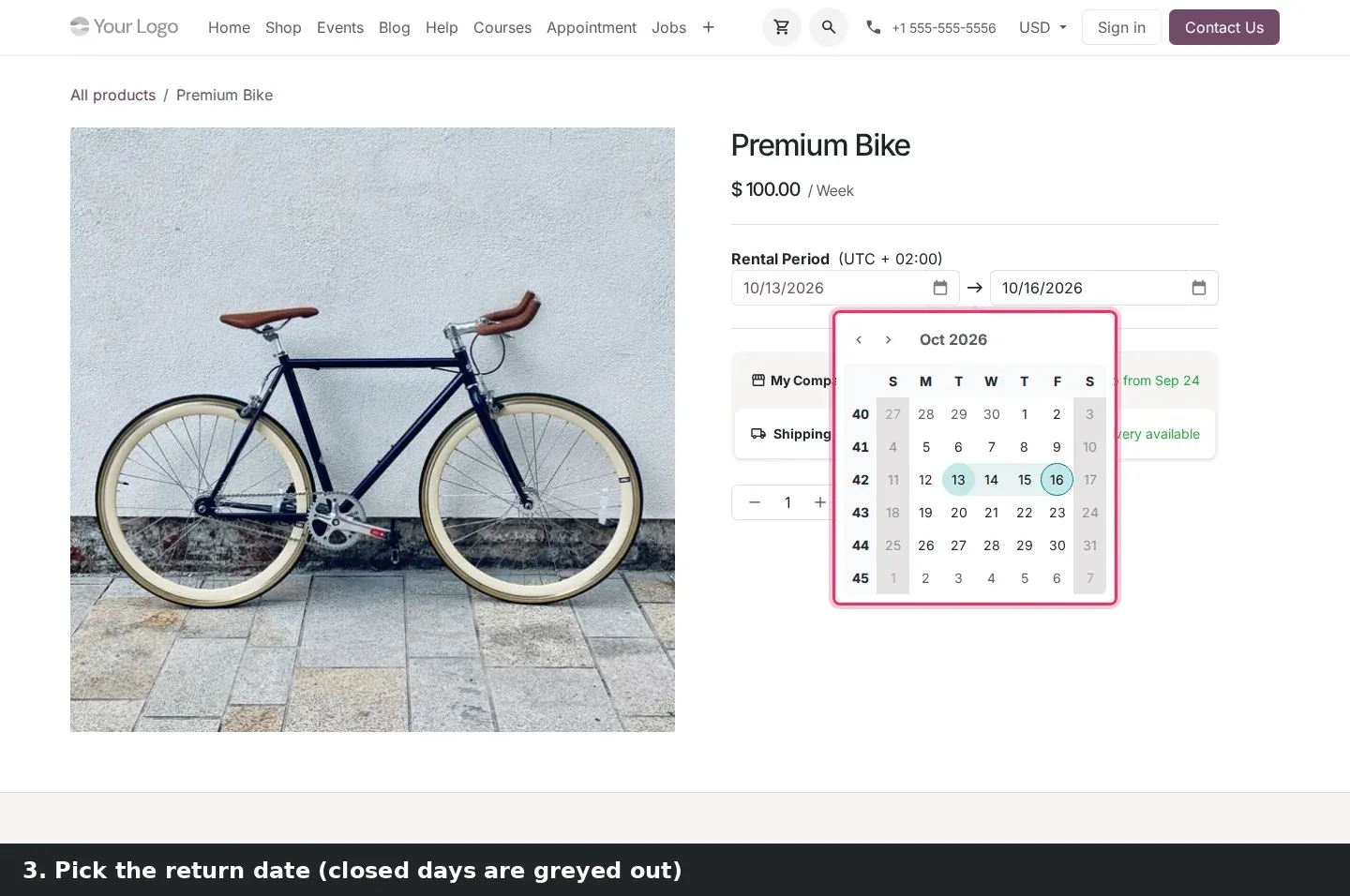
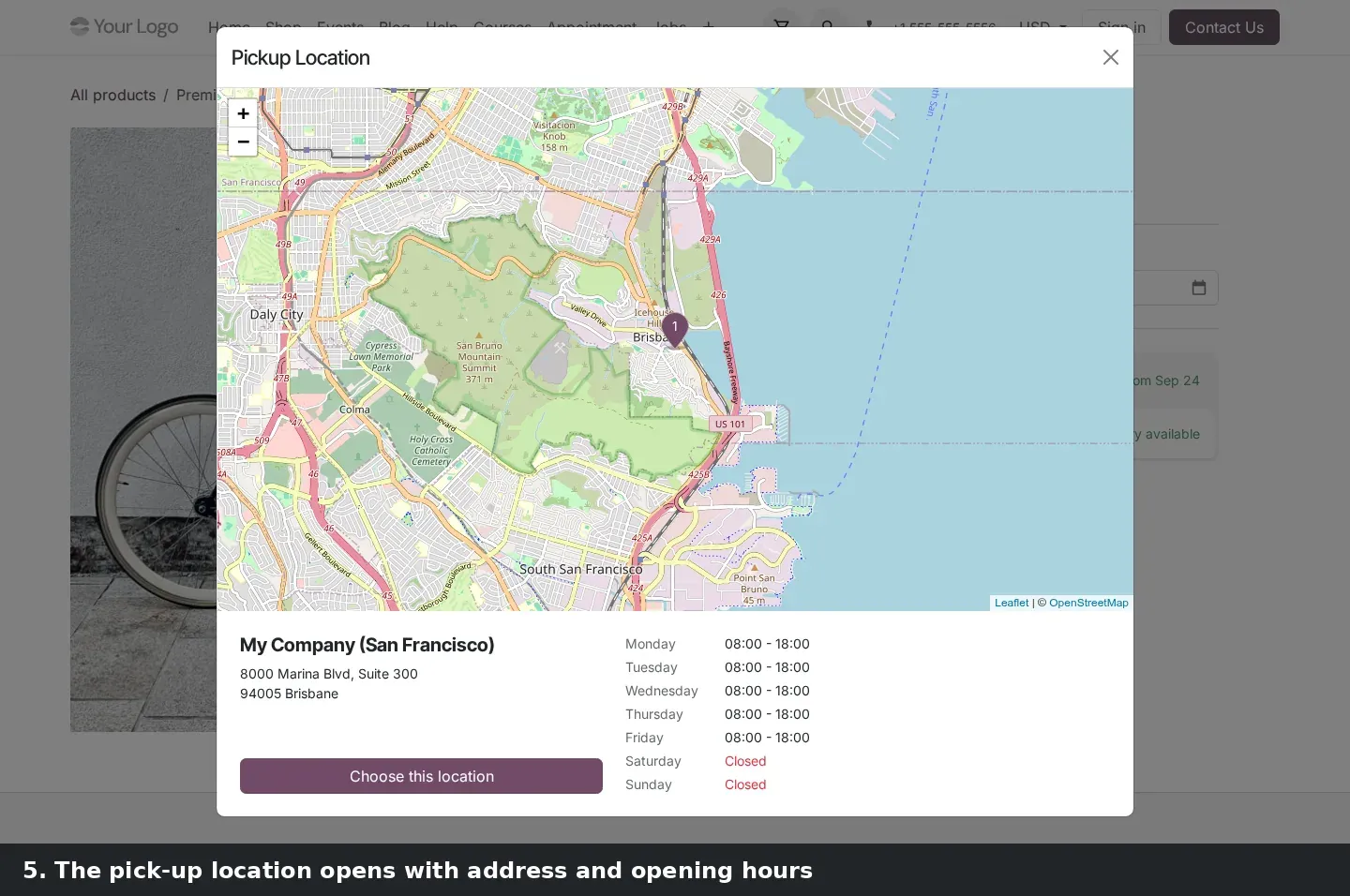
On the website, website_sale_collect_renting brings Click & Collect to rental products. A visitor picks the rental period on the product page, and under the price a store line appears next to Shipping: on the demo, My Company (San Francisco) with Pickup from Sep 24. Choosing the store opens a Pickup Location dialog with a map, the store address, its weekday opening hours and a Choose this location button. In the date picker, weekends were greyed out.
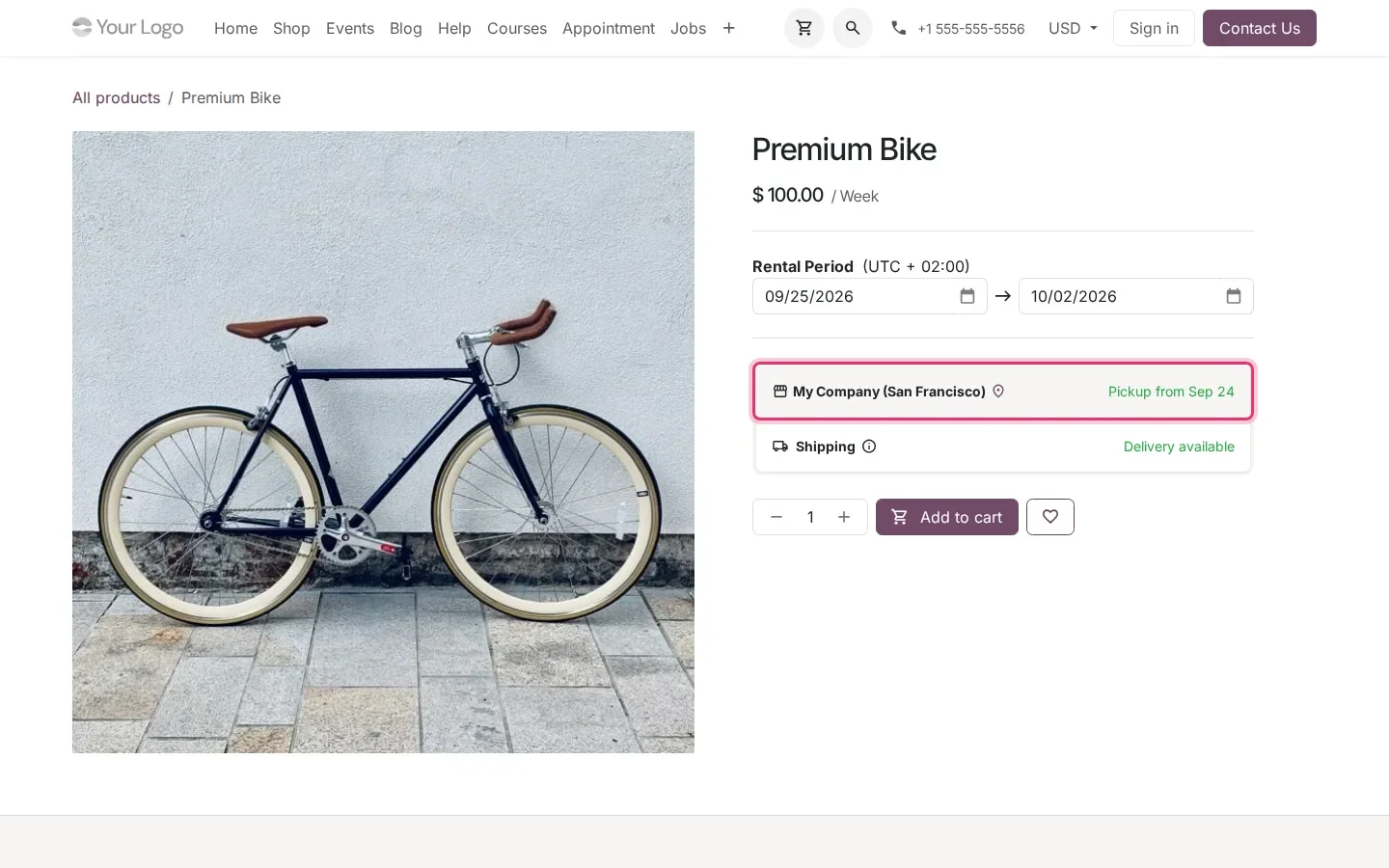
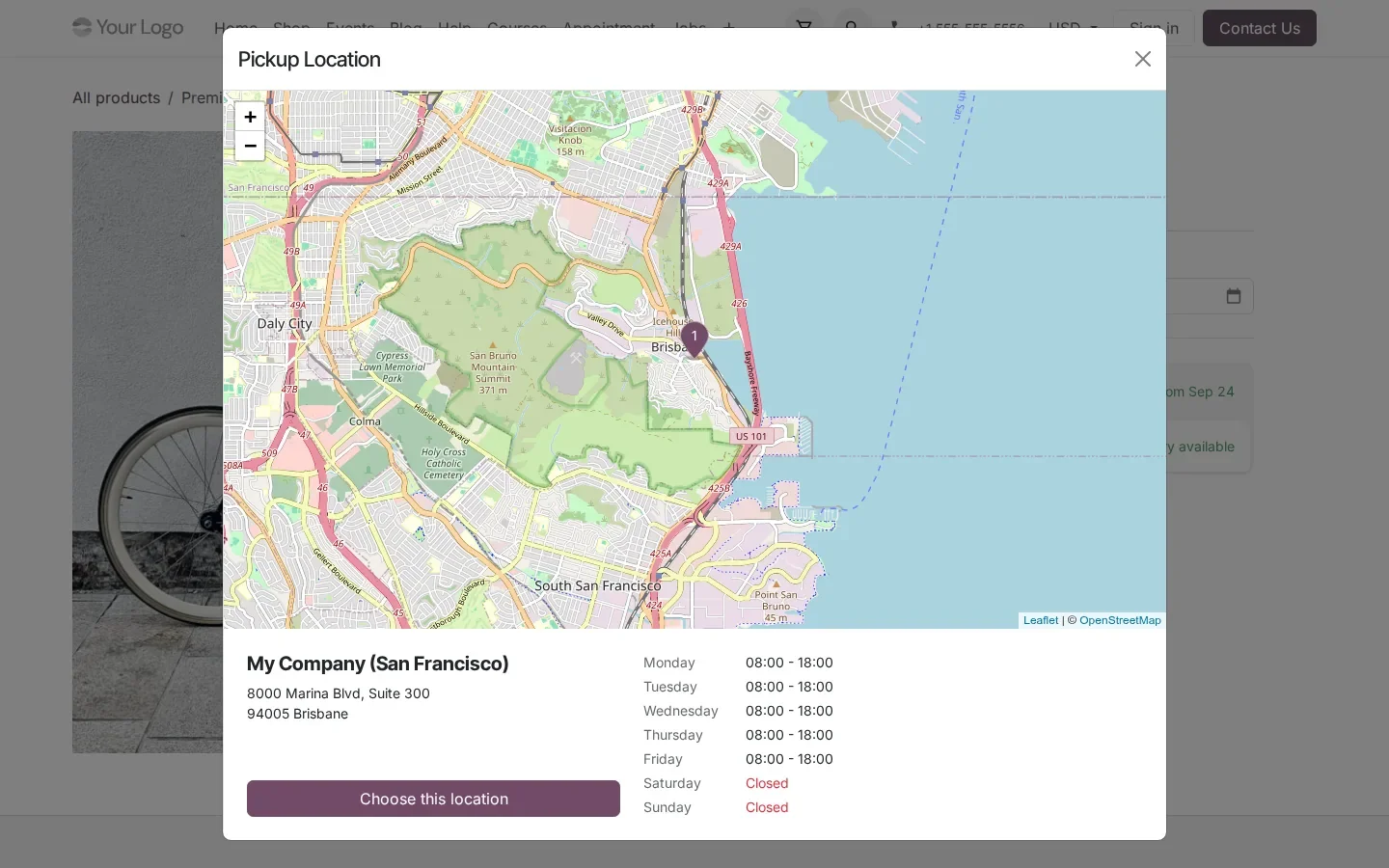
According to the guide, the shop checks the stock of the chosen pick-up location for the rental period, counts rentals not yet returned and the preparation time after a return, and only offers pick-up when the item is really available. On the pre-release build that check runs in the location selector and at checkout, not on the product page, whose availability line is computed for the default dates: it still read Pickup from Sep 24 for dates that overlapped a confirmed rental of the only Premium Bike.
A map of where online orders come from
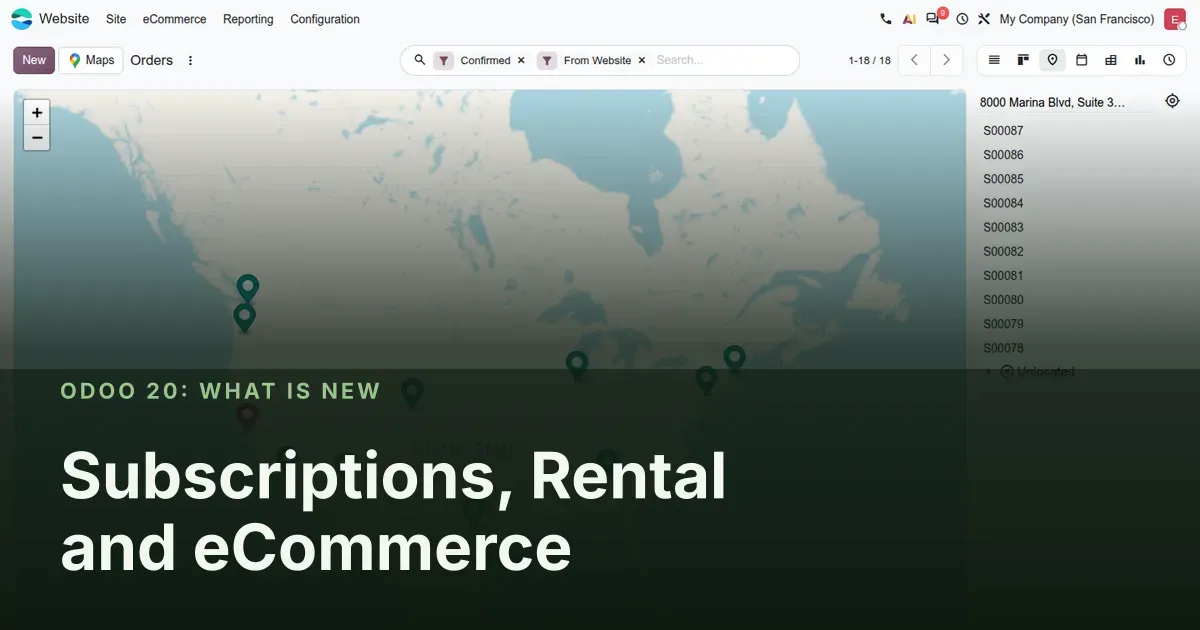
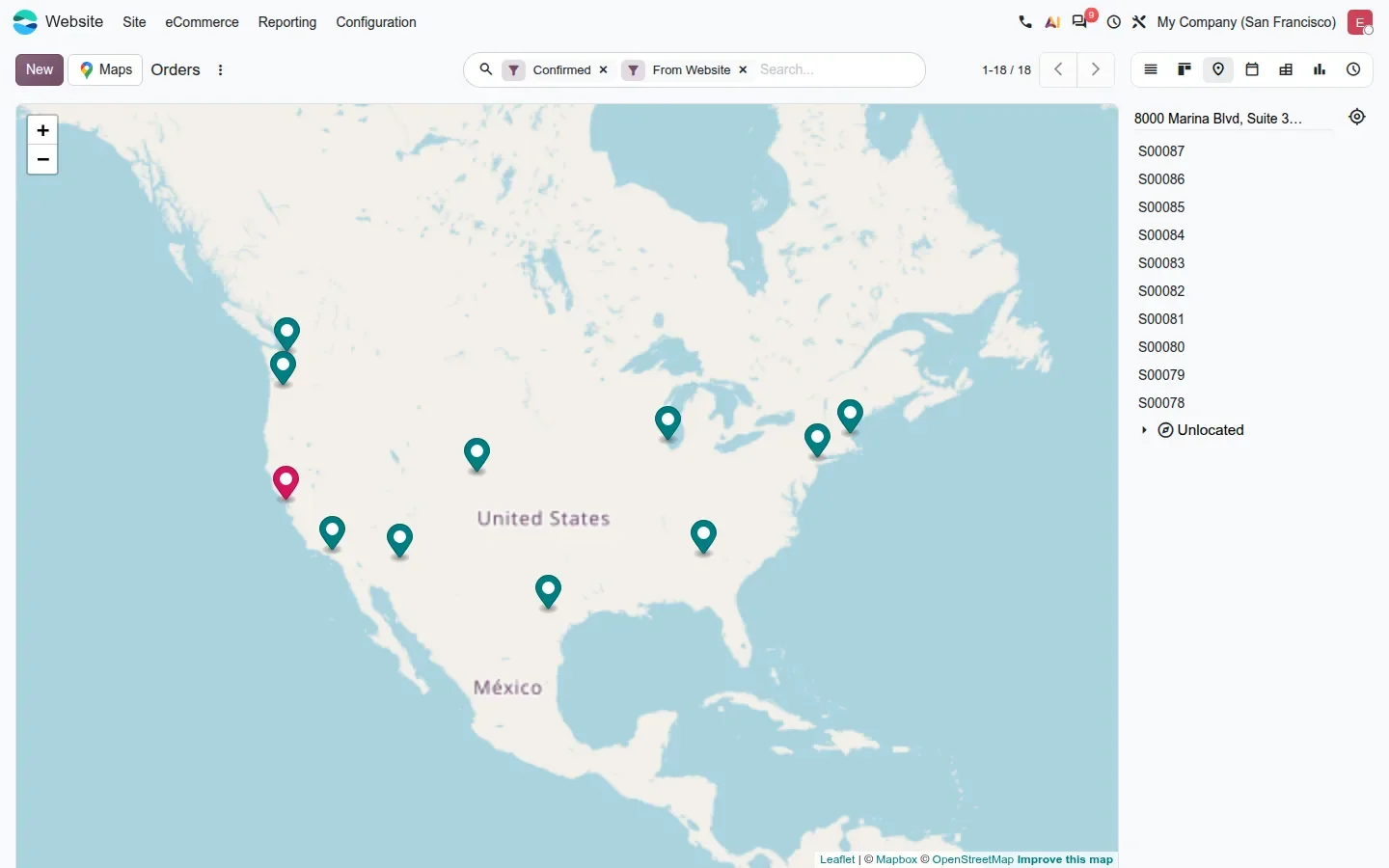
eCommerce managers get a Map view on online orders. Open Website > eCommerce > Orders and the view switcher has a map icon; each confirmed website order is pinned at its address, the order list sits on the right, and an Unlocated group collects orders whose address could not be placed. The view is added by the website_sale_enterprise module. On the demo, ten geolocated orders drew a spread from the West Coast to New England, enough to plan a delivery run or a regional campaign. Until a MapBox token is configured, a banner says that routing needs one.
The guide also lists a margin grid through sale_project_enterprise, which surfaces cost and margin on the timesheet grid of a project sold through a sales order. We did not capture it.
How to try it on a demo database
- Install Sales, Subscriptions, Rental, Website and eCommerce on a demo database, and enable the Click & Collect delivery option.
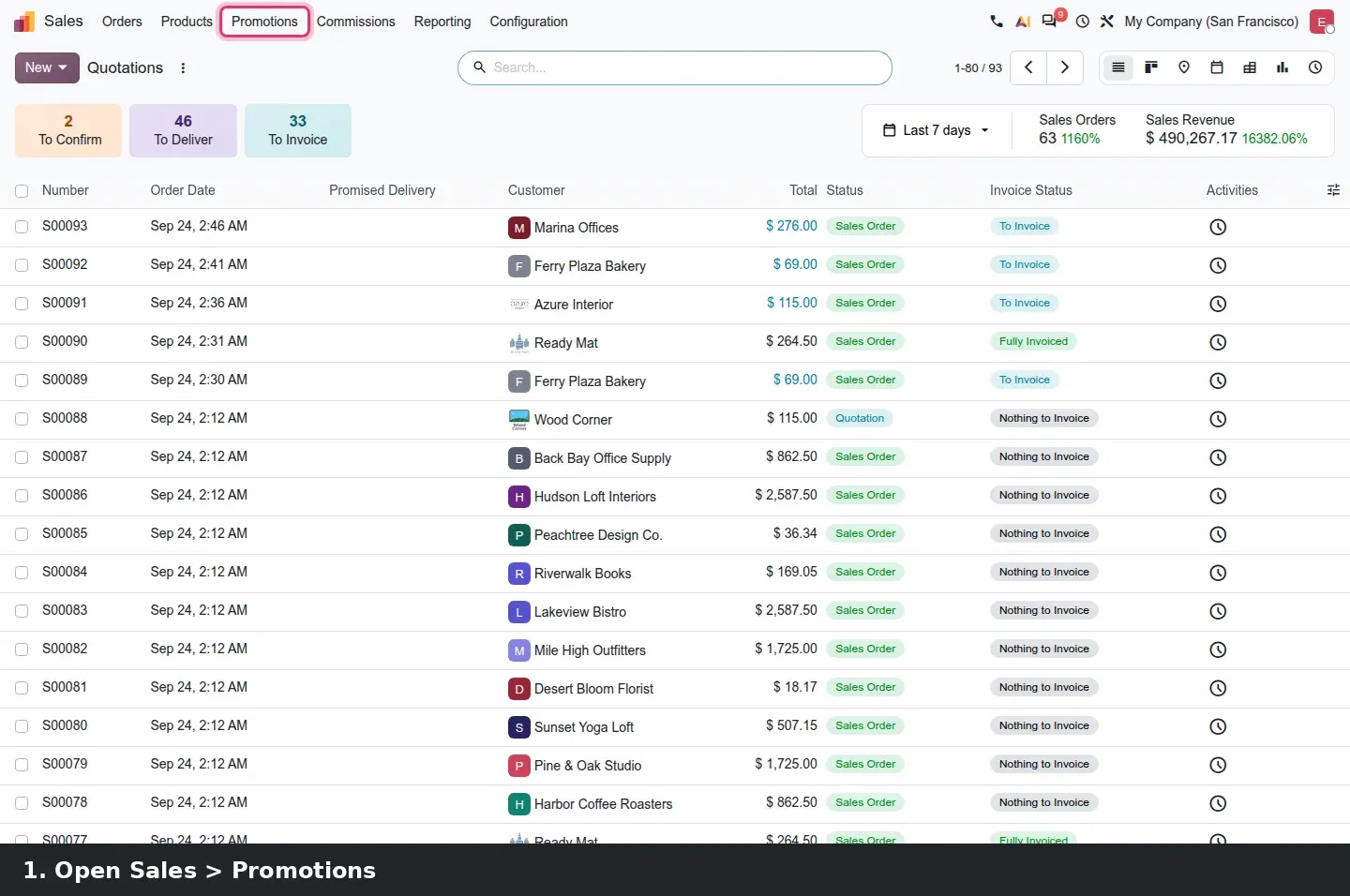
- Sales > Promotions > Discount & Loyalty. Create a program with a points rule and a Free Product reward, open the reward, tick Recurring in the Subscription group and save.
- Subscriptions > Subscriptions > Quotations. Open a monthly quotation and find the MRR line under the totals; confirm it and watch the MRR smart button appear.
- Subscriptions > Configuration > Settings, search for reminder, and fill both reminder day fields with comma-separated lists.
- Open a confirmed, already invoiced subscription, click Close, set When to a date inside the current period, then Create Invoice and read the line descriptions.
- Rental > Configuration > Headers/Footers, add a header PDF. Open a rental quotation, pick it in the Quote Builder tab, then Preview.
- Mark a rental product as available in store, open the shop as a visitor, pick rental dates and click the store line to open the Pickup Location dialog.
- Website > eCommerce > Orders, switch to the Map view.
What we could not verify on the pre-release build
We did not see the loyalty point balance in the customer portal, which needs a portal user with a renewed subscription, and we set the Recurring flag on a reward, not on a rule. We did not see Click & Collect refuse a pick-up for dates when the item is already rented, because we did not drive a visitor checkout. The rental quotation PDF was downloaded and rendered to an image, since headless Chromium has no PDF viewer. Product-less subscription lines, the order-to-website link and the sale project margin grid are described from the guide only. Everything else on this page was clicked through on the 20.0 Enterprise build of 23 September 2026.
What this means for an upgrade
If you run Subscriptions on Odoo 17 to 19, list the loyalty programs and custom reminder logic you have today: recurring rewards and the two day-list settings may replace a customisation, and proration on closing changes your last invoices, so warn accounting before go-live. Rental companies should prepare the header and footer PDFs and the store opening hours before switching on Click & Collect. Online stores that talk to payment providers, carriers or a marketplace connector through the old RPC endpoints need our RPC migration audit first, because Odoo has scheduled the removal of the XML-RPC and JSON-RPC endpoints for Odoo 20. We check this during the scoping of our migration service, and the series hub lists the other changes that land in the same upgrade.
Frequently asked questions
Can a loyalty reward apply on every subscription renewal in Odoo 20?
Yes. With the sale_subscription_loyalty module, a reward has a Recurring checkbox in its Subscription group. When it is ticked, the reward is applied to each renewed period as long as the customer has enough points. Gift cards and eWallets are excluded from the option.
What happens to the invoice when a subscription is closed mid-period?
The next invoice charges only the days between the period start and the close date. On the pre-release build, each line is described with the number of days and the date range, and unit prices are reduced to that fraction of the period. A contract that was never invoiced cannot be closed and must be cancelled.
Where are payment reminder days configured in Odoo 20 Subscriptions?
In Sales settings under Invoicing, which is where Subscriptions > Configuration > Settings opens. Payment failure reminder days takes a comma-separated list of days after the invoice date; No-token payment reminder days takes offsets relative to the next invoice date, negatives allowed.
Does a subscription quotation show an MRR smart button?
Not while it is a quotation. On the pre-release build the MRR appears as a line in the totals block of a Quotation or Renewal Quotation, and the smart button only appears in the header after the subscription is confirmed.
Can rental products be picked up in store from the Odoo 20 website?
Yes. The website_sale_collect_renting module adds a store line with a pick-up date to the rental product page and a Pickup Location dialog with the address and opening hours. According to the guide, the stock check for the rental period runs in the location selector and at checkout.
Which module adds the Map view of eCommerce orders?
The website_sale_enterprise module. It adds a Map view to Website > eCommerce > Orders, pins each confirmed online order at its address, and groups orders whose address could not be placed under Unlocated. Routing on the map needs a MapBox token; the pins do not.