
From a chatbot that drafts text to agents that hold a role
Odoo 19 shipped an AI app that could write a paragraph and sort documents. Odoo 20 replaces it with a platform. The module is now called ai_agentic, and the name is accurate: you configure agents that carry instructions, reusable skills and your own data as sources, that run on triggers, and that act in the database through tools, always behind a confirmation card. This post walks through the agent record, the skills, the sources, the triggers and the tools, then the smaller AI bridges that Odoo 20 adds to Marketing Automation, Sales, Purchase, Stock, Project, Helpdesk and Timesheets.
What we show are the configuration screens on the pre-release build. What we could not show is an agent's reply: chat answers go through Odoo's asynchronous AI endpoint, which calls the database back over a public URL, so on a private demo the agent stays on "Thinking". One-shot AI features such as text generation and Sort with AI did work. Read the AI sections with that in mind.
Observed on the Odoo 20.0 Enterprise pre-release build of September 23, 2026. Names, menus and availability can change before general availability; we will update this page when they do.
An agent is a record: instructions, skills, sources and triggers
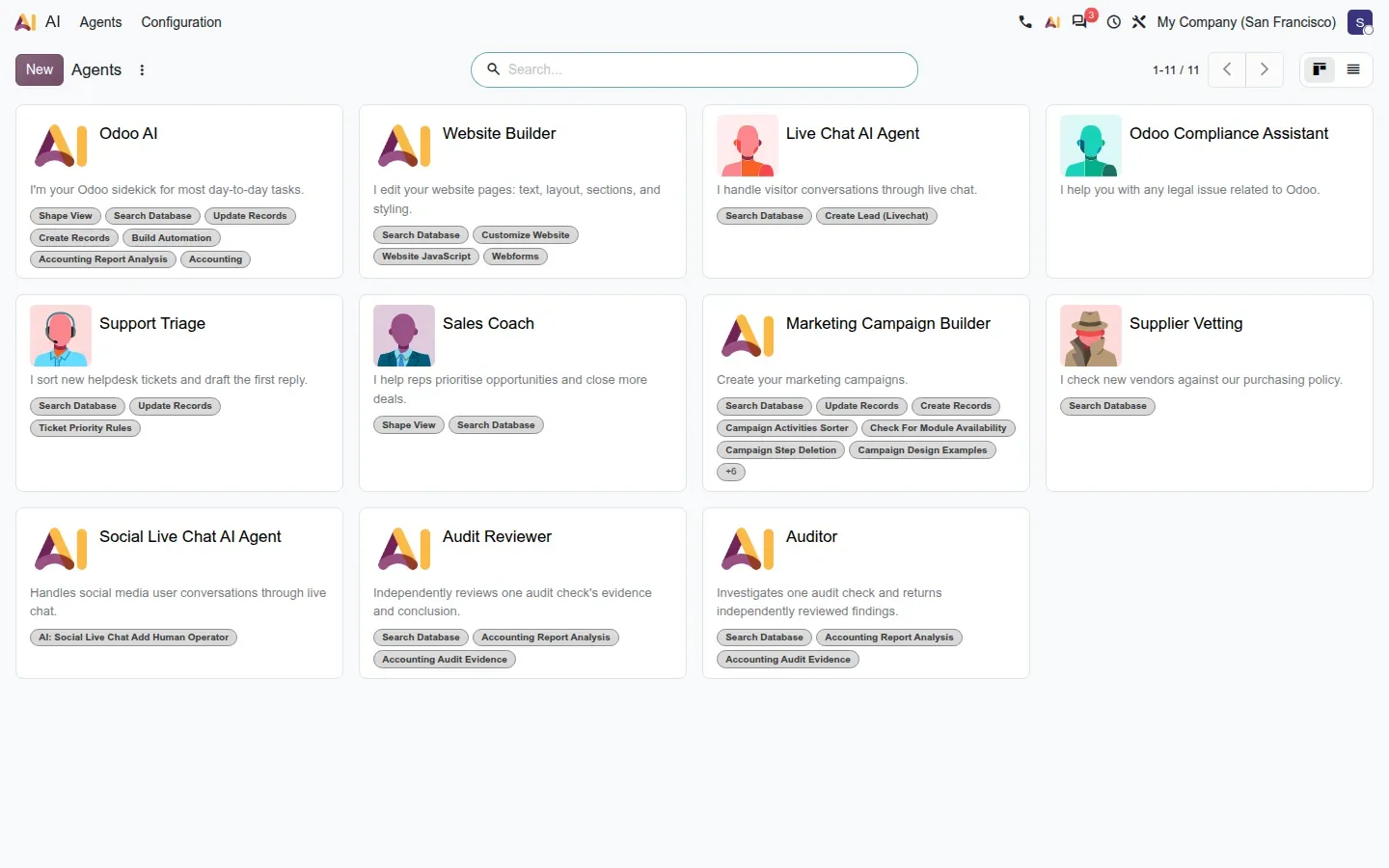
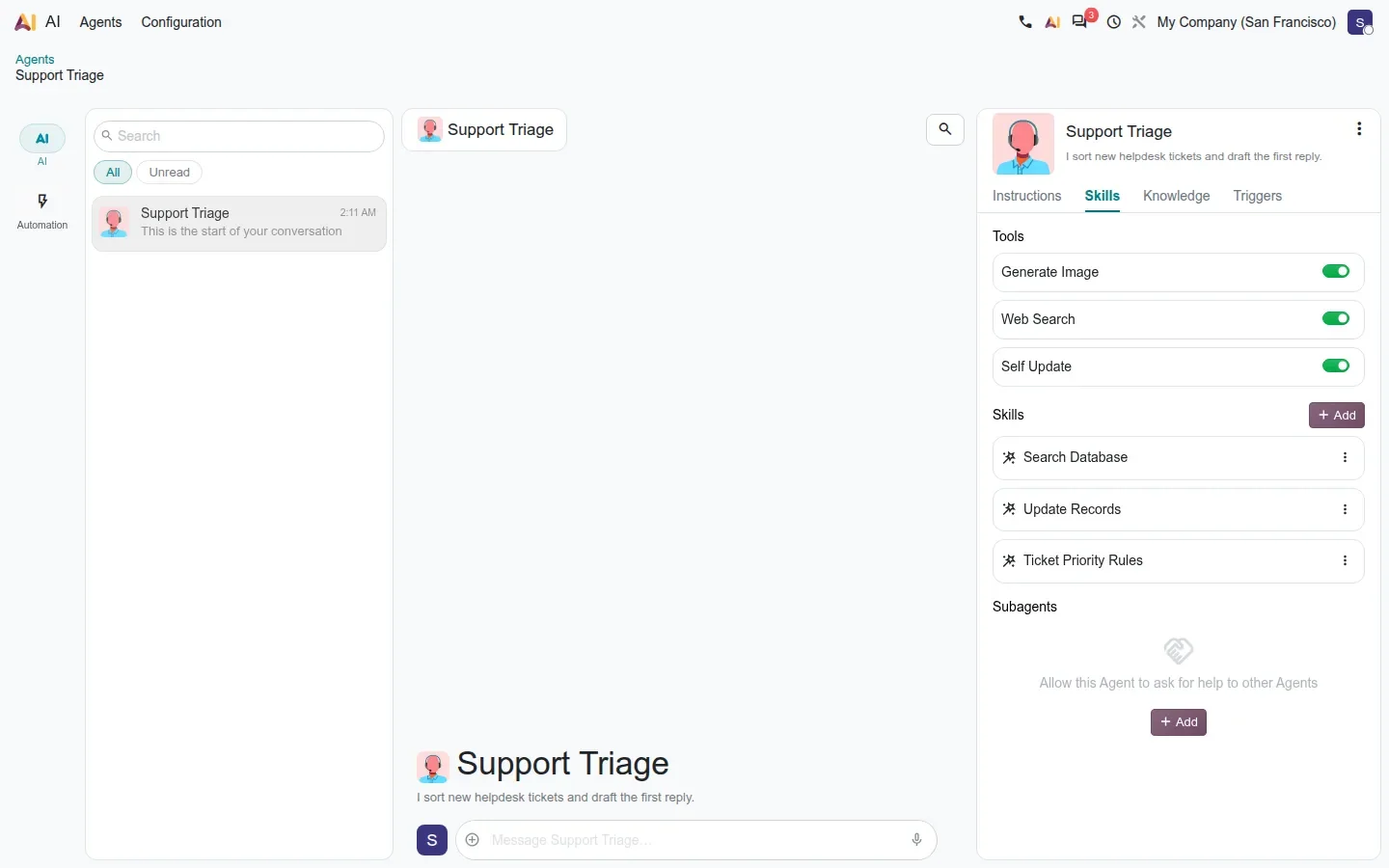
Open the AI app and every agent is a card: a name, a subtitle, an avatar and a role. Odoo ships defaults, and an administrator adds their own; on the demo we created a Support Triage agent, a Sales Coach and a Supplier Vetting agent. Opening one shows a form with four tabs: Instructions, written in Markdown; Skills; Sources; and Triggers. That structure is the whole idea: the instructions say who the agent is, the skills say what it can do, the sources say what it knows, and the triggers say when it runs without being asked.
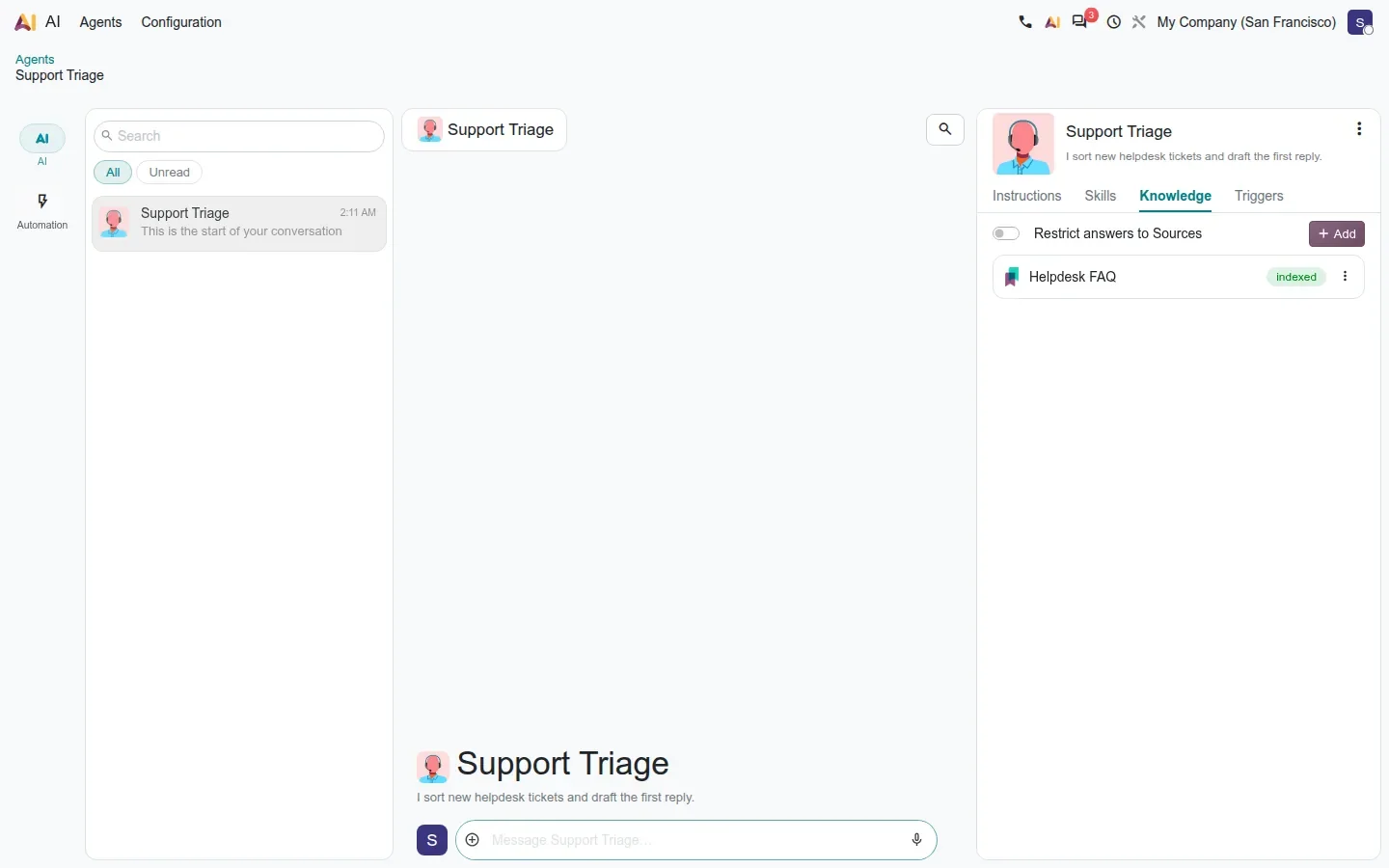
For end users the entry point is Discuss. AI chats have their own category in the messaging menu, an agent panel shows the configuration next to the conversation, files can be dropped into the chat, and a microphone button offers voice dictation. The panel is the same four tabs, read-only, so a user can see why the agent answered the way it did.
Skills are reusable bundles of instructions and tools
A skill is a named block of instructions plus the tools it is allowed to use, attached to one or many agents. Odoo ships native skills such as Self Update and Build Automation, and every app that installs an AI bridge adds its own: the accounting skills used by the auditor agent, or the Marketing Campaign Builder skill described further down. An administrator can write a custom skill, as we did with Ticket Priority Rules, and the agent itself can write one when a user says "from now on, always answer in French" or "here is how we vet a new supplier".
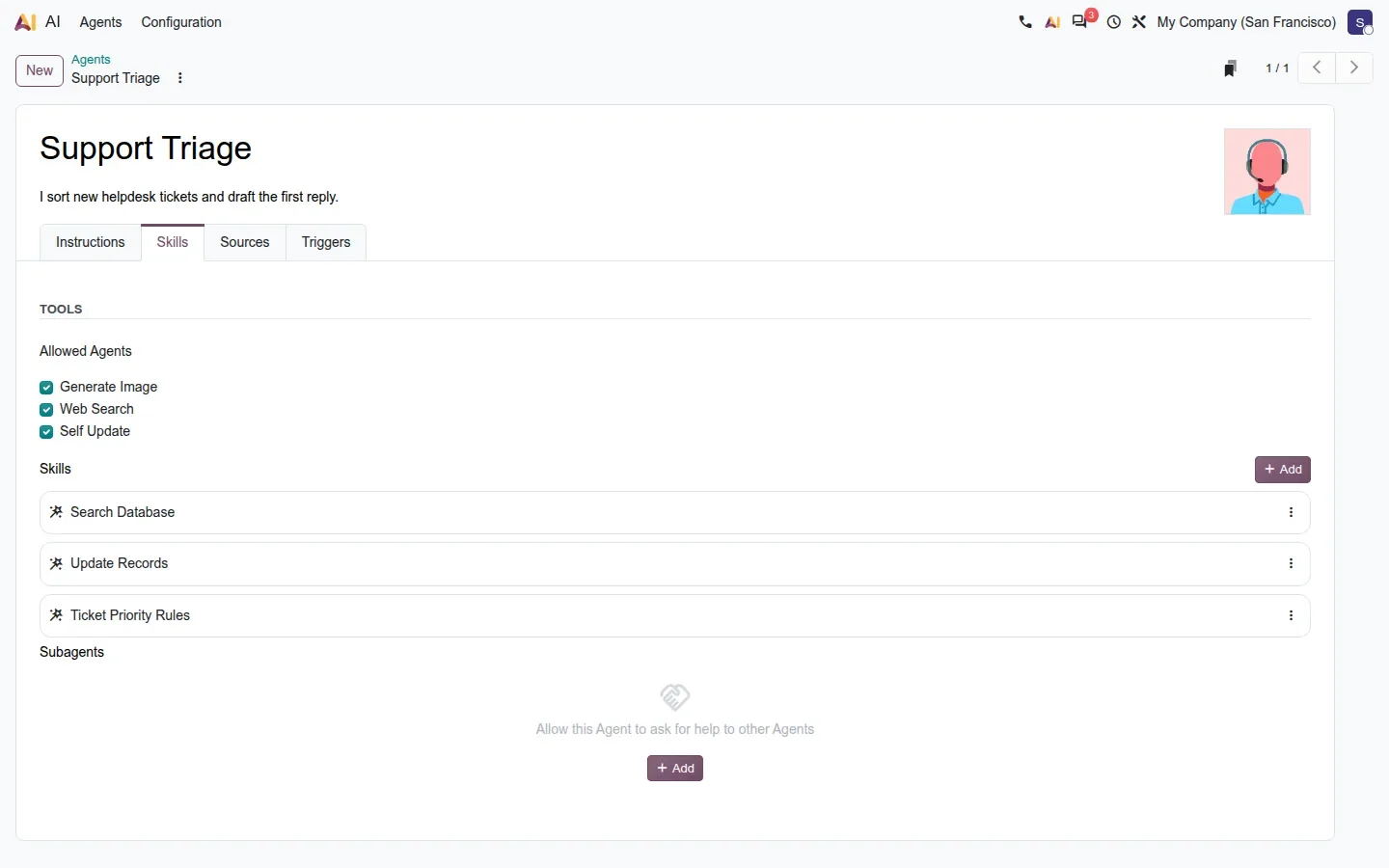
The Self Update skill is the one to understand before you switch it on. It lets the agent rewrite its own instructions, rename itself and pick another avatar role. Nothing is applied silently: the change appears in a confirmation card and the user accepts or rejects it. It is a convenient way to let a team shape an agent through conversation, and a good reason to keep the skill off on agents that run on triggers.
Sources ground the agent in your own data
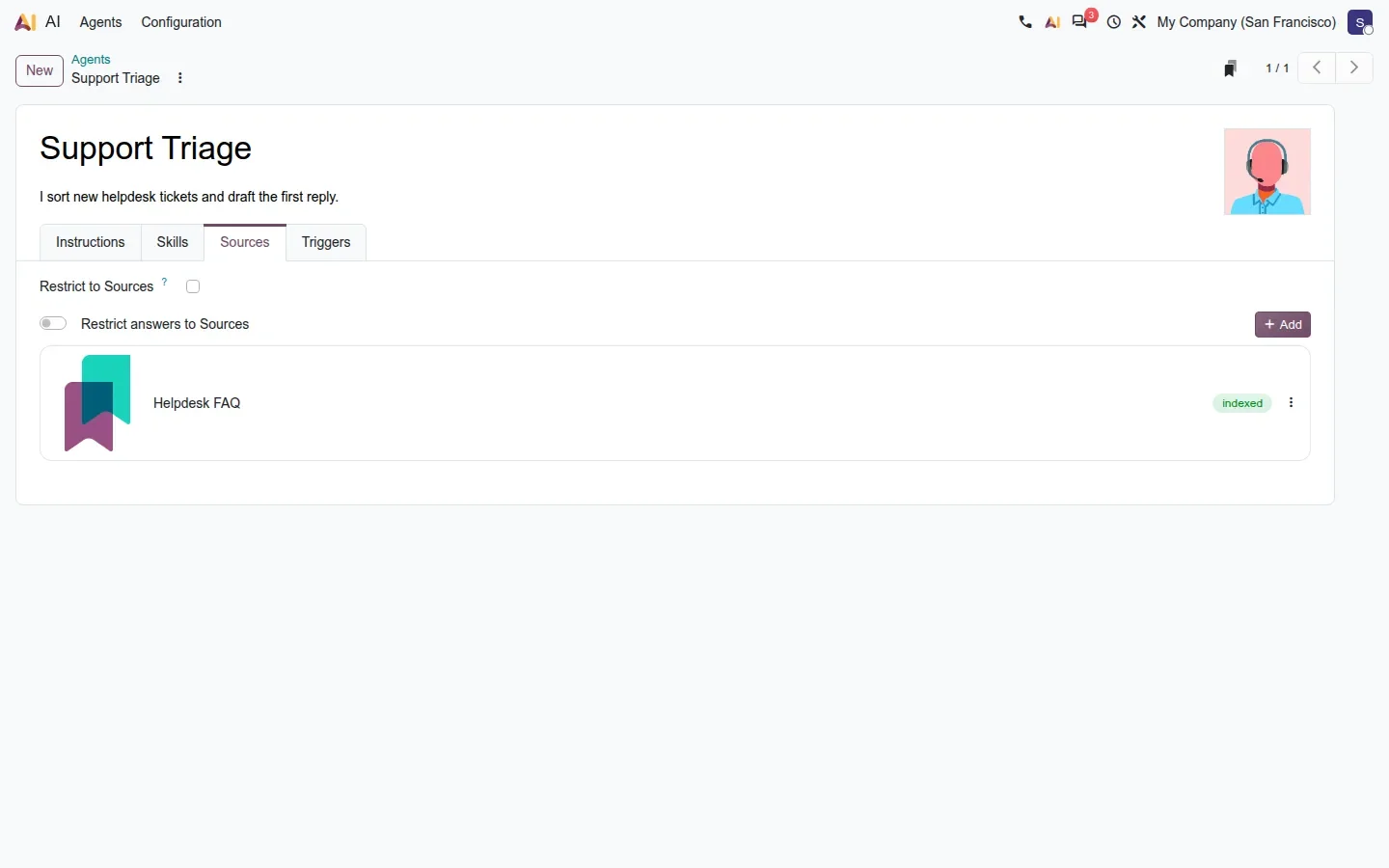
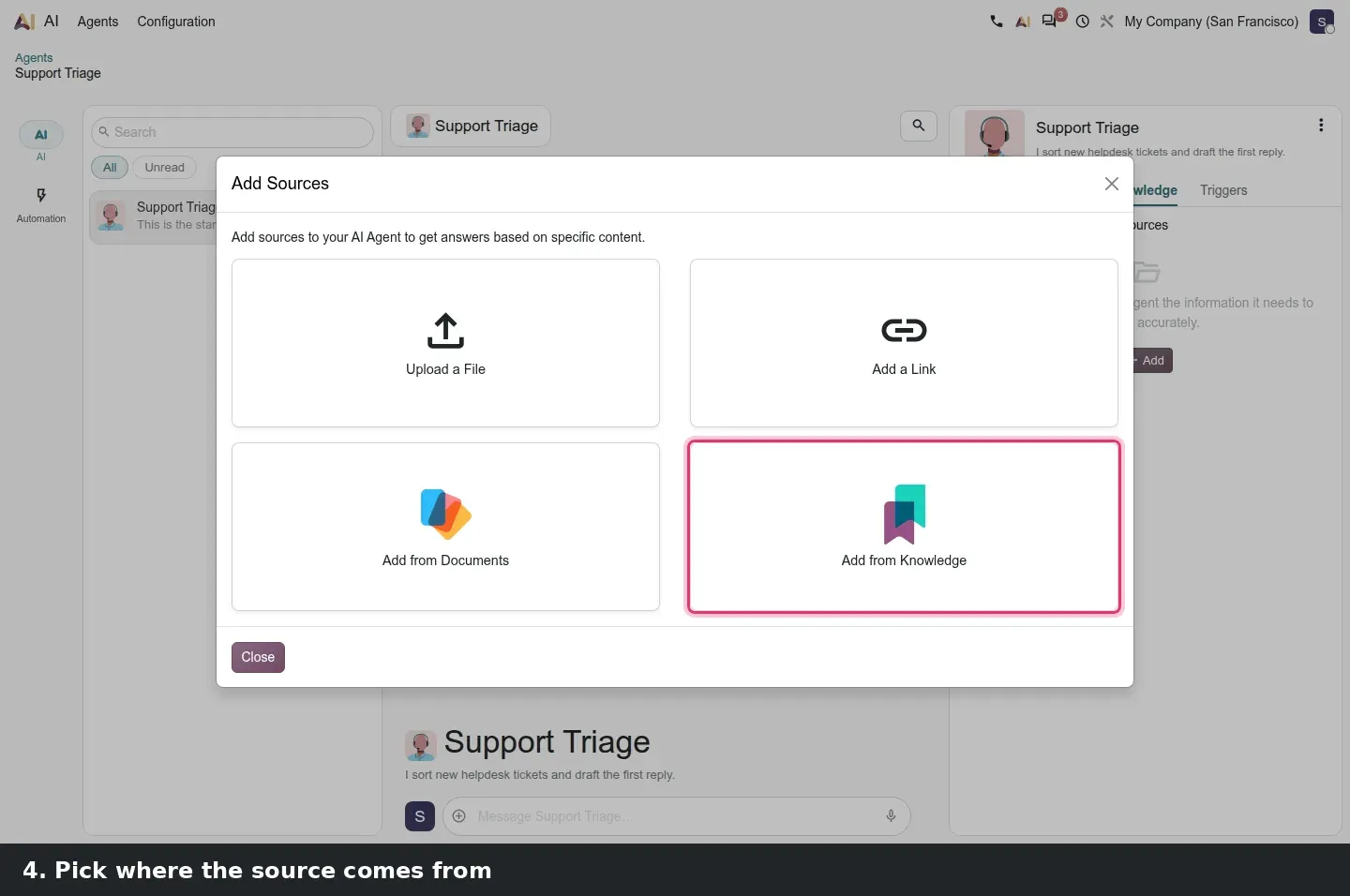
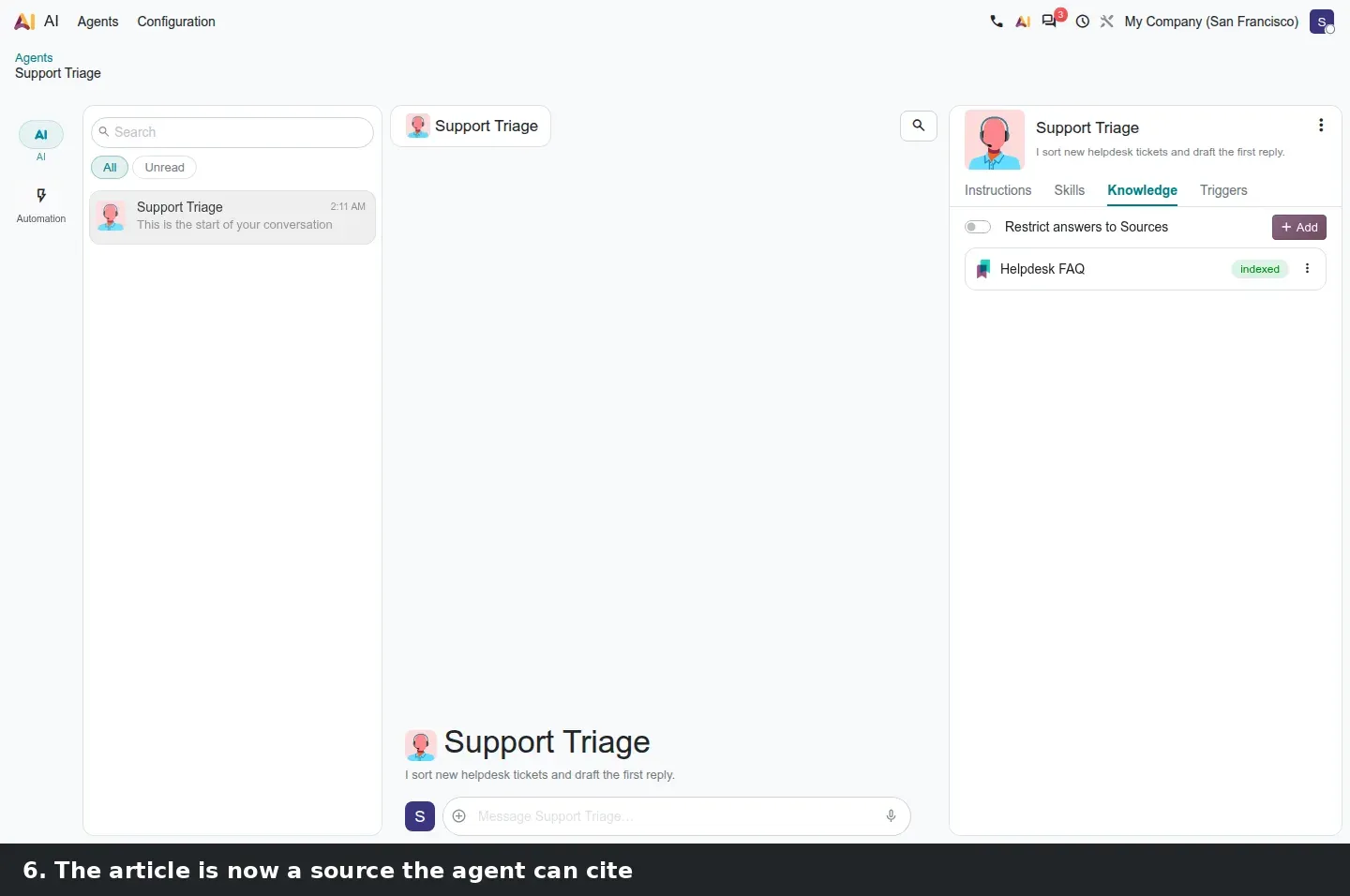
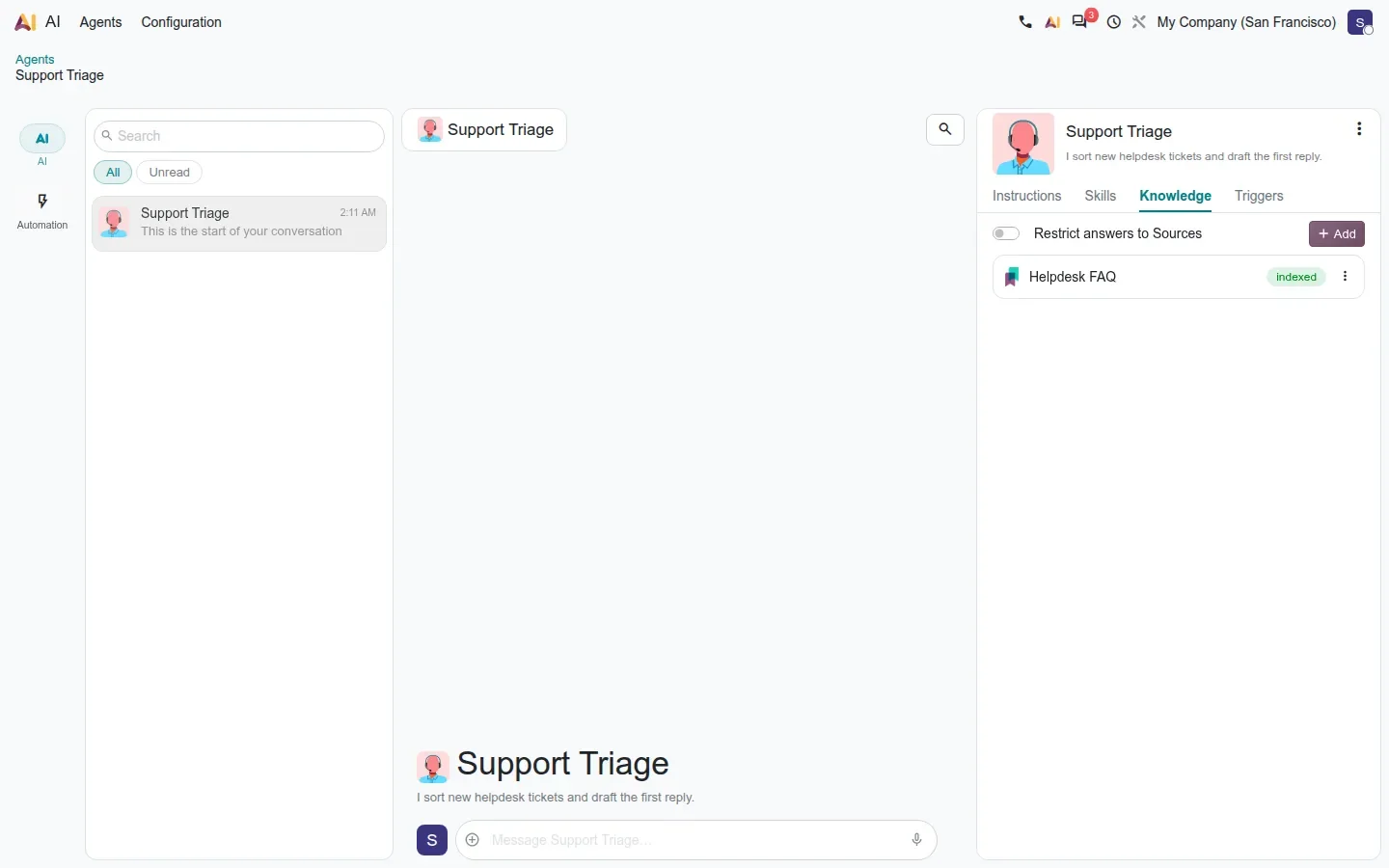
Sources are what make an agent knowledgeable about the business rather than about the internet. You can attach files, links, Knowledge articles and Documents folders, including whole folder hierarchies. The content is embedded and stored in PostgreSQL with pgvector, and retrieval now runs across several models at once. When the agent answers, it cites the source record it used, so a user can check where a claim comes from. The only model visible anywhere in the configuration is the embedding model stored on each agent, Google's gemini-embedding-2; the chat model itself is chosen by Odoo's proxy.
Triggers connect agents to automation rules
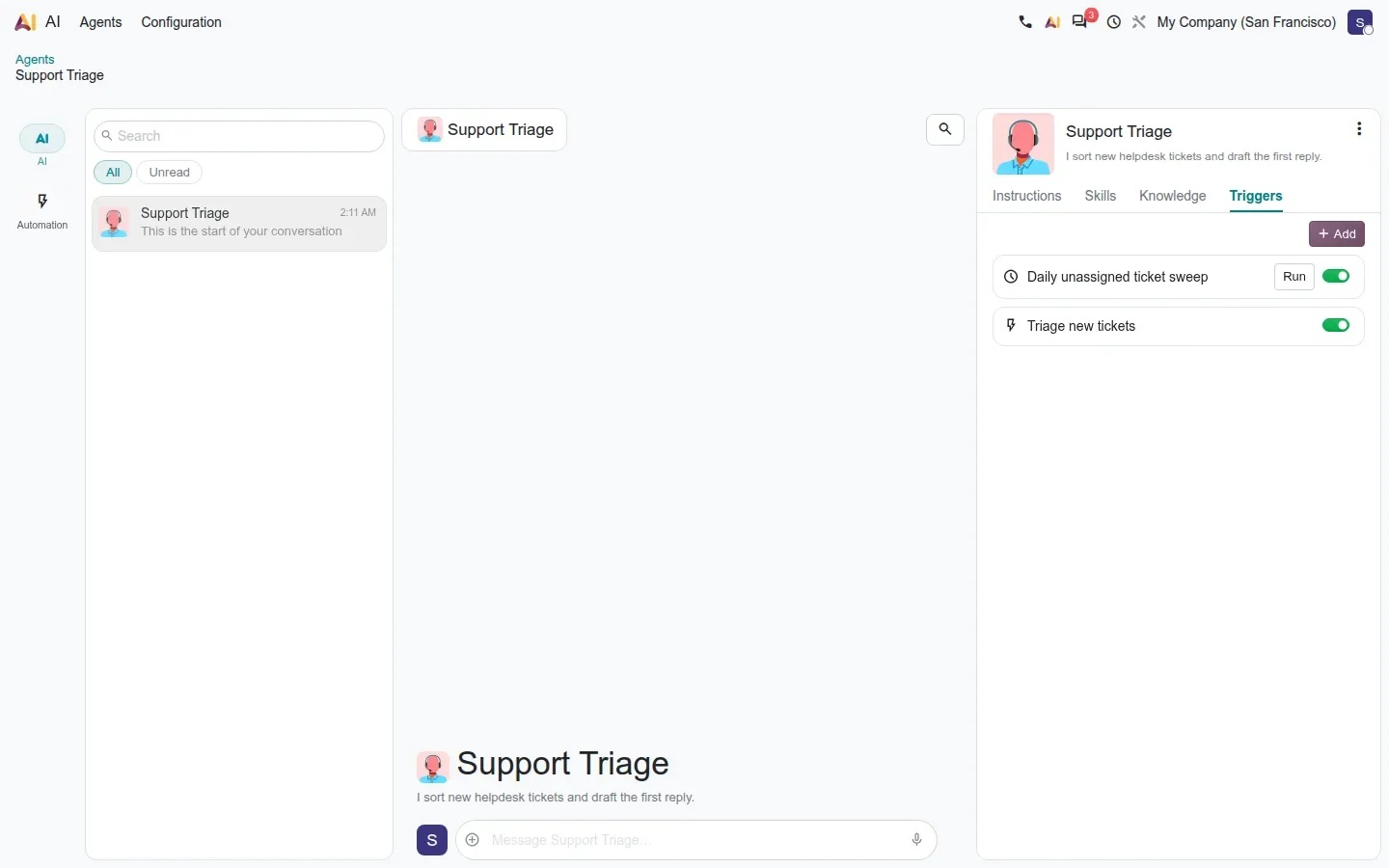
This is where the platform stops being a chat window. A trigger is an Automation Rule whose action is a prompt handed to the agent. The rule can fire when a record is created or updated, or on a schedule. On the demo we wired a Support Triage agent to run after a Helpdesk ticket is created, with two more agents on weekly schedules. That is how a customer builds "when a ticket arrives, set its priority and draft a reply" or "every Monday, summarise last week's lost opportunities" without a line of code. The rule keeps a next trigger date and a run history, both visible in the agent panel.
What to try first
Pick one recurring chore with a clear output, such as a Monday summary of lost opportunities, and give the agent only the sources it needs for it. A narrow agent with a scheduled trigger is the fastest way to see whether the answers are worth the credits before you let agents touch records.
What an agent can do, and the confirmation card that guards it
Native tools let an agent search records, create records, update records in batch, open menus and views, run client actions, browse the web, compute dates precisely and generate images. Agents can also delegate: an agent allowed to ask other agents for help splits complex work, which is how Odoo's accounting audit runs an investigator and an independent reviewer. Every write goes through a confirmation card, so the user sees what is about to change and can refuse. Commits in the 20.0 history reference Gemini 3 and GPT 5.2 as the models behind the default agents, but nothing in the interface lets you pick one.
For a partner, the practical consequence is that "an agent" becomes a configured deliverable: instructions, a handful of skills, the right sources and one or two triggers, rather than a custom development. For a customer, the practical consequence is billing: every request, trigger included, consumes IAP credits.
AI across the business apps: campaigns, prompts, tickets and timesheets
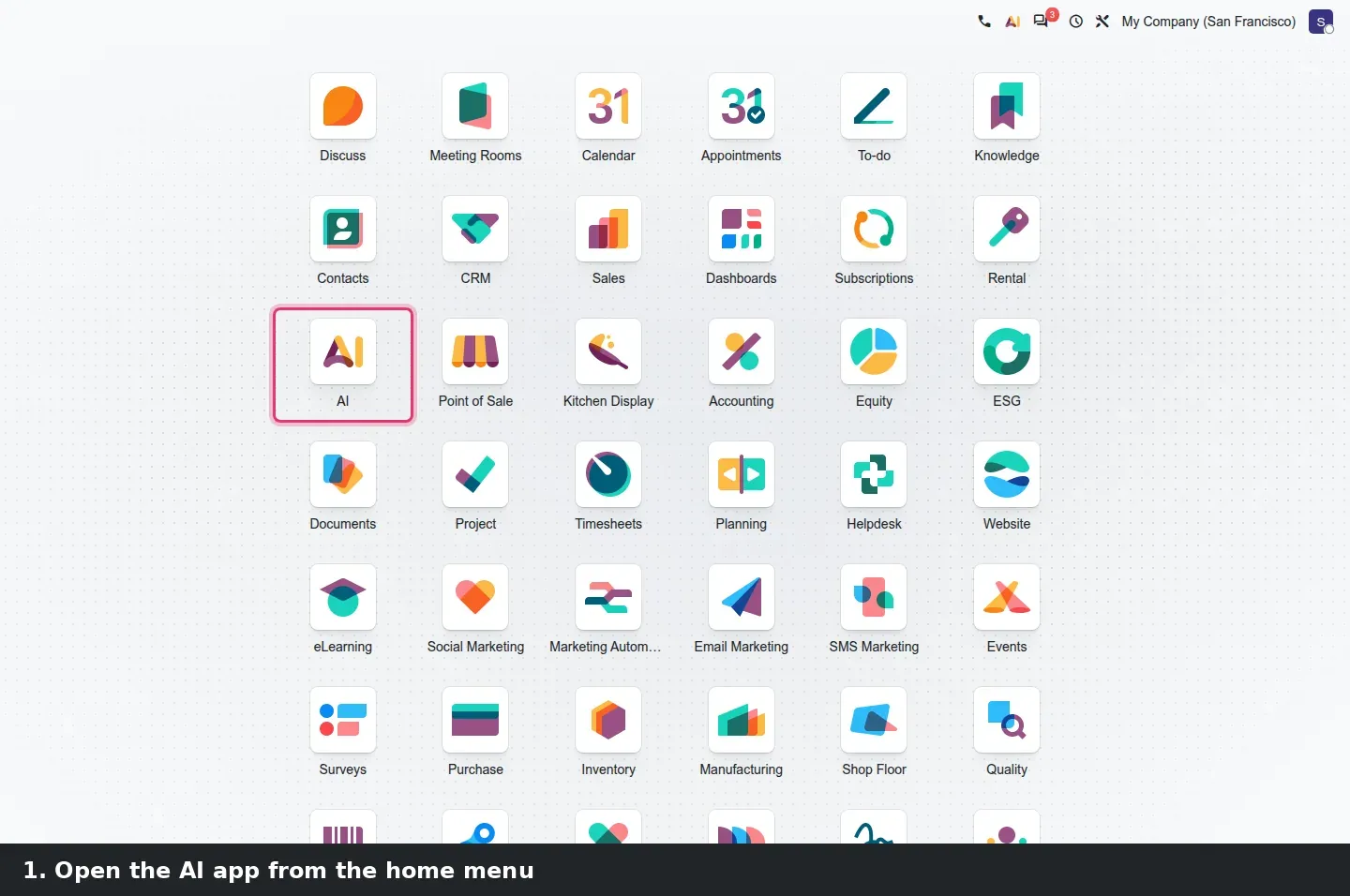
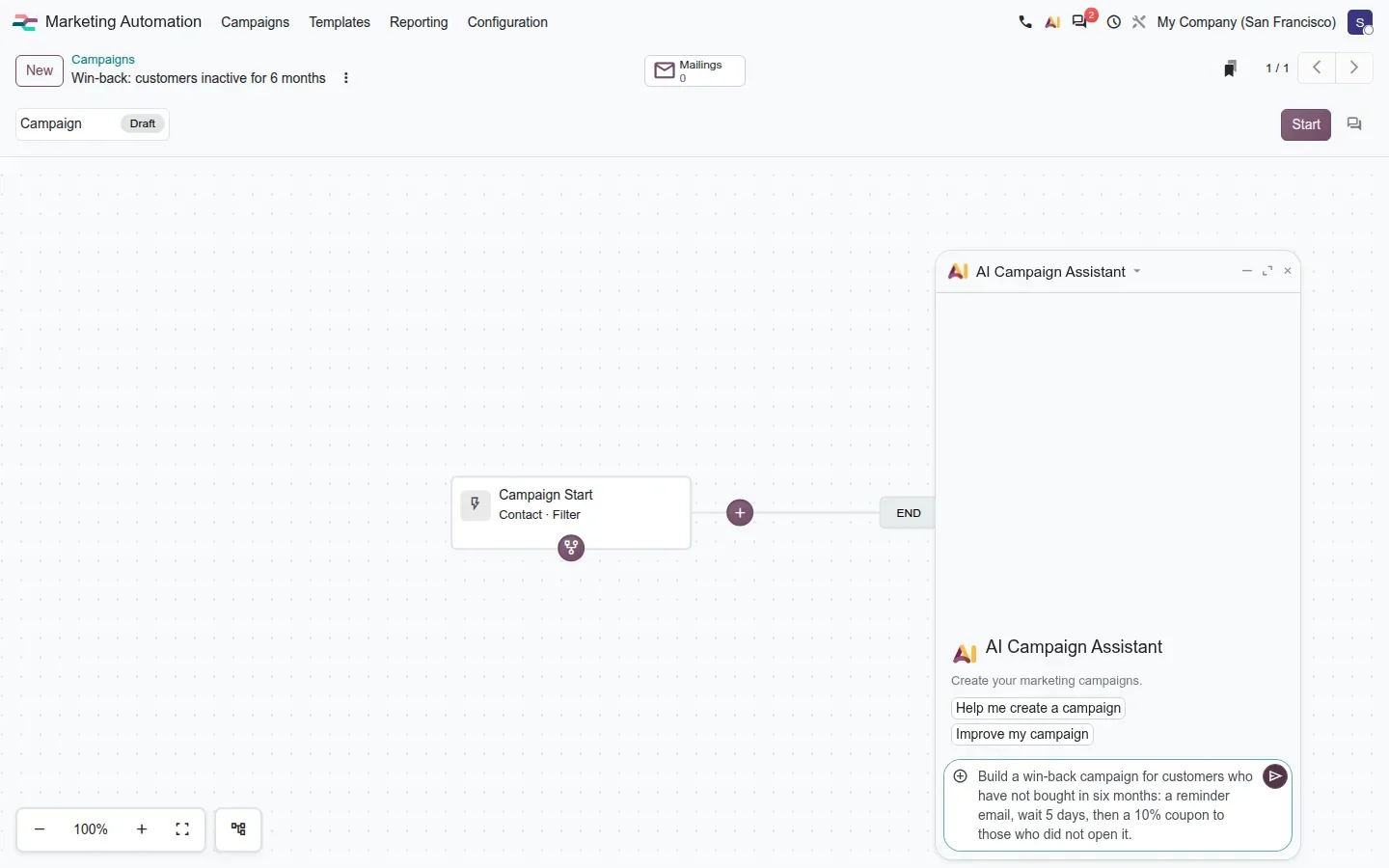
Beyond the platform, Odoo 20 seeds AI into the apps people use daily through small bridge modules. Marketing Automation gets the most complete piece: ai_marketing_automation ships a Marketing Campaign Builder agent with two shortcuts, Help me create a campaign and Improve my campaign, and the campaign flow view gains an AI Campaign Assistant. You describe the goal, for example re-engaging customers who have not bought in six months, and the agent proposes the steps, mailings, waits and conditions, using only the triggers and rules installed in your database.
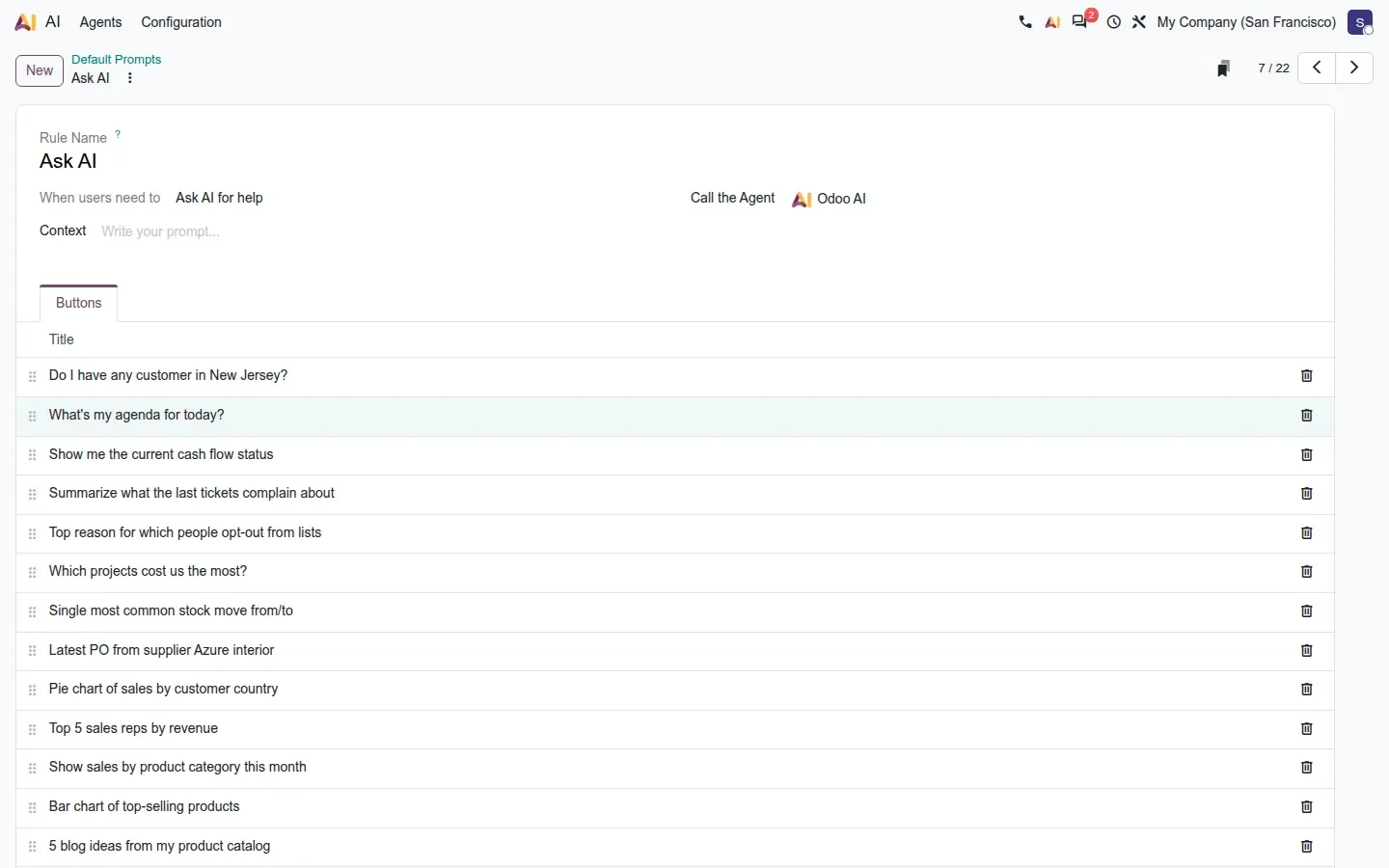
Sales, Purchase, Stock and Project take a lighter approach: prompt buttons shown in the AI chat when you are in that app. Sales ships prompts such as the top five sales reps by revenue, a bar chart of top-selling products or a pie chart of sales by customer country; Purchase offers the latest purchase order from a supplier; Stock the most common stock route; Project asks which projects cost the most. Each runs a real query and returns a chart or a table, a gentle way to show users that the assistant reads live data.
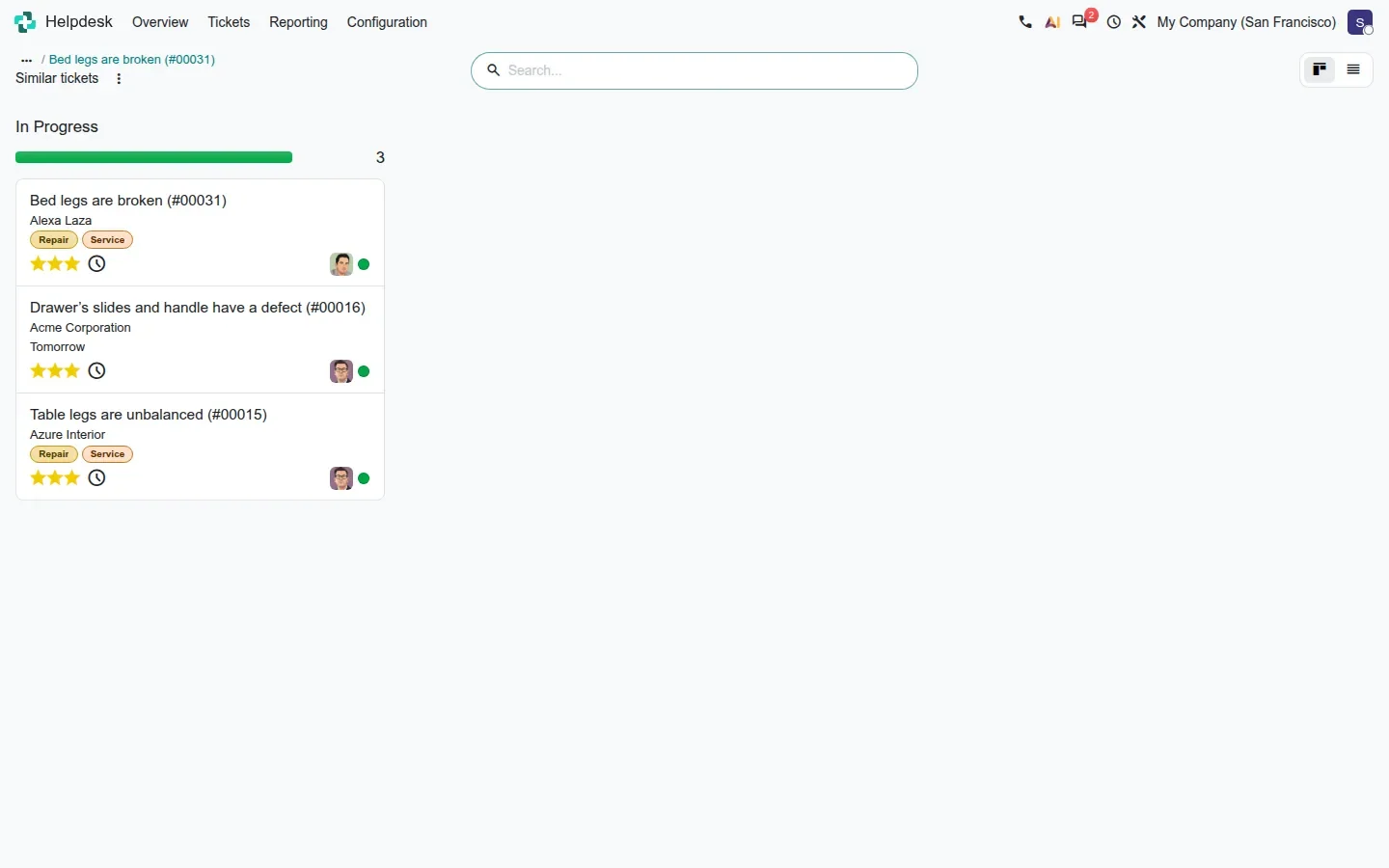
Helpdesk goes further with ai_helpdesk. On the team form, Look for Similar Tickets enables the features, with a time range, a similarity threshold and the agent used for the team. On a ticket, a Look for Similar Tickets button finds past tickets with the same problem, and the chatter's AI button can propose a solution grounded in them or summarise what recent tickets complain about. Timesheets receive ai_timesheet_grid, which turns the raw signals of the new Timesheets Assistant, calendar events, browser activity and email, into proposed lines with a project, a task and a duration.
The pattern matters for anyone with custom models: each bridge is a data file of prompts, composers or tools on top of the same engine. A partner can add the same kind of shortcut for a customer's own model with a few XML records rather than a new integration.
What we could not verify on the pre-release build
Agent replies, confirmation cards in action, cited sources in an answer, the generated campaign steps, the chart returned by a Sales prompt and the drafted Helpdesk solution all depend on Odoo's asynchronous AI endpoint calling the database back over a public URL; on our private demo the agent stayed on "Thinking". Voice dictation needs an audio device and the Timesheets browser suggestions need the ActivityWatch tracker. Everything else on this page was clicked through on the 20.0 Enterprise build of 23 September 2026.
What this means for an upgrade
If you used the Odoo 19 AI app, expect the module rename (ai_app to ai_agentic) to be handled by the upgrade scripts, and expect your IAP consumption to change once agents run on triggers. Decide before go-live which agents may write to records, keep Self Update off on scheduled agents, and give each agent only the sources its job needs. If you want the answers judged on your own data before you commit, that is part of the scoping in our migration service, and the series hub lists the other changes that touch the same upgrade.
Frequently asked questions
Which AI model answers in Odoo 20?
Odoo chooses it on its proxy side. The 20.0 code has no setting to pick the chat model and no field for your own OpenAI, Gemini or Anthropic key; commits reference Gemini 3 and GPT 5.2 for the default agents. The only visible model is the embedding model stored on each agent.
Can an agent change my data without asking?
No. Every write goes through a confirmation card that the user accepts or rejects, including changes the agent proposes to its own instructions through the Self Update skill.
How are agents billed?
In IAP credits, per request, including requests fired by triggers. A scheduled trigger that runs every hour costs credits every hour whether anyone reads the result or not.
Do agents work in the Community edition?
No. The agent platform, the MCP server and the bridge modules described here are part of Odoo 20 Enterprise, and every request is billed through Odoo's IAP credits.
Can an agent read our Knowledge articles and Documents?
Yes. Knowledge articles and Documents folders, including whole hierarchies, can be attached as sources; they are embedded with pgvector and cited in answers.