
Three treasury chores that Odoo 20 takes off the accountant's desk
Odoo 20 touches the treasury side of Accounting in three places. Loans gain optical character recognition: upload the amortisation schedule the bank sent you and the digitisation service is meant to fill the lines. Direct debit mandates leave the SEPA module and become a standalone base, account_direct_debit, that SEPA and the Canadian CPA 005 format both plug into. And the Stripe Issuing expense cards get the fixes that make them usable every day, starting with an expense that is created the moment the card is tapped.
This post is for the CFO, the controller and the office manager who runs expenses. We clicked through every screen below on a Belgian demo company, which matters for the regional caveats: SEPA Direct Debit is a European scheme, the Canadian format is a separate module we did not install, and Stripe Issuing is only offered in countries Stripe supports.
Observed on the Odoo 20.0 Enterprise pre-release build of September 23, 2026. Names, menus and availability can change before general availability; we will update this page when they do.
Loans: upload the bank's schedule instead of typing it
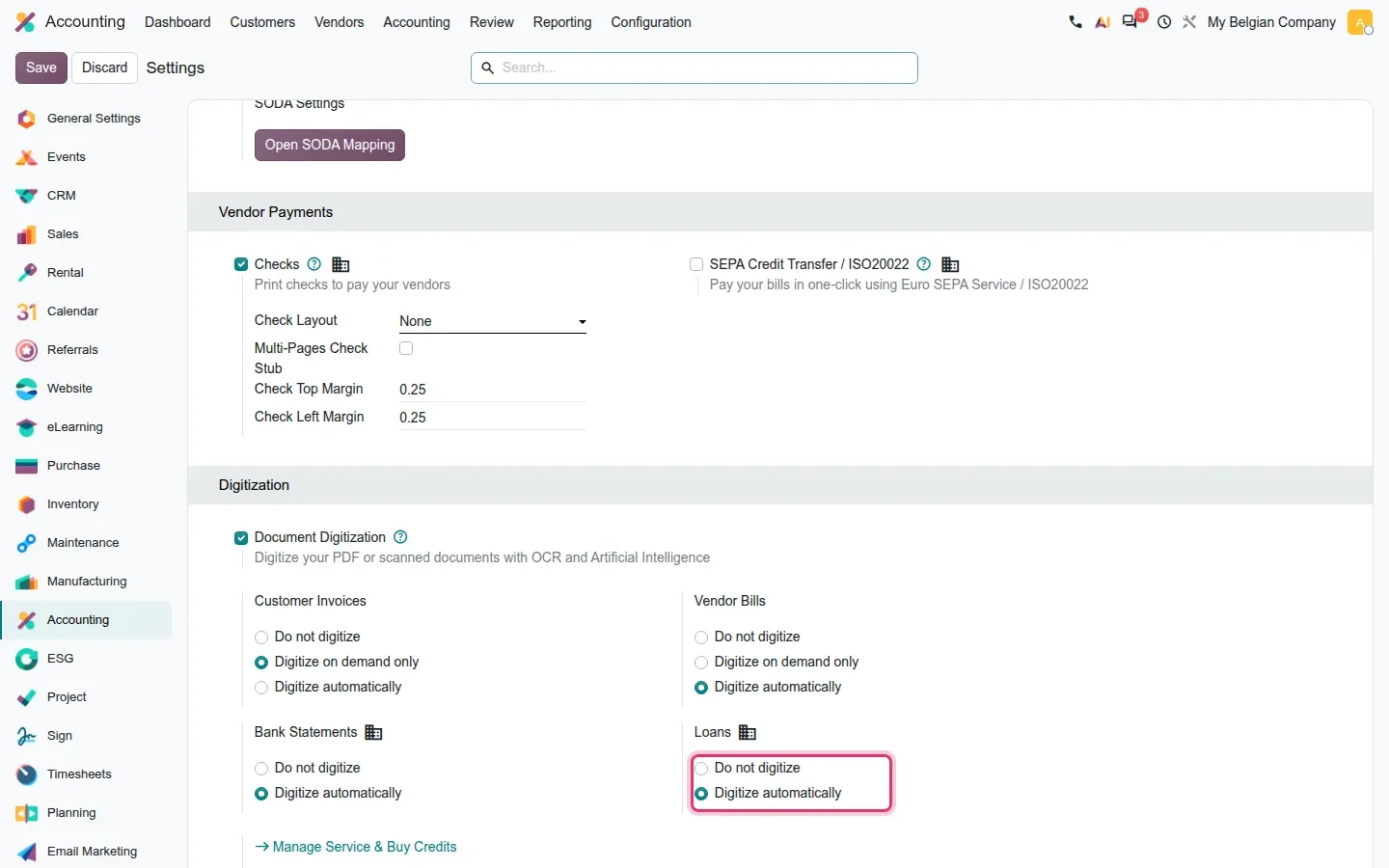
Odoo already recorded a loan, its amortisation schedule and the split between long-term and short-term liability. What was tedious was the schedule itself: sixty lines copied from a bank PDF. The new account_loans_extract module sends that PDF to Odoo's digitisation service and fills the dates, principal and interest per period. The switch lives in Accounting > Configuration > Settings, in the Digitization section. One correction to the guide: on this build the Loans setting offers two choices, Do Not Digitize and Digitize Automatically, with no on-demand mode. The extraction only runs while the loan has no lines yet, so it never overwrites work already done.
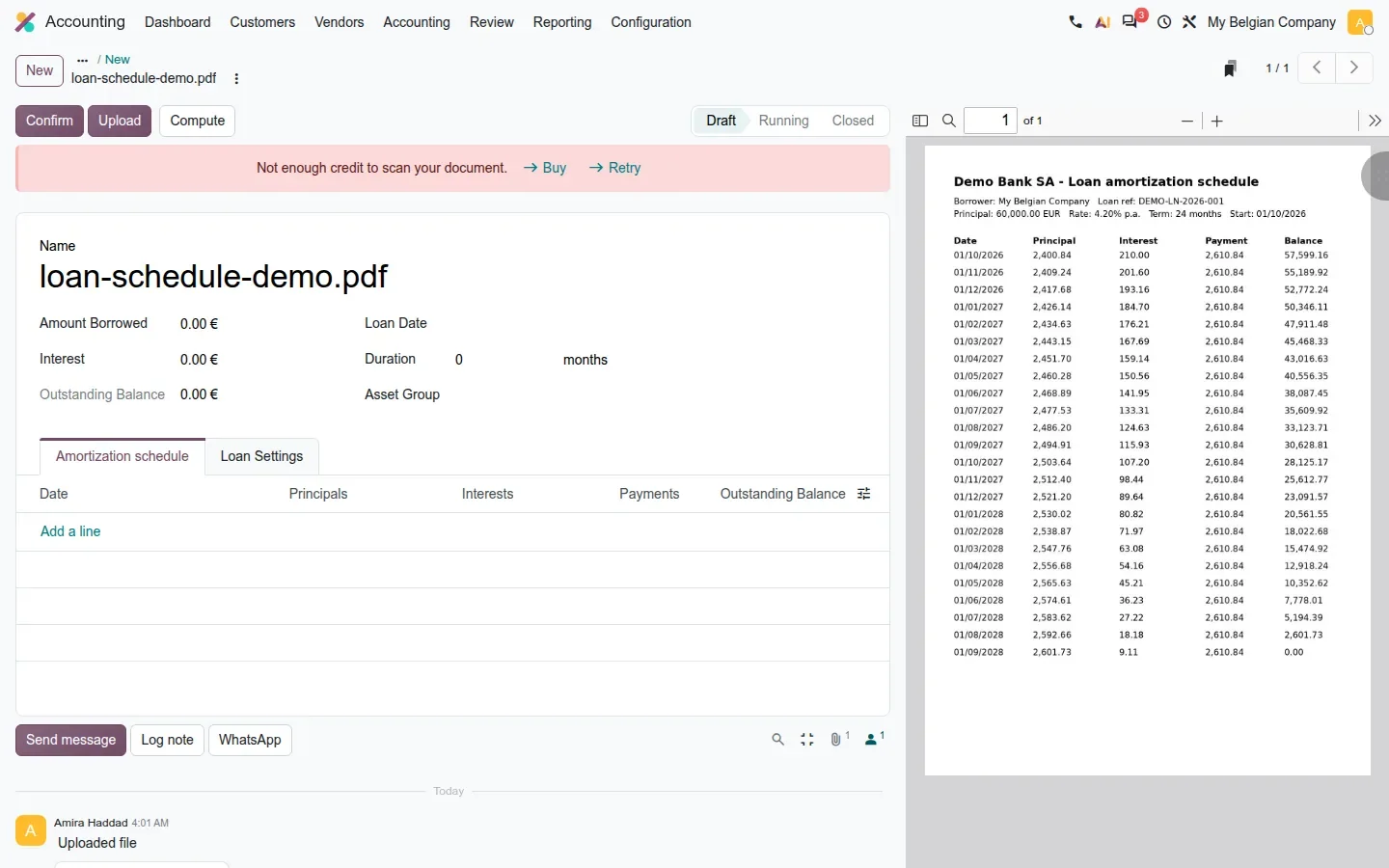
The loan form carries Amount Borrowed, Interest, Loan Date and Duration, with an Amortization Schedule tab and Confirm, Upload and Compute buttons. We uploaded a two-year demo schedule from a fictional bank; Odoo attached it, opened the PDF beside the form and sent it for digitisation. The service answered "Not enough credit to scan your document", because the demo had no IAP credits. So we can show the flow, not the filled schedule. The guide also describes a French extension, l10n_fr_account_loans, with a mid-term theoretical balance per line; the French localisation was not installed on our demo.
Direct debit mandates become a module of their own
Until Odoo 19, the direct debit mandate was a piece of the SEPA module. Odoo 20 pulls it out into account_direct_debit, a base module that owns the mandate record, its lifecycle and the link between mandates, invoices and batch payments. According to the guide, SEPA Direct Debit for euro-area banks, the Canadian CPA 005 format and the eCommerce SEPA payment provider all depend on it. Our demo ran SEPA on a Belgian company; we did not test the Canadian module. The guide mentions no US scheme.
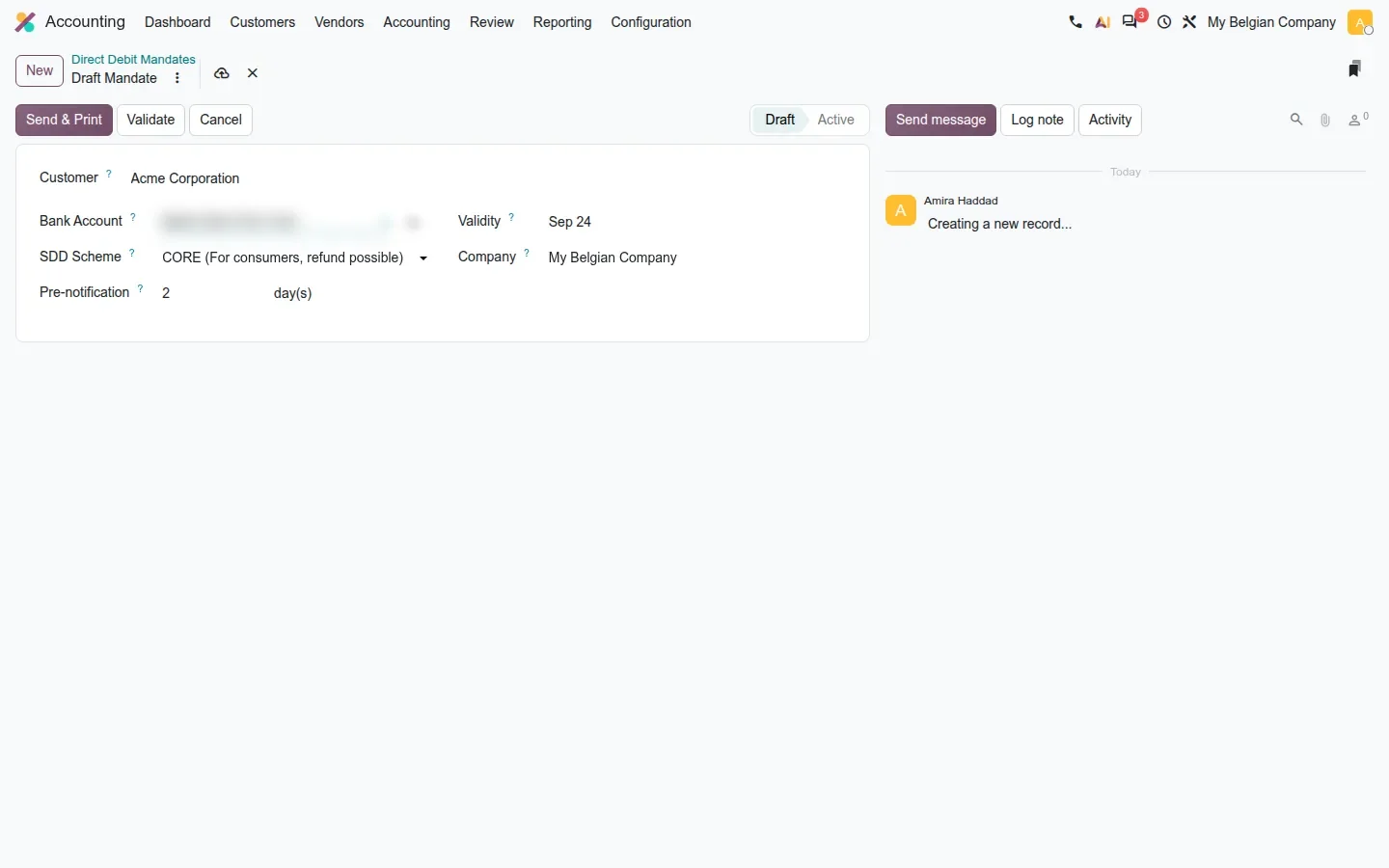
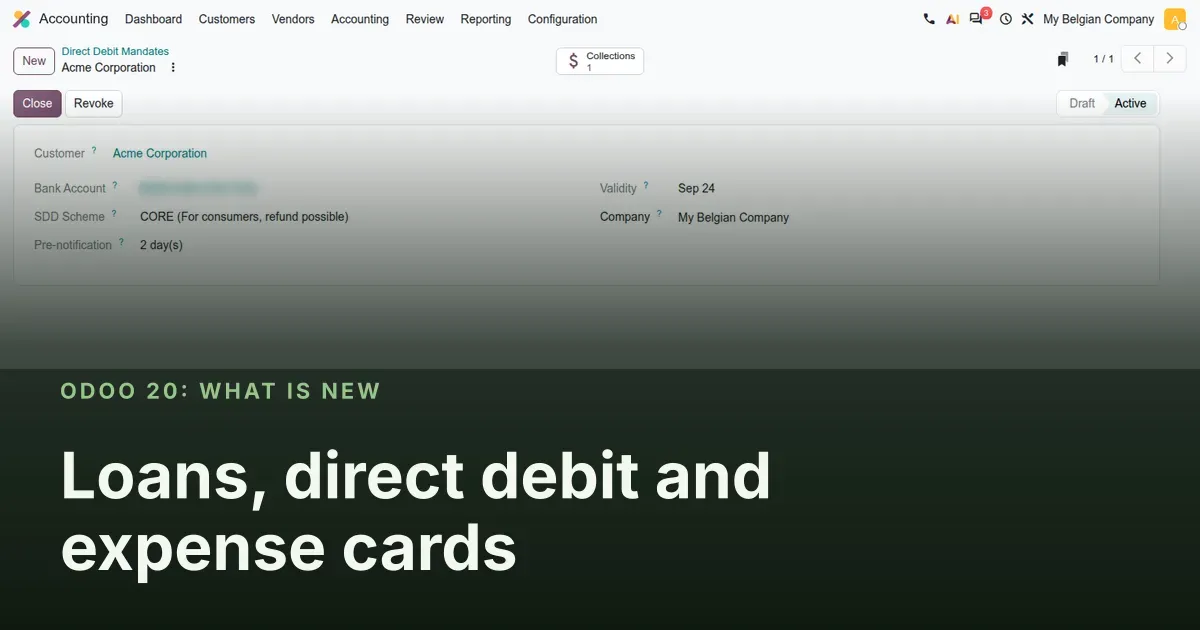
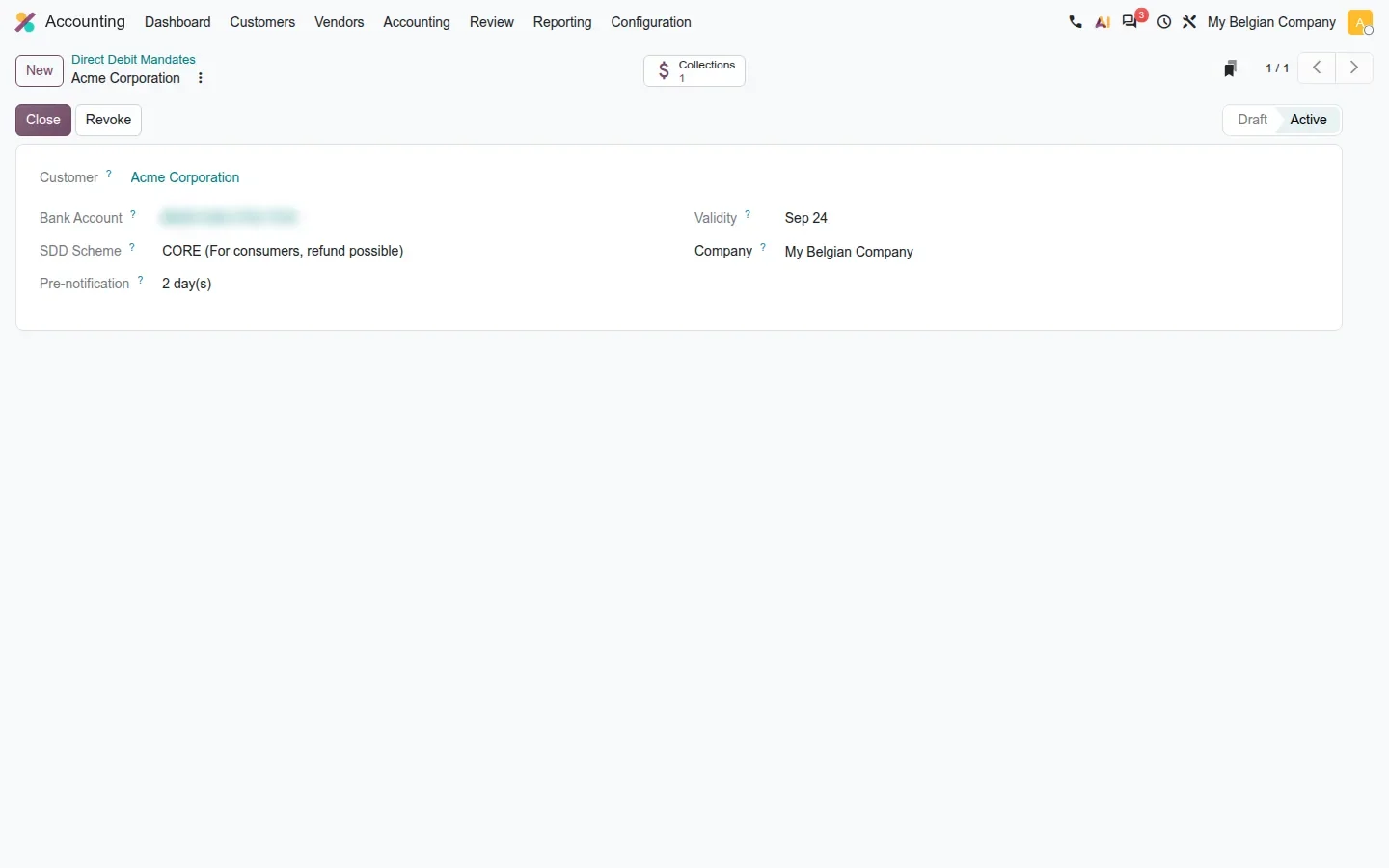
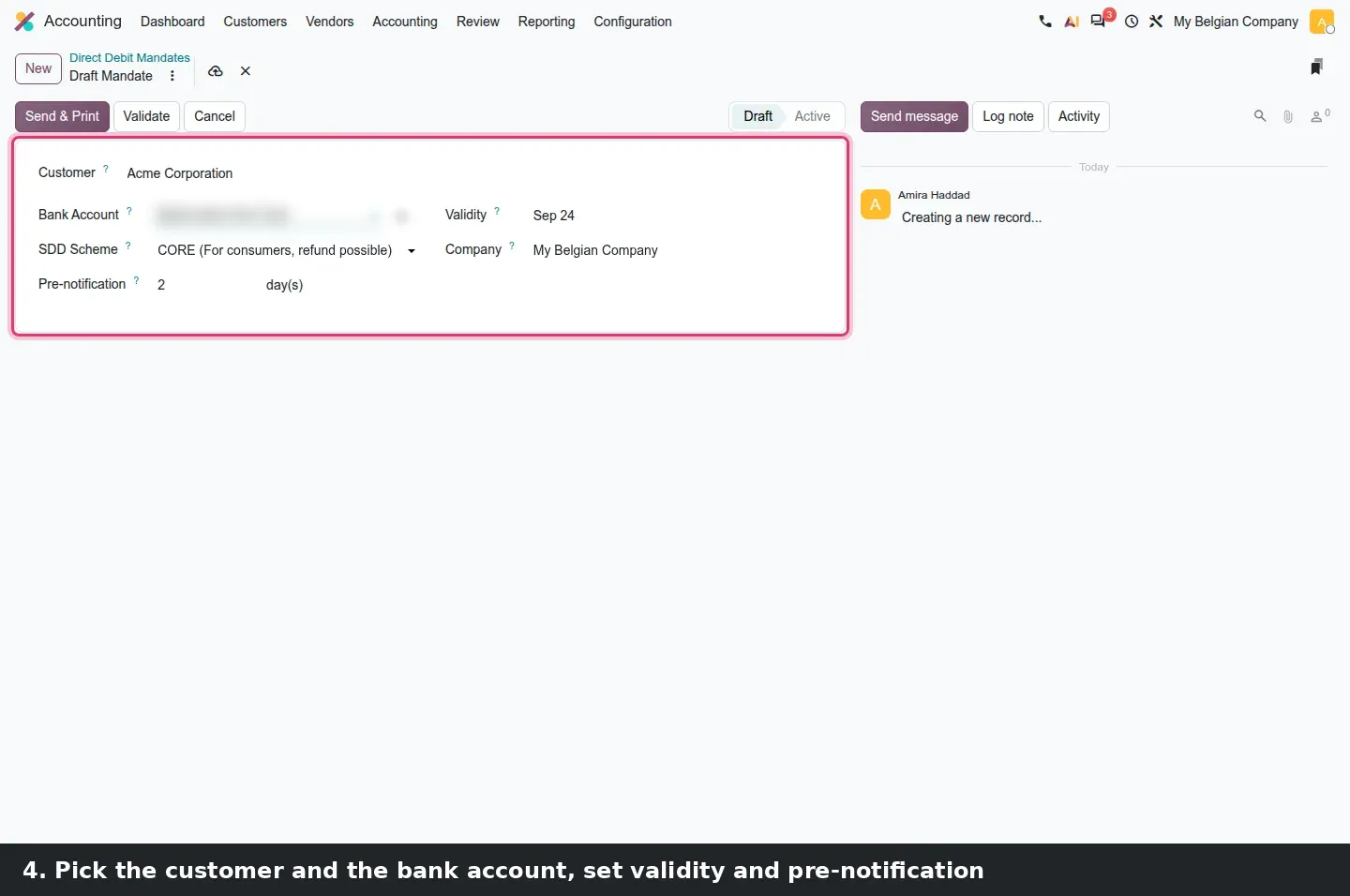
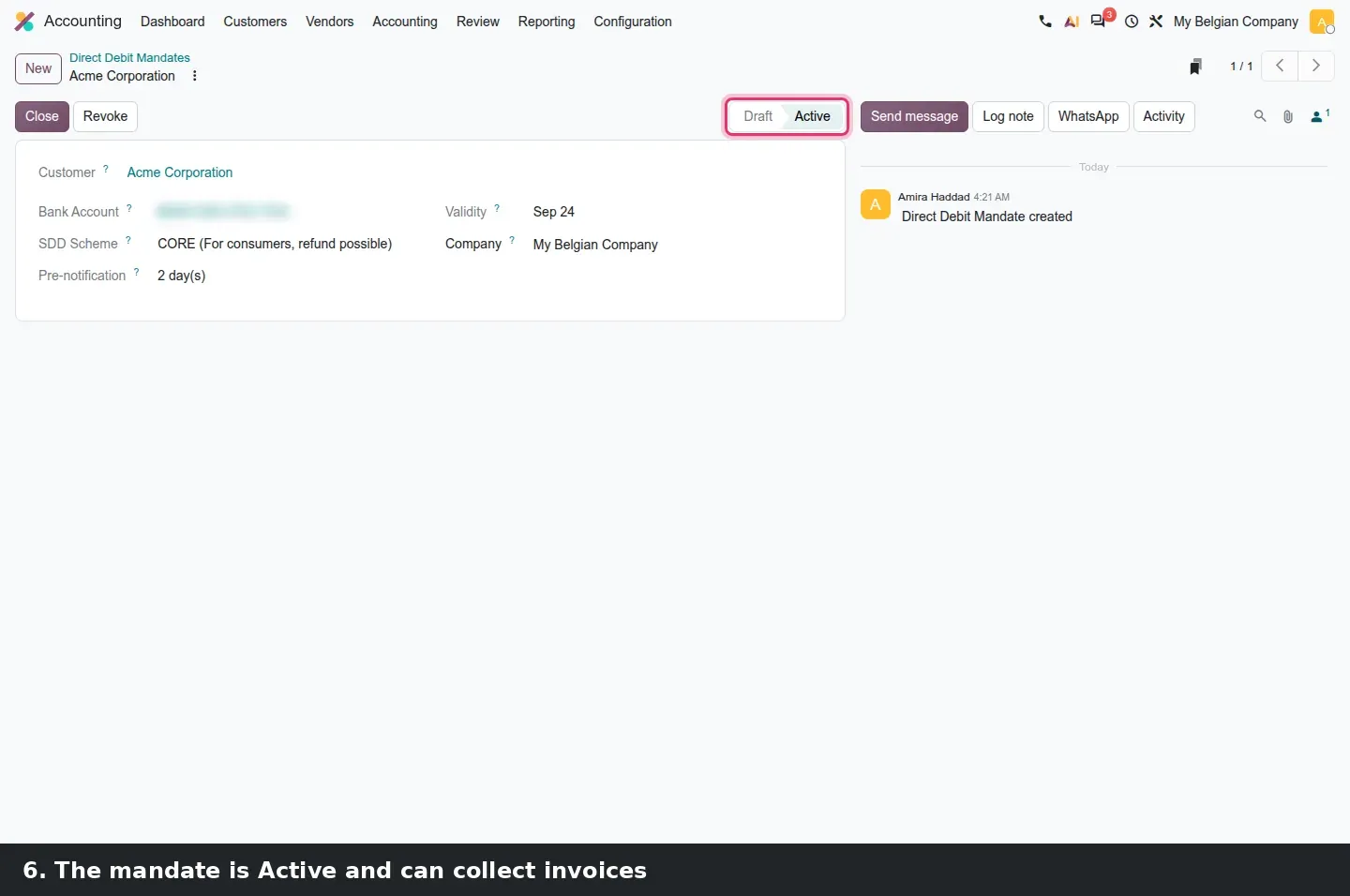
The form is short: a Customer, a Bank Account (IBAN, blurred in our shots), an SDD Scheme (CORE, "For consumers, refund possible"), a Pre-notification in days, a Validity date and a Company. In Draft, the header offers Send & Print for the signature copy, plus Validate and Cancel. Once validated, the mandate is Active and the header changes to Close and Revoke, and a Collections smart button counts the direct debit payments registered through it. The guide lists a second button, Invoices Paid, which only appears once a collection has gone through the bank, something a private demo cannot do.
From the invoice to the collection run
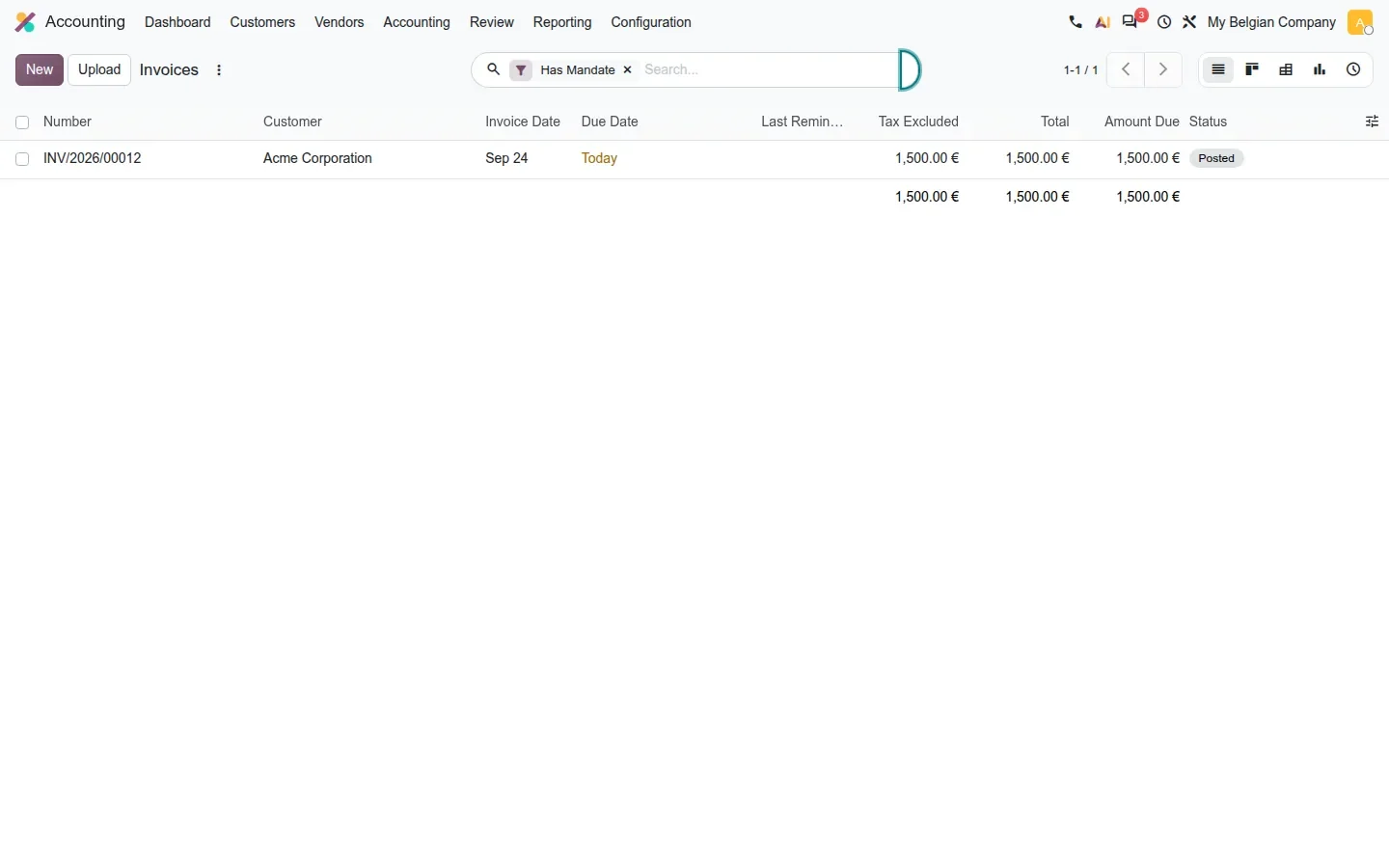
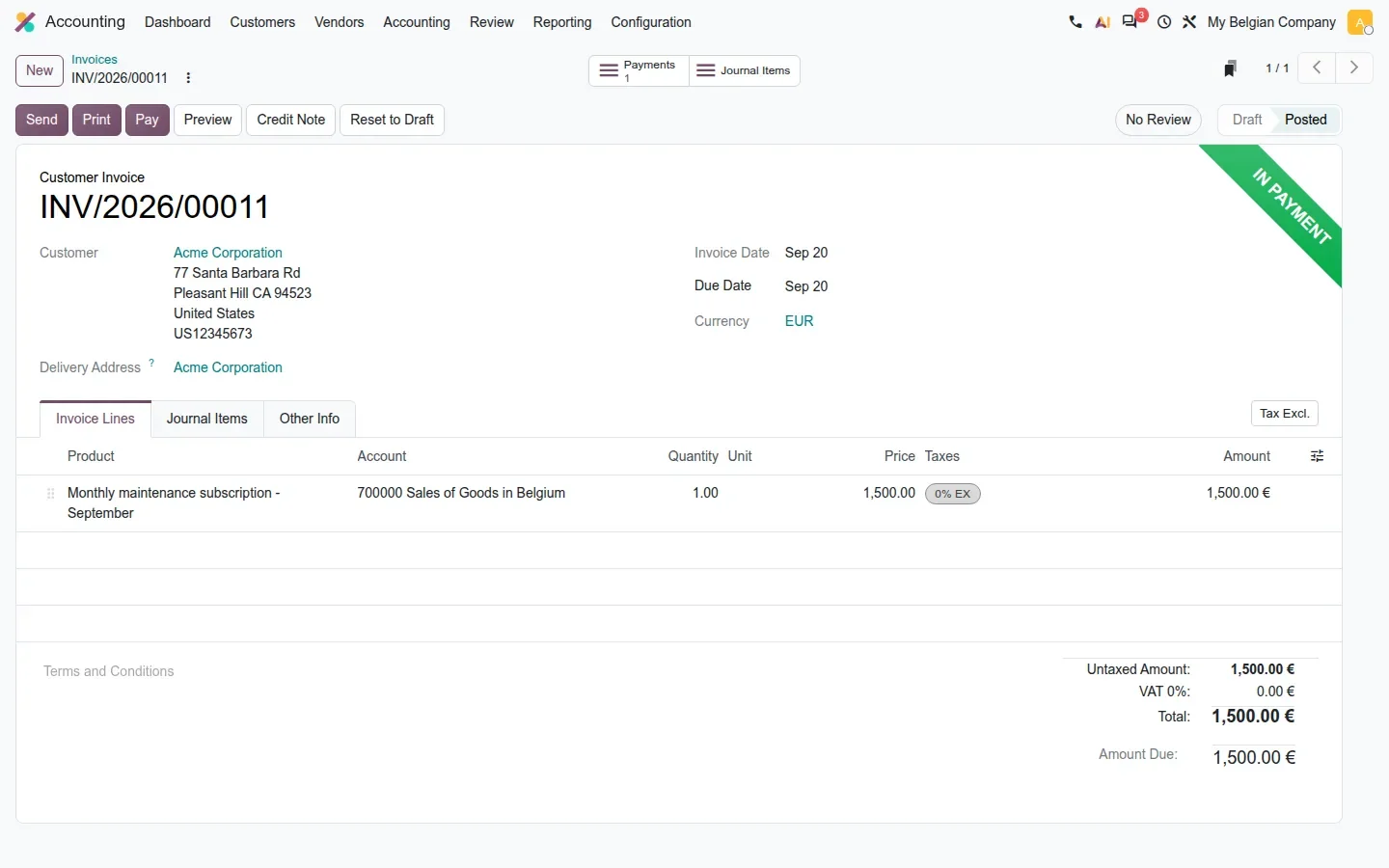
What changes for the person who runs the monthly collection is visibility. The invoice list gains a Has Mandate filter that keeps only invoices whose customer holds a usable mandate for the invoice date. When you register a payment with the SEPA Direct Debit method, Odoo checks that a mandate of the right type exists, records the payment and stamps the invoice with the green In Payment ribbon. It stays there until the batch file is sent and the bank line is reconciled, the point at which the money is real.
Collection routine
Save the Has Mandate filter combined with Posted as a favourite on the invoice list. Everything it shows can be collected; everything it hides needs a mandate first or another payment method.
Payments sent through a bank connection, and consent that warns before it lapses
The third piece is open-banking payment initiation: Odoo sends a payment order to the bank through the synchronisation provider. The guide calls it more reliable in Odoo 20 because the bank proxy now calls Odoo back through webhooks when a payment status changes, and batch payments show a payment initiation status column. Consent is reworked too: Odoo tracks the expiration date on each connection, emails fifteen, three and one day before expiry, and publishes a renewal page the account holder can use without an Odoo login.
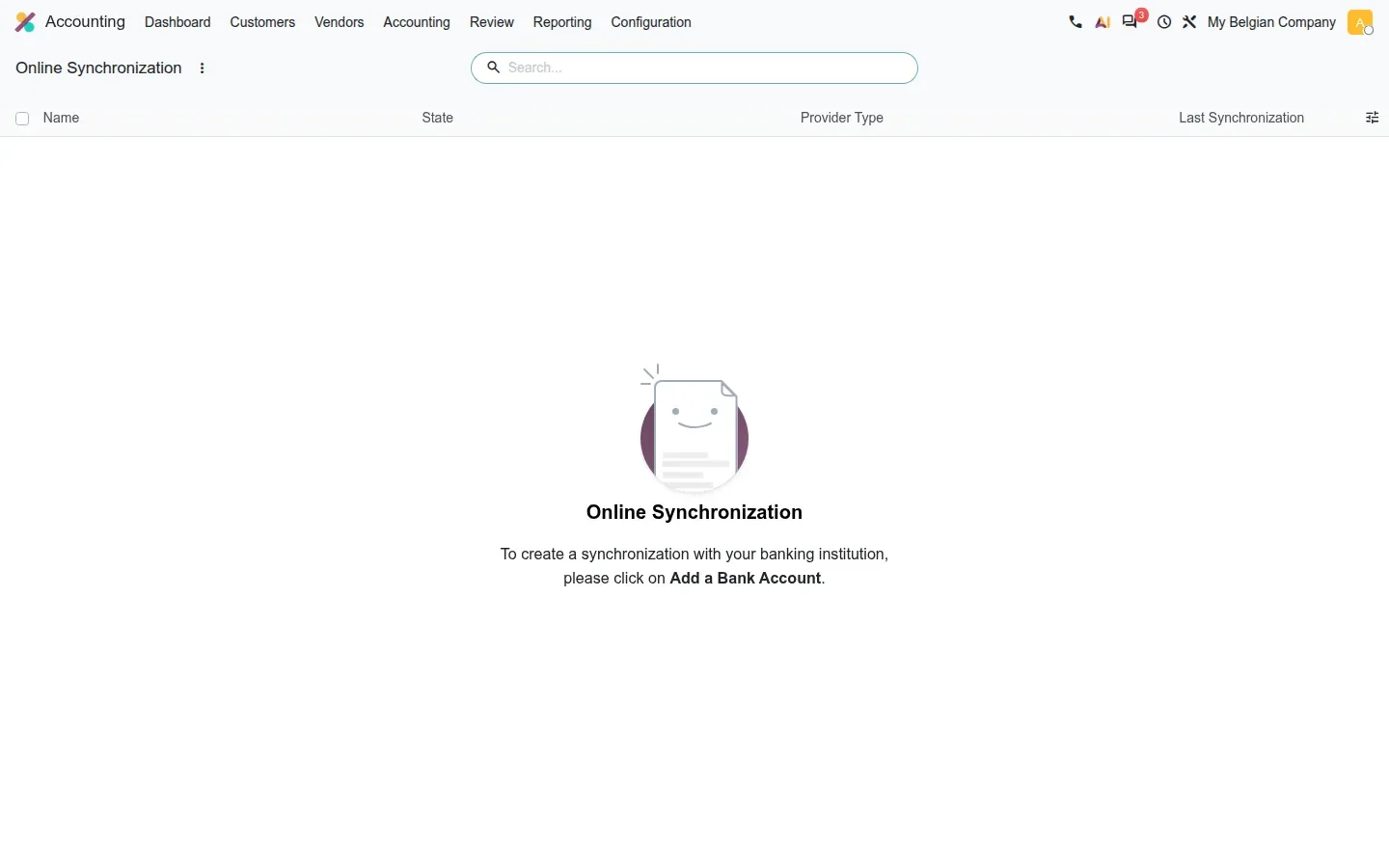
None of that could be verified on our side. Accounting > Configuration > Online Synchronization was empty on the demo, and payment initiation needs a live bank connection through the Odoo proxy. Whether your bank supports it depends on the provider's coverage.
Expense cards: the expense exists the moment the card is tapped
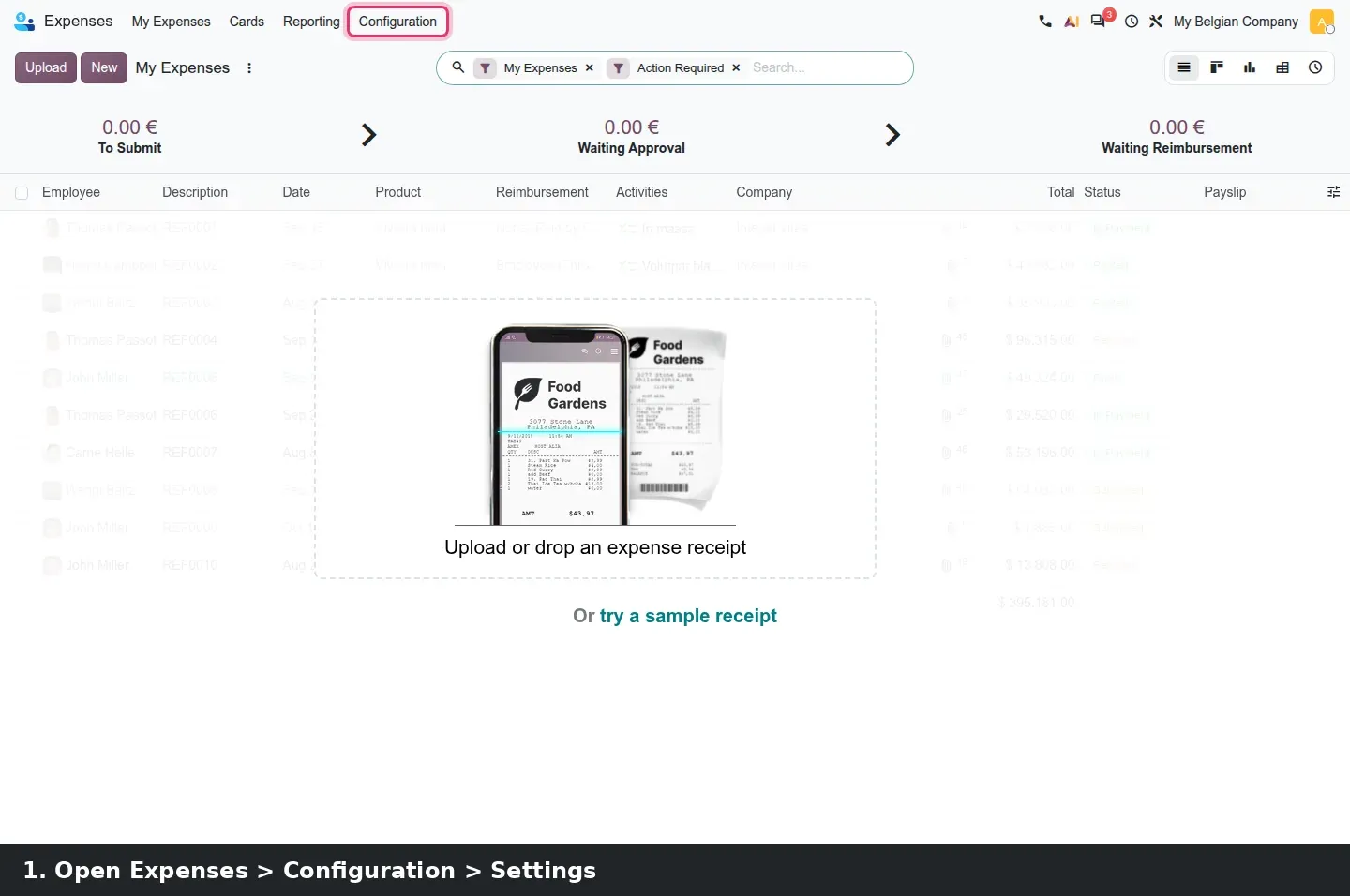
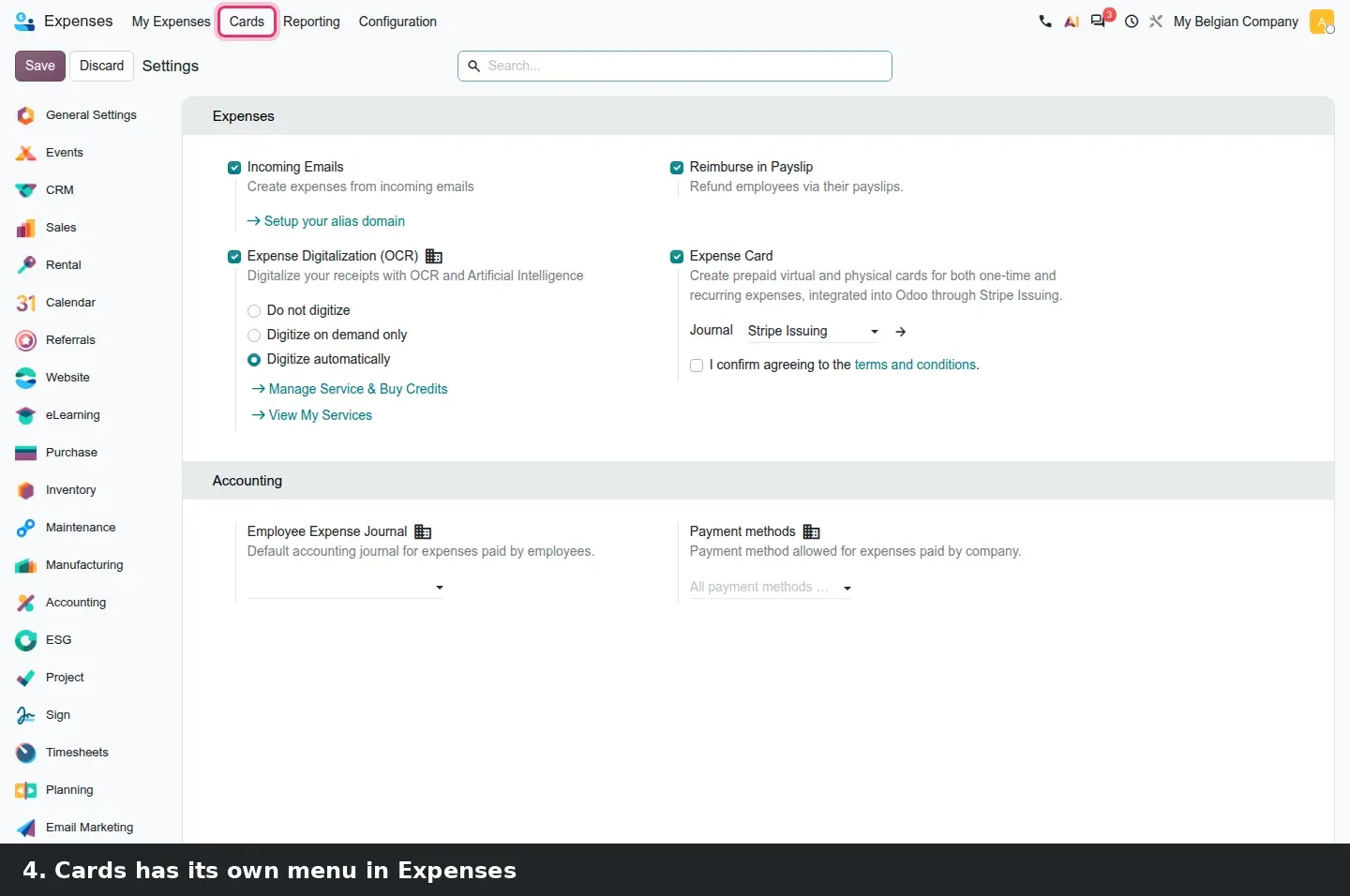
Stripe Issuing cards let a company hand employees a prepaid virtual or physical card and see the spend in Expenses without a reimbursement. The feature is switched on in Expenses > Configuration > Settings, under Expense Card: pick the Stripe journal, tick the terms and conditions and click Connect (demo). The option is only shown to companies whose country Stripe Issuing supports; on our database that was the Belgian company alone.
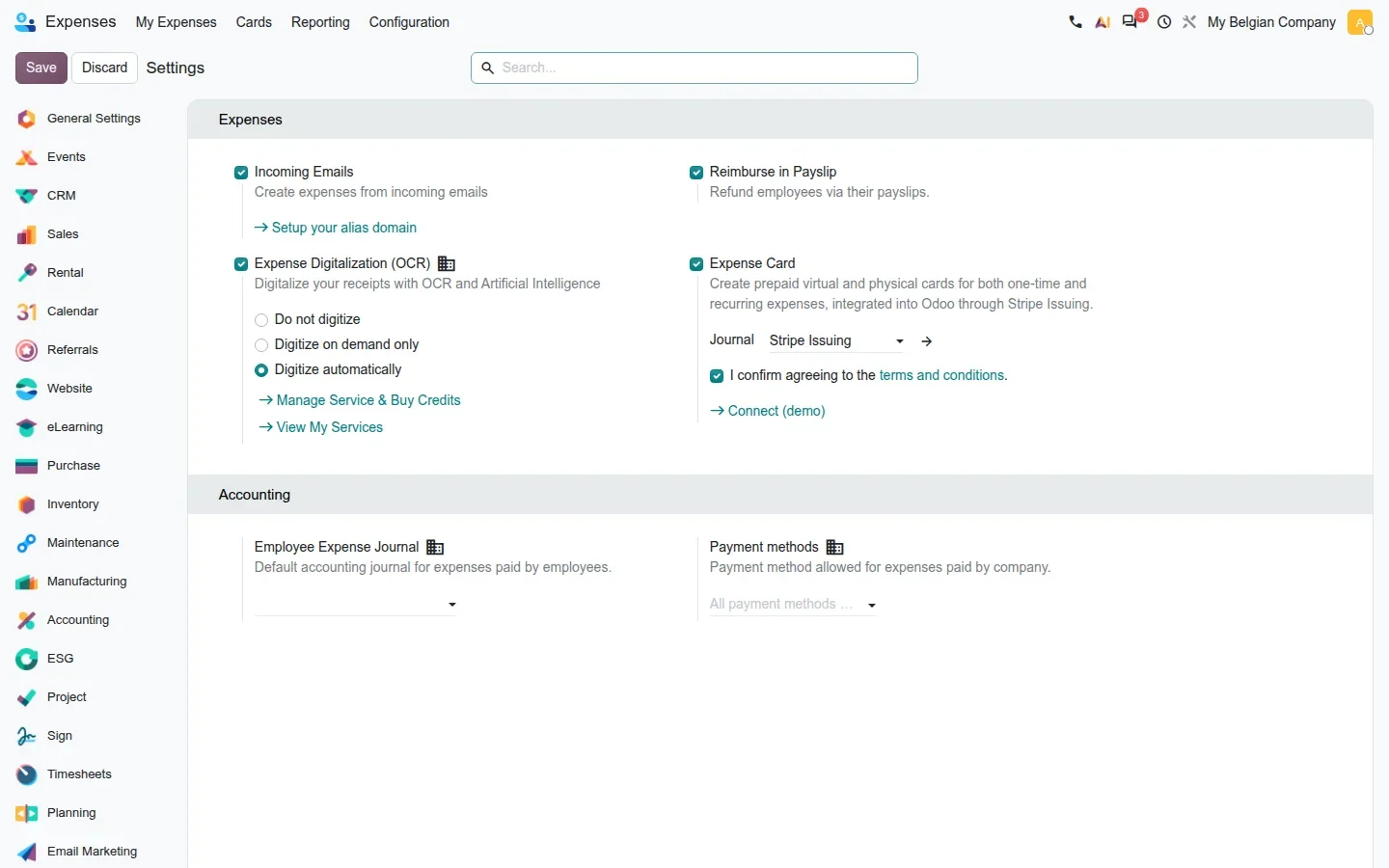
The change that matters most is timing. Odoo used to create the expense when the merchant captured the funds, sometimes a day after the purchase. It now creates it at authorisation, with a yellow Reserved ribbon while the amount is only held, and turns it into a normal expense once the capture arrives. Receipts get attached while they are in hand, and uncaptured authorisations can no longer slip past a limit. Two smaller fixes follow: virtual cards now show their PIN through the same secure Stripe element, and a Block button lets an administrator retire a physical card stuck in pending shipping.
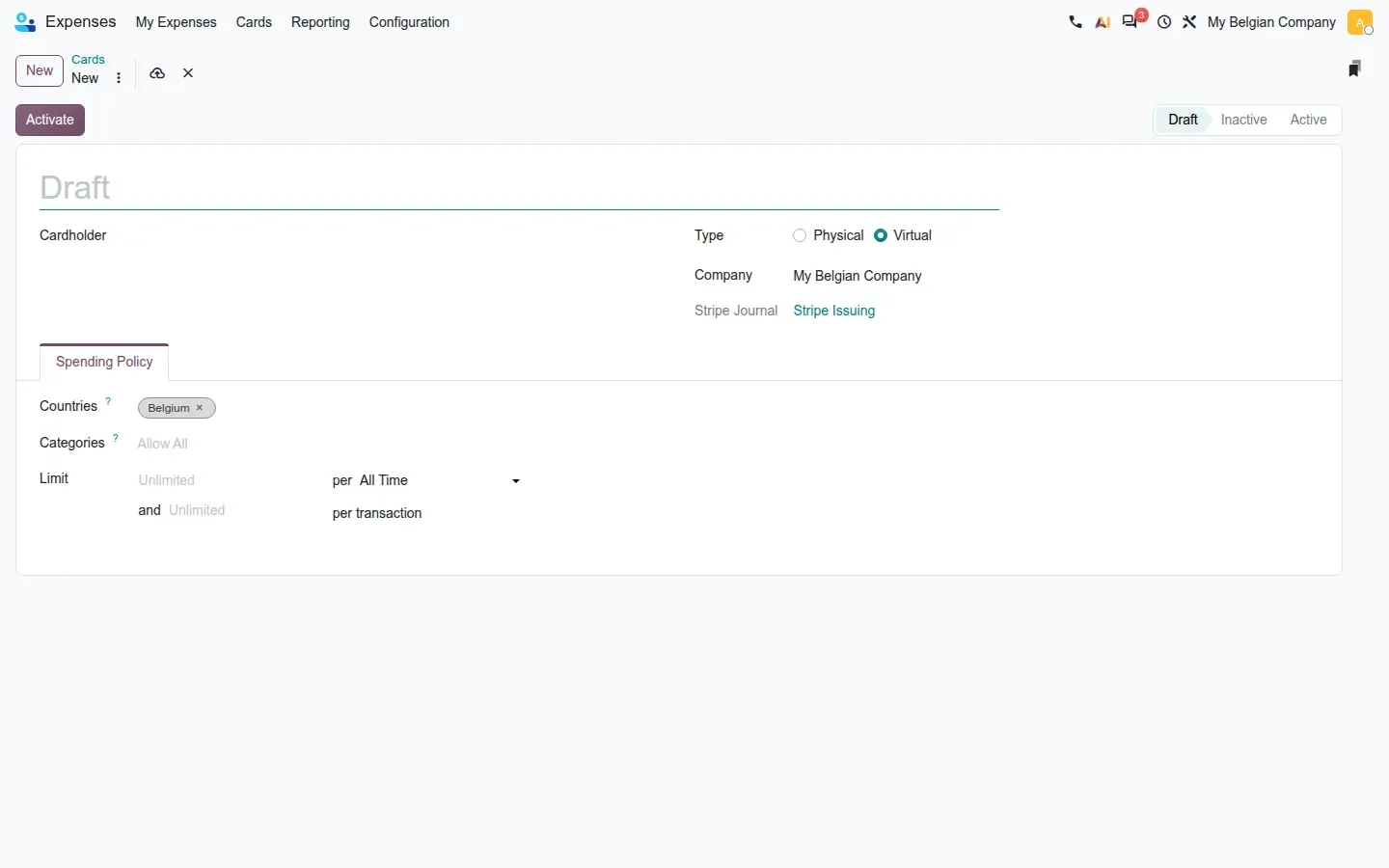
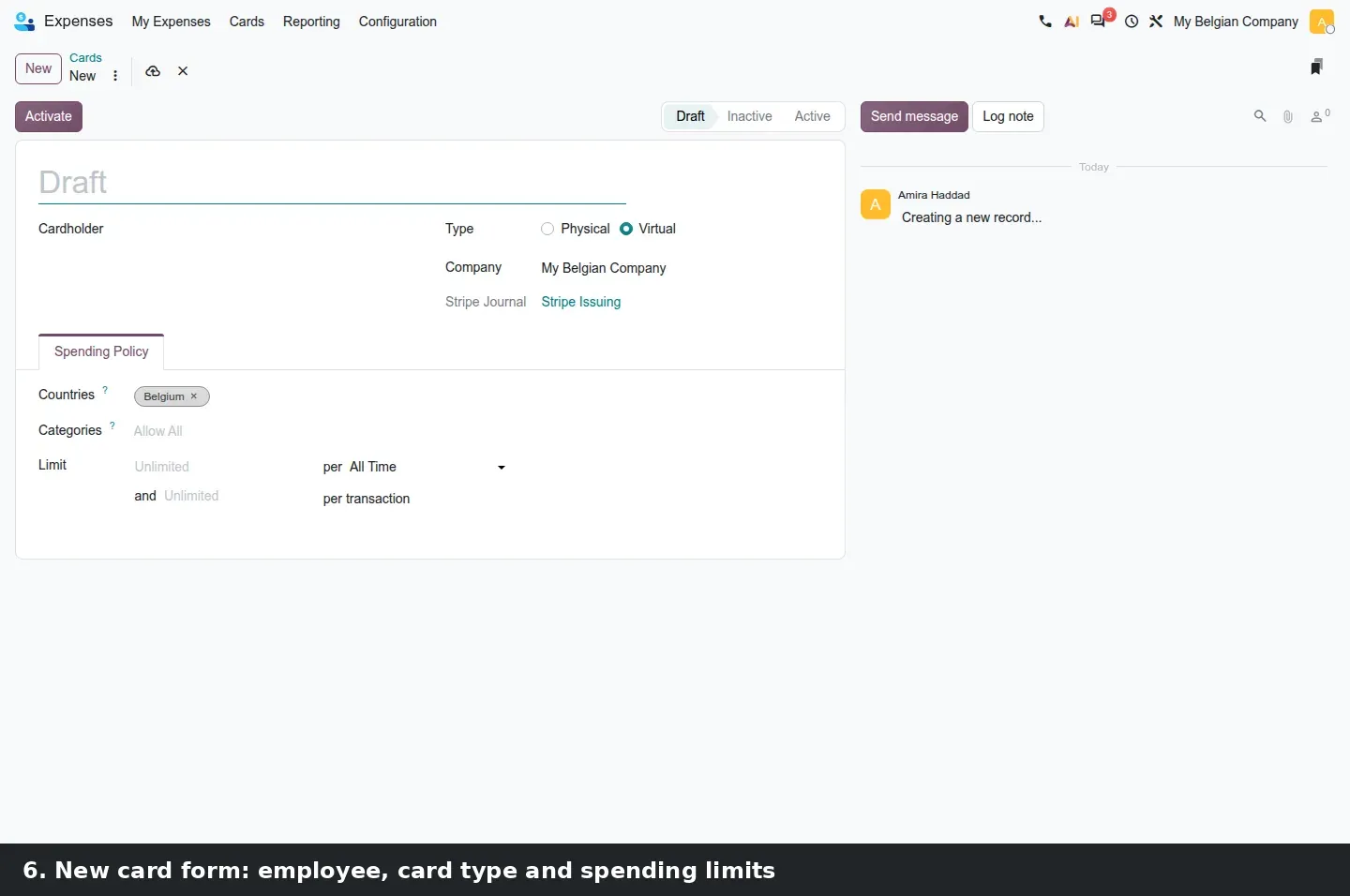
The card form we could open shows a Cardholder, a Type radio (Physical or Virtual), the Stripe Journal, an Activate button and a Draft, Inactive, Active state bar. The Spending Policy tab holds Countries, Categories and two limits, one per period and one per transaction. The guide adds a Pause action, a kanban with the last four digits and current limit, and a dispute record that submits evidence to Stripe and books the outcome as bank statement lines on the Stripe journal. All of that needs a connected Stripe account.
Merchant category codes decide where a swipe lands
Every card transaction arrives with a merchant category code that classifies the merchant, airline, hotel or hardware store. Odoo maps those codes to expense categories so the transaction lands on the right product and account; the list on the demo holds 296 codes and ranges. Odoo 20 makes this safer: when codes end up unmapped after a category is deleted or a mapping edited, Odoo warns and logs the code and its name whenever Stripe refuses a transaction.
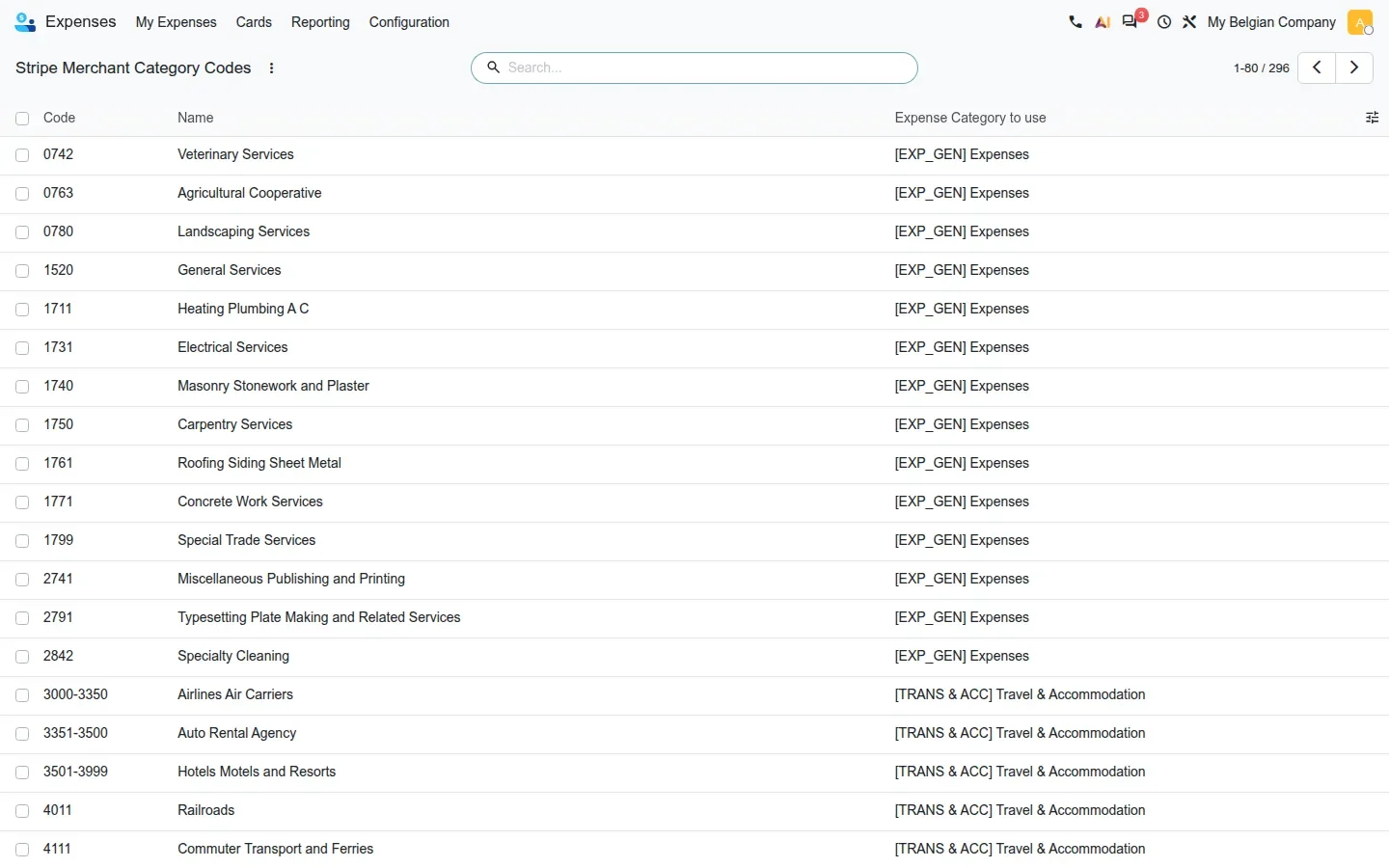
A correction to the guide: the MCC list has no menu entry under Expenses > Configuration on this build; we reached it through its direct URL, and the menu only appears in developer mode. Also note what was pulled: a setting to switch between Stripe test and live mode was reverted before release because it could lock a company out of its live funds. Do not promise it.
How to try it on a demo database
- Open Accounting > Configuration > Settings, scroll to Digitization and set Loans to Digitize Automatically. This consumes IAP credits.
- Go to Accounting > Accounting > Loans, click New, then Upload and pick the bank's amortisation schedule PDF.
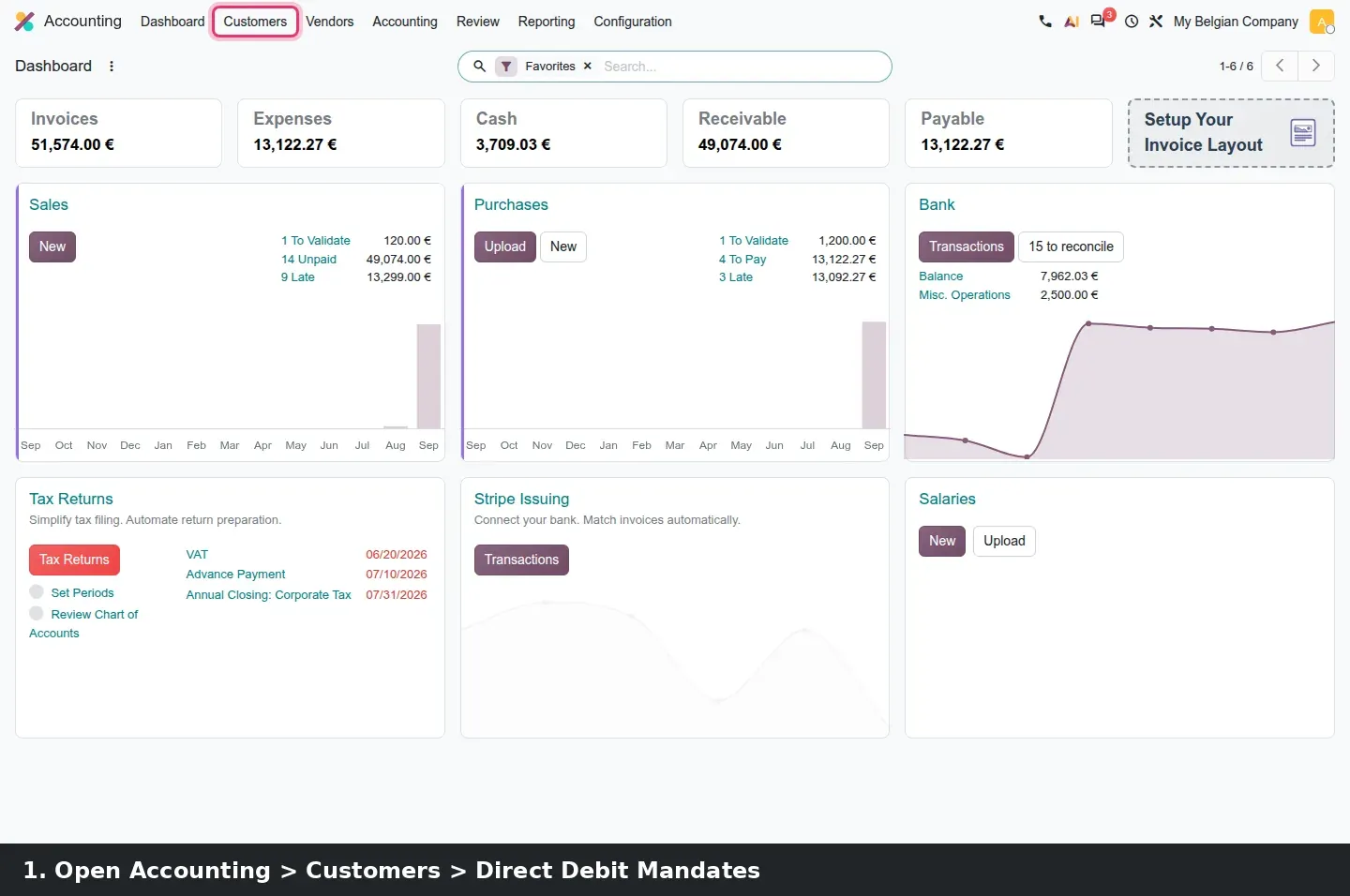
- Install SEPA Direct Debit and set the creditor identifier on the company. Open Accounting > Customers > Direct Debit Mandates, click New, pick the customer and their IBAN, then Validate.
- Open Accounting > Customers > Invoices, add the Has Mandate filter, open an invoice, click Pay and choose SEPA Direct Debit.
- On a company in a country Stripe Issuing supports, open Expenses > Configuration > Settings, tick Expense Card, choose the Stripe journal, accept the terms and click Connect (demo). The database must be reachable on a public https URL.
- Open Expenses > Cards, click New, pick a Cardholder and the Virtual type, fill the Spending Policy tab and click Activate.
What we could not verify on the pre-release build
The filled loan schedule after digitisation: the IAP service answered "Not enough credit". The French mid-term theoretical balance: the French localisation was not installed. The Invoices Paid button on a mandate: it appears only after the SEPA batch is sent and the bank line reconciled. Open-banking payment initiation, consent expiration and the public renewal page: all need a live bank connection through the Odoo proxy. The card kanban with active cards, Pause and Block, the Reserved ribbon, the virtual-card PIN, disputes and the unmapped-MCC warning need a connected Stripe account; the demo connector refused our local webhook URL because it was not https. Everything else on this page was clicked through on the 20.0 Enterprise build of 23 September 2026.
What this means for an upgrade
If you run Odoo 17, 18 or 19 with SEPA Direct Debit, expect the mandate data to move into the new account_direct_debit base during the upgrade, and check your active mandates afterwards. Loan digitisation is an IAP service, so budget credits, and enter existing schedules once by hand, since the extraction only fills empty loans. If you already issue Stripe cards, review the MCC mapping and tell employees that expenses now appear at authorisation. Each of these features talks to an outside party, and Odoo has scheduled the removal of the XML-RPC and JSON-RPC endpoints for Odoo 20 at the same time, so any script that pushes payments or pulls expenses into Odoo needs our RPC migration audit first. The rest is part of the scoping in our migration service, and the series hub lists the other Accounting changes in the same release.
Frequently asked questions
Can Odoo 20 read a loan amortisation schedule from a PDF?
Yes, through the new account_loans_extract module. Upload the bank's schedule on a loan that has no lines yet and the digitisation service fills the dates, principal and interest per period. It runs only when the company setting is Digitize Automatically, and it consumes IAP credits; our demo stopped at "Not enough credit".
Do Odoo 20 direct debit mandates work in Canada or the United States?
The mandate model is now a generic base, account_direct_debit, and the guide says the Canadian CPA 005 module depends on it, alongside SEPA Direct Debit for Europe. We tested SEPA on a Belgian company only. The guide mentions no US direct debit scheme, so do not assume ACH support from this release.
What does the In Payment ribbon mean on an invoice paid by direct debit?
It means a SEPA Direct Debit payment has been registered against the invoice but the money has not been confirmed by the bank. The ribbon stays until the batch file is sent and the resulting bank statement line is reconciled, at which point the invoice becomes Paid and the mandate's Invoices Paid button appears.
Are Stripe Issuing expense cards available in my country?
Only if Stripe Issuing supports your company's country. Odoo shows the Expense Card option in Expenses settings for supported companies only; on our multi-company demo, a single Belgian company qualified. Check your own settings page before planning a card programme, and note that the connector needs a public https URL for its webhook.
Can I switch expense cards between Stripe test mode and live mode in Odoo 20?
No. A setting for that switch was added during development and reverted before release because it could lock a company out of its live funds. The pre-release build connects through Odoo's proxy in a fixed mode, so plan your testing on a separate database rather than on a toggle.